


TL;DR: Putting AI agents on your org chart as named teammates shifts accountability away from people, according to a 2026 MIT study of 1,261 managers. A better approach maps AI into each workflow: mark where AI does the work, where it drafts for a human to decide, and which named person checks and owns every step. One workflow takes about 30 minutes to map.

Probably once a day, I get an email from somebody pitching either a speaker or a partner or a product for me to try, and it has a merge field that hasn’t been used, or it has a misrepresentation of something that was crawled from one of my articles, or it’s calling me “Mr. Leadership in Change” or “Mr. FIRST NAME” instead of calling me by my name, because whatever they used to crawl wasn’t verified.
That just tells me how an organization works.
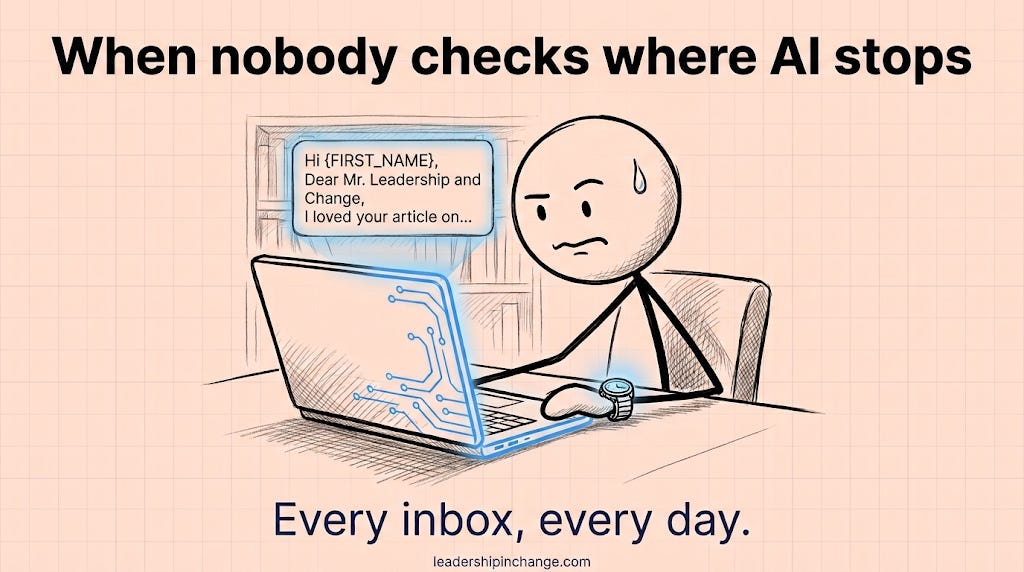
I truly believe that we’re quickly approaching a future where, in order to remain competitive and moving at the speed of the customer as customer expectations change, teams are increasingly going to have to include AI in their operations. And it’s not going to be one size fits all.
However, when I hear “give your AI a name and put it into an org chart” as if it was a person, that’s when I start getting hesitant.
So below you’ll find why I’d keep AI off your org chart, the five-step map I use to put it into a workflow instead, my own Leadership in Change workflow mapped out as an example, and a Claude prompt that finds every step nobody is checking.
What You’ll Walk Away With
A 30-minute way to map one of your team’s workflows and see exactly where AI starts and stops
A clear answer for the next person who suggests giving your AI a name and a box on the chart
Why I’d Keep AI Agents Off the Org Chart
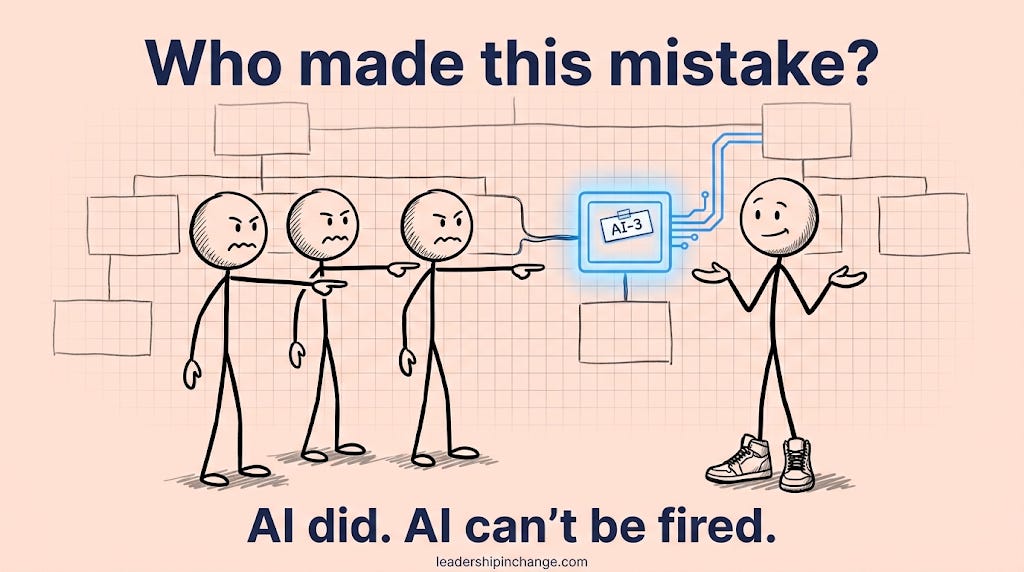
In a 2026 MIT Initiative on the Digital Economy study of 1,261 HR and finance managers, 23% said their company already lists AI agents on org charts. The study also found that treating agents like employees “shifts accountability away from humans” and “lowers review quality.” Where companies already had AI “employees,” managers checked a named agent’s work 16% less than an unnamed tool’s.
I really liked the MIT survey, because it’s exactly where I land. AI isn’t human, and it can help humans. It can help human judgment, but I don’t think it helps to anthropomorphize it.
I think it’s different when you list it as part of a workflow, and that’s actually what I advocate for, similar to a RACI chart (the grid that shows who is Responsible, Accountable, Consulted and Informed on each task). What part of a workflow depends on the AI, and what part of a workflow goes to a human? Judy Ossello (AI Mechanic) made the case for defining AI’s role in Your AI Has a Job. Did Anyone Define It?, and a workflow map is where that definition lives.
AI Can’t Be Held Accountable, So a Person Has To
AI has no accountability. Its accountability is in whoever is using it, the company. There have to be humans who are taking accountability for that.
That’s also why I don’t like the analogy of hiring a new employee. Employees have to take accountability for their own actions, and they can be held legally accountable. But AI cannot.
AI is not deterministic.
It’s not A plus B equals C every time. AI reasons, and no matter how many guardrails you have, it could conclude out of different reasoning from time A to time B that A plus B equals D instead of C.
That’s where a human in the loop is needed.
Wondering where should you actually start with AI in your workflows?
We all got the tools at the same time, the way everyone eventually got electricity. Having it in the building was never what made the difference. What we did with it was.
I take three diagnostic calls a month. It’s 30 minutes, free, and we work out what you’re actually trying to get to, where your biggest hurdles sit, what your low-hanging fruit is, and how that lines up with what I’ve been seeing elsewhere. Then I tell you the first move I’d make.
Afterward I send you an outline of how I’d work on your biggest pain points, so you can decide on your own time.
Finding the Balance Between Too Little and Too Much AI
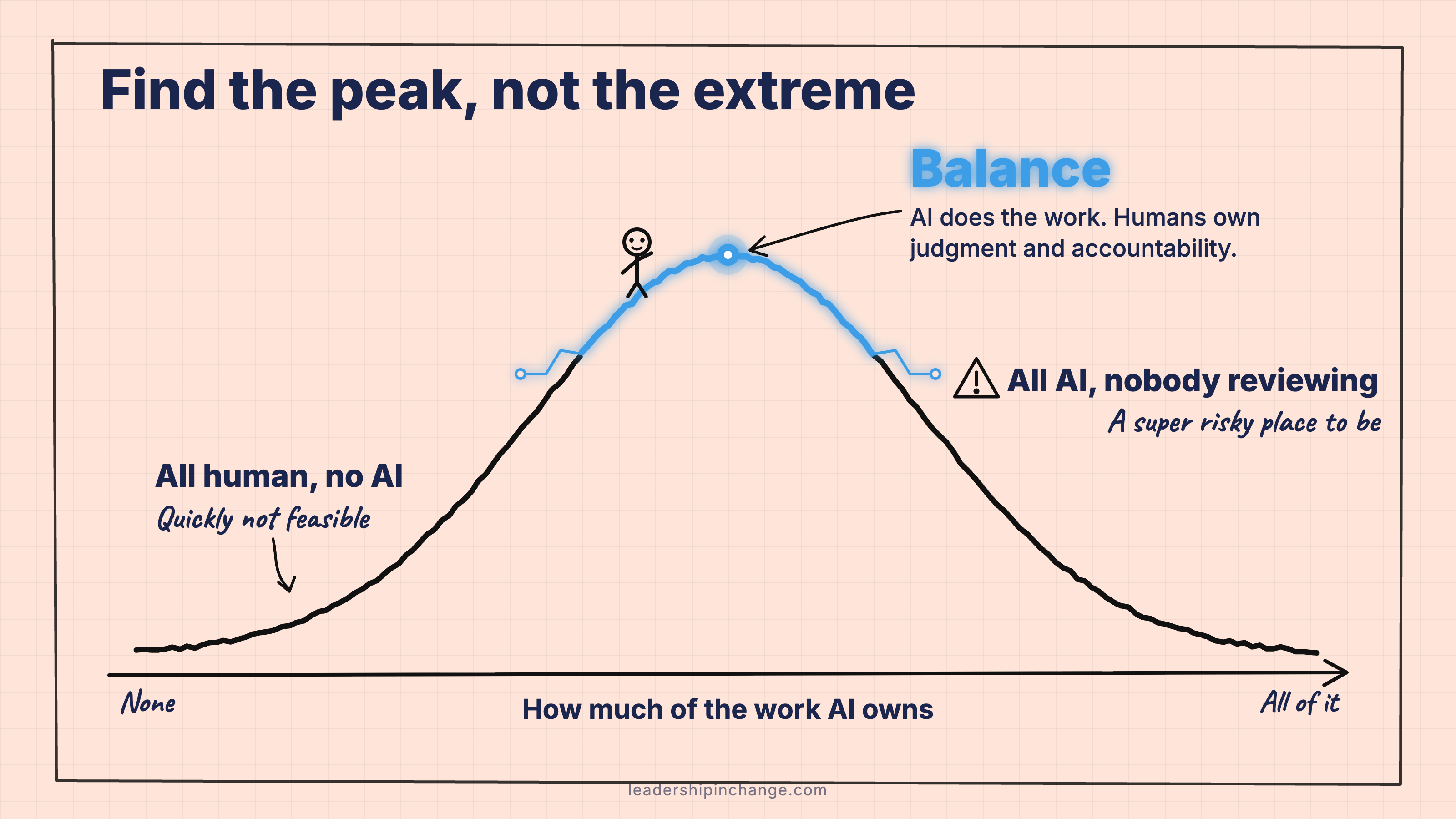
You have to find balance. Balance is where you have the right level of AI in your workflows while keeping judgment at the human level, and keeping management and accountability at the human level.
You can have too much AI responsibility and nobody reviewing, which is a super risky place to be. Or you could try to do everything without any AI help, but that is quickly not going to be feasible for most people.
How to Map One Workflow in 30 Minutes
Here’s the walkthrough I’d give a client. All you need is a doc or Claude (Anthropic’s AI assistant, the main rival to ChatGPT).
Pick one workflow that repeats. A newsletter, donor thank-yous, client onboarding. One, not the whole organization.
List every step as it happens today. One verb per step: research, draft, design, approve, send.
Mark each step with one of three labels.
AI does it. Repetitive, low-risk, easy to check.
AI drafts, a human decides. Most steps land here.
Human only. Judgment, relationships, anything you’d have to answer for.
Mark where AI stops. Wherever AI hands work back, name the person who checks it and what they check: names, facts, tone, brand. If nobody checks, that’s your gap.
Name one accountable owner for the whole workflow. A person, never a tool. Then mark the line nothing crosses without them: anything that reaches a customer, a donor, or the public.
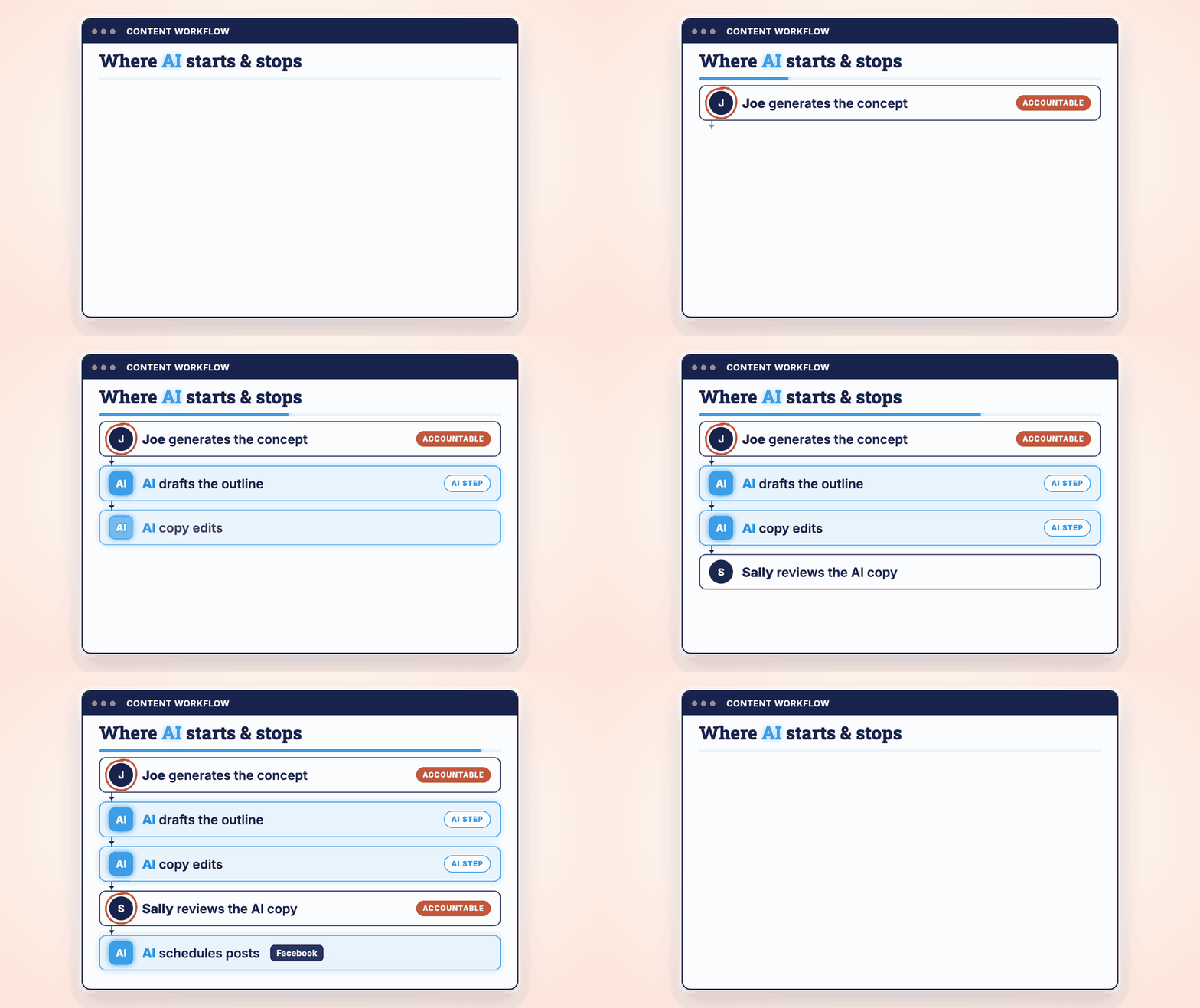
Here an example of this:
Quick Win (under 60 seconds) Open the last email or post your team sent with AI’s help and ask one question: who checked it before it went out? If you can’t name a person, you just found your first gap.
Stop reading and try it. If you’d rather let Claude do the first pass, paste your step list in with this:
Start with this prompt:
Here’s a workflow my team runs, step by step: [PASTE YOUR STEPS].

For each step, tell me whether AI should do it, draft it for a human to decide, or stay human-only, and why.

Show me every point where AI’s output would reach a customer, donor, or the public without a named person checking it.

For each AI step, suggest what the human reviewer should check (facts, names, tone, brand, numbers).

Draw the result as a simple flowchart, with AI steps and human steps visually different.
Claude draws the flowchart right in the chat, even on the free plan. For deciding which tasks to hand over next, see How to Decide What to Hand AI Next (and Where to Stop).
My Own Workflow, Mapped
All of my Leadership in Change posts start, including this one, with a first layer of AI-driven research. It’s done in Claude through a NotebookLM plugin (NotebookLM is Google’s AI research tool), and that gets me a layer of research. I then go through that research manually.
And then I do what I’m doing now, probably 15 to 20 minutes of dialogue, similar to what I would do in a workshop, going through my thought process across every piece of this. I then go back and forth with my AI assistant, who gives me ideas for outlines, analogies, very fine research, very fine sources.
Once we agree, AI finalizes the copy, turning the dialogue and outline into the finished piece, which I then review. AI creates graphics based on my instructions. I review the graphics, and it’s added and posted.
I know exactly where AI starts. I know exactly where AI stops. And that’s what tells me where I need to step in.
What a Mapped Workflow Looks Like for a Client
With most of my clients, one of the first projects we work on is a marketing engine. A human creates a basic draft of the content, and the engine makes it on-brand. It turns it into multiple copies, a drip campaign, social media posts, and it creates graphics, before it goes back to the human for judgment. [smoothed from: “a marketing engine that solidifies on-brand, a basic draft of content created by a human”]
Before, the content still got made. But a lot of smaller businesses don’t have a marketing team, a content team, or a design team, so it’s not as organized, or as on-brand and coherent. [smoothed from: “it’s not as organized or as branded coherent or even as good results generating as it could be”]
“But We’re a tiny 12-Person Nonprofit”
I hear this one a lot: we’re a 12-person nonprofit, we don’t have agents, this is for tech companies.
I would push back that every nonprofit, every for-profit, every small or large company is at one level or another transforming into a tech company. They have to have a strong focus on SEO. Now they need to start focusing on AEO (getting found and recommended by AI answer engines, which I explain in What Is AEO? A Plain-English Guide). AI can play a huge role in all those things.
So yes, if you’re a 12-person nonprofit, you probably don’t have agents. But with AI, you could minimize the repetitive tasks those 12 people do, and strategically get to the point where they’re producing the output of 15 or 20 people while focusing on the main things that matter.
And most people are not doing this yet. Microsoft’s 2026 Work Trend Index, a survey of 20,000 workers published May 5, 2026, puts only 19% of AI users in what it calls the “Frontier” group. So there’s a true opportunity to be at the forefront without doing very much right now.
We’re Stewards of What’s in Front of Us
I believe that as leaders, we are stewards of what we have in front of us. That is a combination of people, resources, revenue or money, and technology: AI capital. And it’s our responsibility to make the most of it.
It’s also our responsibility to understand the risks and not gamble it all on one stupid approach, or give the keys of the car to a toddler, essentially. [smoothed from: “not gamble it all in one stupid approach, or giving the keys to the car to a toddler”]
This is not something most leaders are thinking about yet. It’s still early, but it’s time to start thinking about it. [smoothed from: “So this is not something that a leader is thinking about.”]
If You Only Remember This
AI can’t be held accountable, so every step it touches needs a named person who is.
Put AI in your workflows, not on your org chart. Naming it and giving it a box makes people check its work less.
Know exactly where AI starts and where it stops. That line tells you where a human has to step in.
Pick one workflow your team ran this week. Where did AI stop, and who checked it before it went out?
Thanks for reading, Joel
Worth Your Time
Two pieces from other creators on the same question: who owns the work when AI does part of it.
Stacy's Brain, You Outperform an Average US Company If…. Stacy Muur reads the 2026 CMO Survey of 308 US marketing leaders, who say AI covers about 24% of their marketing optimization today and expect about 56% in three years, a useful baseline for where your own map should land.
AI Adopters Club, Be the AI Person Your Company Can Rely On. Kamil Banc walks one person through defining an AI’s job, its data, and a named reviewer.
One Useful Thing, Agency and Agents. Ethan Mollick on where AI should hand decisions back to people, built around a real security incident.
Questions Leaders Are Asking
Should AI agents be on the org chart? A 2026 MIT study of 1,261 managers found that treating AI agents like named employees shifted accountability away from people and lowered review quality, without raising adoption. A safer approach is to map AI into each workflow and give every AI step a named human owner who checks its work.
What is an AI workflow map? An AI workflow map lists every step of a recurring process and marks each one as done by AI, drafted by AI for a human to decide, or done by a human only. It also names who checks each AI step and which one person owns the whole workflow.
Who is accountable when AI makes a mistake? The organization and the people using the AI are. AI can’t be held legally or professionally accountable, so every step where AI produces work needs a named person who reviews it before it reaches a customer, donor, or the public.
What is a RACI chart, and how does it apply to AI? A RACI chart shows who is Responsible, Accountable, Consulted and Informed on each task. For AI, use the same idea: AI can be responsible for drafting a step, but a named human is always the one accountable for the result.
How can a small team start using AI in its workflows? Pick one workflow that repeats every week, list its steps, and mark which ones AI can do, which it can draft for a person to decide, and which stay human. Start with repetitive, low-risk steps, and keep a person checking anything that leaves the building.
Joel Salinas is an AI Strategy Coach and entrepreneur. AI is everywhere; judgment is scarce. Joel helps founders and leaders adopt AI without outsourcing their judgment to it, and he builds the systems too. Creator of the AI Leadership Triad.
Written by a human, for humans.
Sources
Adding AI to the Org Chart? Do It with Intention, MIT Initiative on the Digital Economy (Peter Krass; research by Emma Wiles et al.), 2026: https://ide.mit.edu/insights/adding-ai-to-the-org-chart-do-it-with-intention
Deloitte survey on AI readiness and agentic AI success, Deloitte press release, August 12, 2026: https://www.deloitte.com/us/en/about/press-room/deloitte-survey-examines-ai-readiness-agentic-ai-success.html
Agents, human agency, and the opportunity for every organization (2026 Work Trend Index), Microsoft WorkLab, May 5, 2026: https://www.microsoft.com/en-us/worklab/work-trend-index/agents-human-agency-and-the-opportunity-for-every-organization
Gartner Predicts Over 40% of Agentic AI Projects Will Be Canceled by End of 2027, Gartner press release, June 25, 2025: https://www.gartner.com/en/newsroom/press-releases/2025-06-25-gartner-predicts-over-40-percent-of-agentic-ai-projects-will-be-canceled-by-end-of-2027
What are artifacts and how do I use them? Claude Help Center: https://support.claude.com/en/articles/9487310-what-are-artifacts-and-how-do-i-use-them
A tool with a name on the org chart still has nobody to fire.
Managers checking a named agent's work 16% less is the finding that sells the whole map. "If nobody checks, that's your gap" is the step I would run first, since the risk sits exactly where AI hands work back with no name on the check.