


TL;DR: Gemini and NotebookLM are two Google AI tools that work as a complete research system when combined. Gemini discovers sources across the web while NotebookLM grounds every answer in sources you control, creating what Joel Salinas calls an “anti-hallucination layer.” For the 3 billion professionals already on Google Workspace, this is the fastest path to AI research you can actually trust.
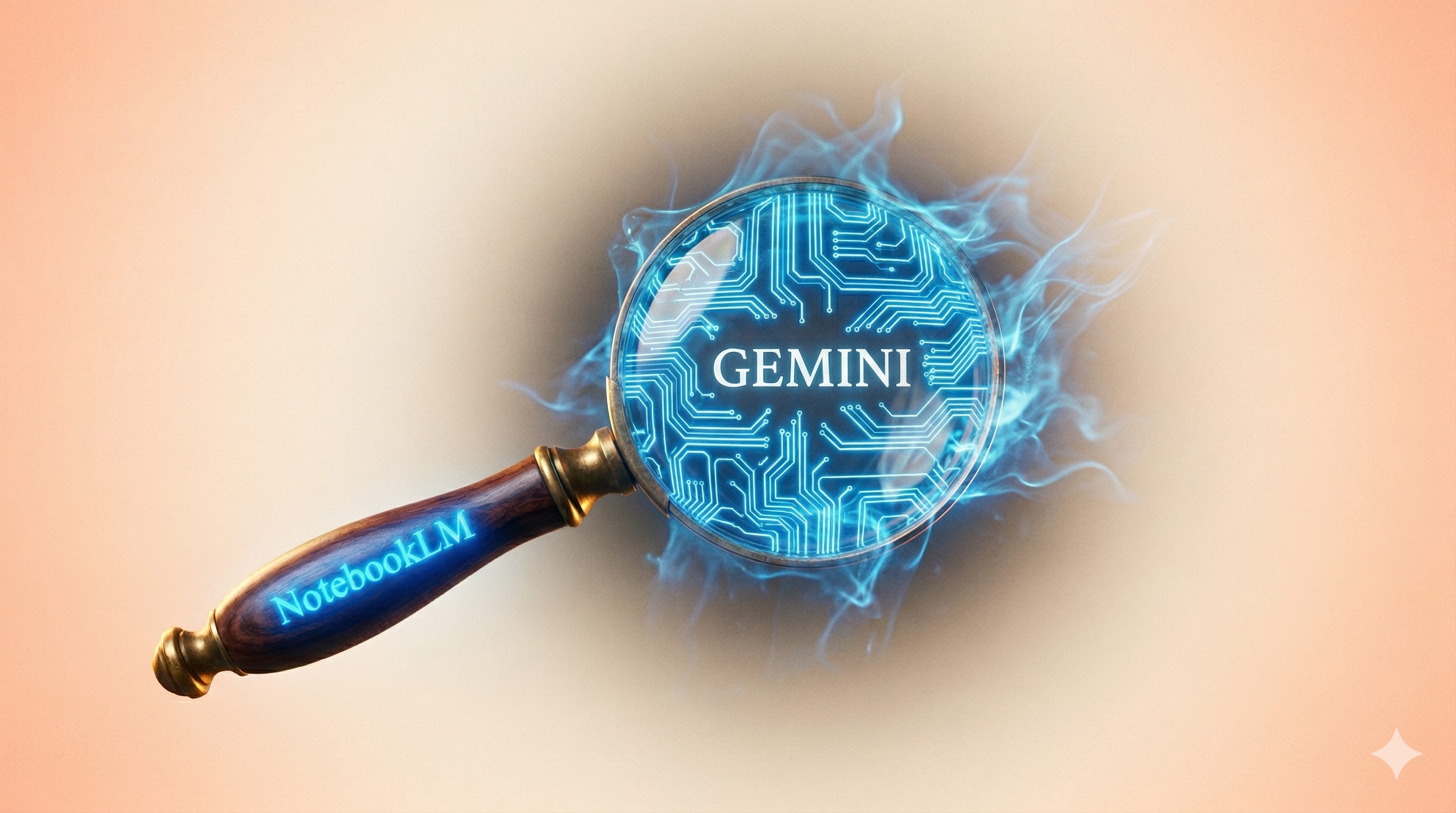
Every piece of research I publish goes through the same filter. Before any AI touches my draft, I load my sources into NotebookLM. Research papers, reports, transcripts, and data I actually trust. The AI works within those boundaries, and every answer it gives me comes back with a citation I can trace to a specific passage in a specific source.
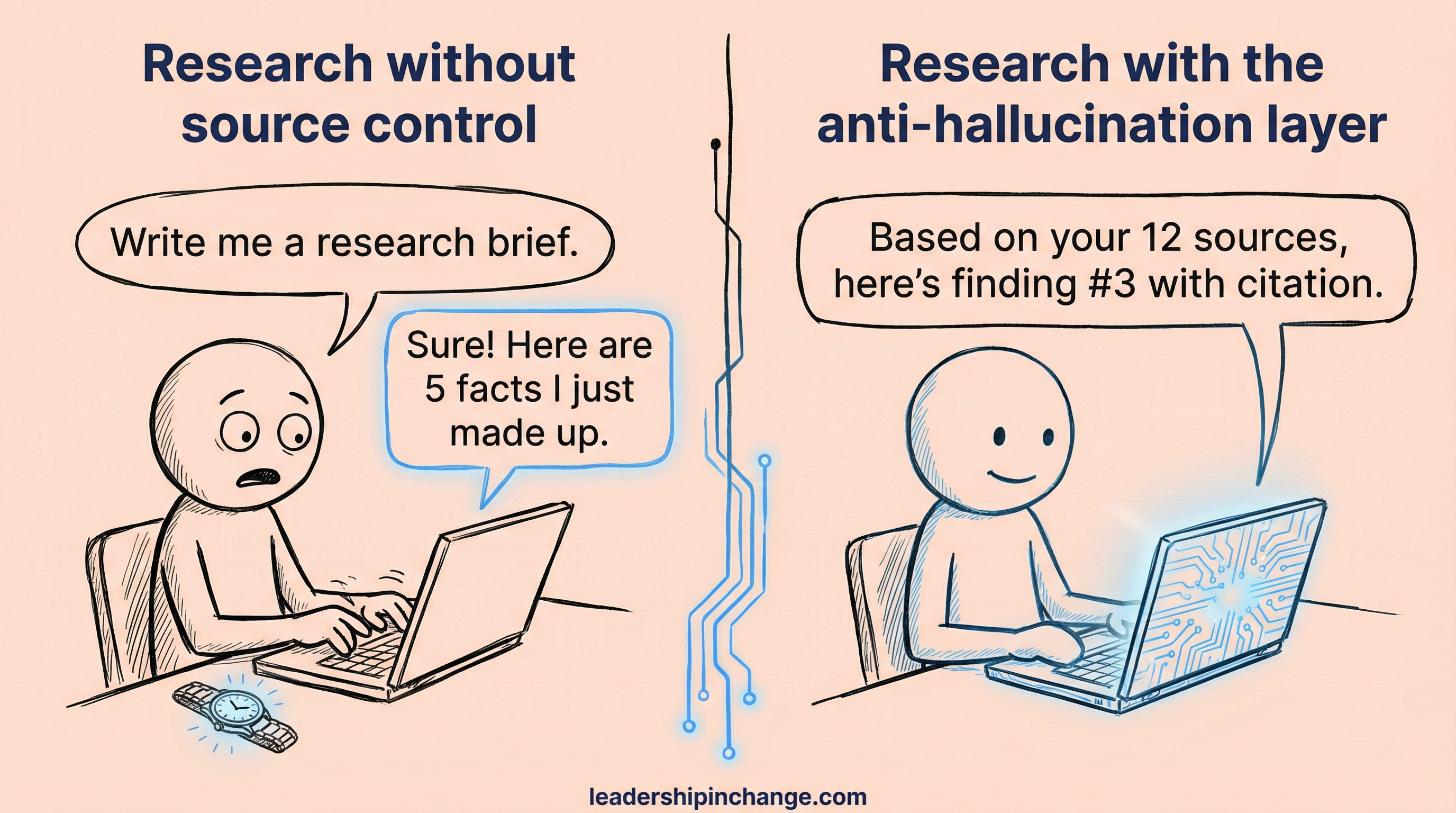
I call it my anti-hallucination layer.
I didn’t build this habit because I’m paranoid. I built it because I’ve seen what happens when leaders skip this step: they publish something an AI made up, someone catches it, and the credibility they spent years building takes a real hit. (This is one of the most common patterns I see in coaching conversations with leaders navigating AI.)
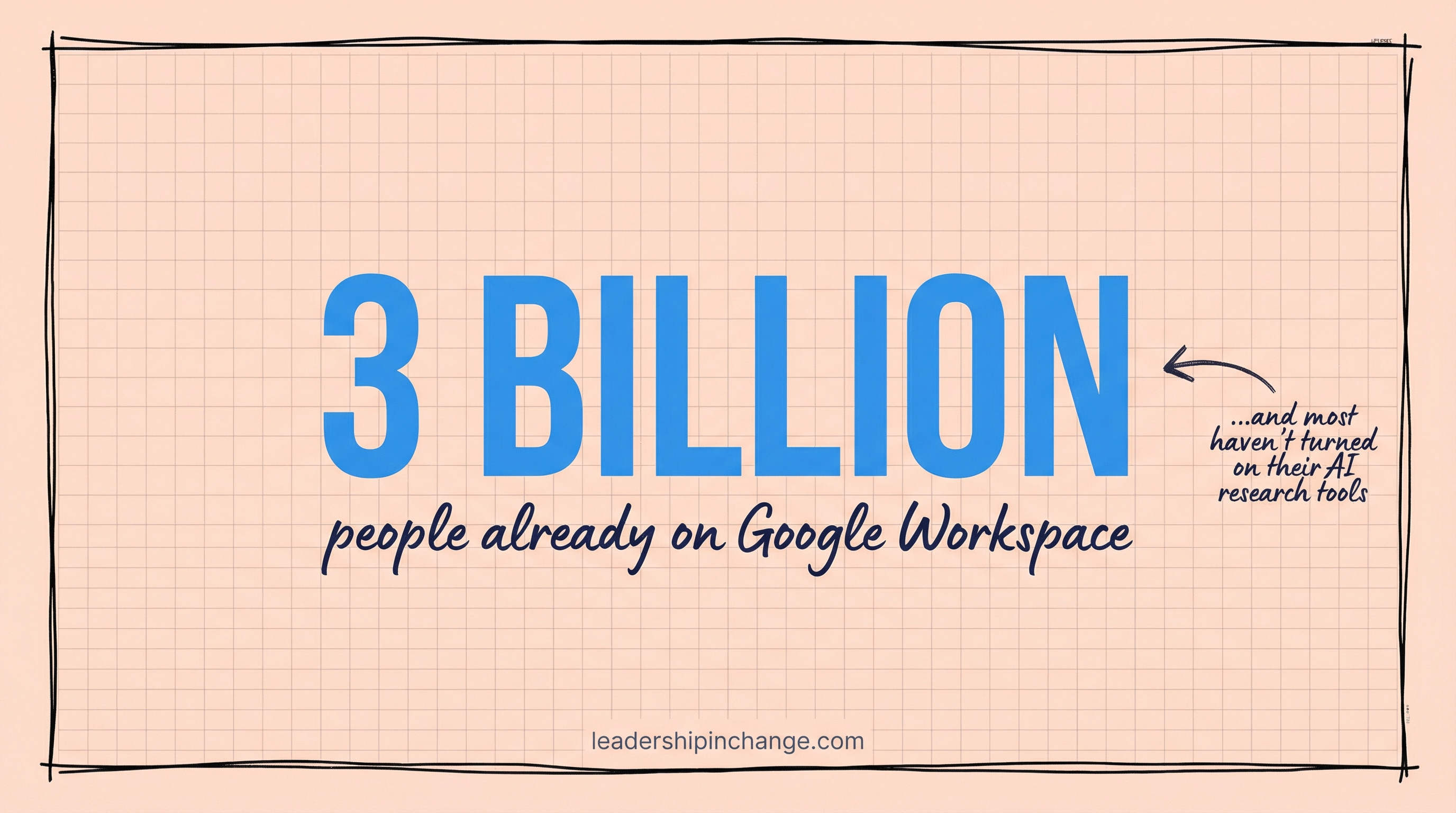
Here’s what most people don’t realize: NotebookLM is powerful on its own, but it was designed to work alongside Gemini. Together, they form a complete research system where Gemini discovers and NotebookLM verifies. And if your organization already runs on Google Workspace, and roughly 3 billion users globally do, you’re sitting on a research engine you haven’t turned on yet.
In this post, you’ll learn:
Why raw AI answers are a credibility risk and how controlled-source research fixes it
How NotebookLM and Gemini work together as a 2-step research system
How to build a grounded knowledge base and then generate briefs, visuals, emails, and spreadsheets from it
AI Is a Master Guesser, Not an Expert
Step back for a minute and think about what AI actually does when you ask it a question. It predicts the most likely next word based on patterns in its training data. It does this extraordinarily well, well enough that the output reads as if an expert wrote it. But reading like an expert and being an expert are two very different things.
When you ask Gemini, Claude, or ChatGPT a question with no context and no sources, you’re asking a prediction engine to guess what a credible answer looks like. Sometimes the guess is perfect. Sometimes it fabricates a statistic, invents a citation, or confidently states something that was true in 2023 but outdated by 2026.
For most casual uses, that’s fine. But if you’re a leader publishing research, briefing your board, advising your team, or presenting data to stakeholders? “Probably accurate” is not a standard you can afford.

Look, I’m not saying AI tools are unreliable. Used wisely, they’re some of the most powerful research instruments that have ever existed. What I am saying is that using predictive AI without controlling your sources is like driving without a seatbelt: most of the time you’re fine, and then one day you’re not, and the cost is enormous. Your credibility, built over years of careful work, can take a hit from a single hallucinated stat that you didn’t catch.
That’s the problem this system solves.
Quick Win (< 60 seconds) Open notebooklm.google.com right now. Click “New Notebook,” paste one URL you trust (a report, an article, a PDF), and ask it a question. Notice how every answer cites the exact passage from your source. That’s the difference between controlled and uncontrolled AI.
The Fix: A Research System You Can Actually Trust
The concept behind this is simple: build your knowledge base first, then let AI work from it. Start with the sources you trust. Add what you find through discovery. Then do all your output work (briefs, visuals, emails, presentations) from that grounded foundation, where every answer traces back to something you chose and reviewed.
NotebookLM is the foundation. This is Google’s RAG-based (Retrieval-Augmented Generation, which just means “AI that only answers from the documents you give it”) research workspace. You upload your sources, PDFs, Google Docs, YouTube links, web pages, even audio files, and NotebookLM builds a private knowledge environment around them. When you ask it questions, it only pulls from what you’ve given it. Every response includes inline citations linked to the exact passage in the exact source. Nothing from the open web. No guessing.
I wrote about NotebookLM’s individual features in depth and walked through a complete beginner setup in earlier posts. What I want to focus on here is what happens when you pair it with Gemini for the output work, because that’s where the real research power lives.
Gemini handles the output layer. With a 2-million-token context window (the largest among frontier AI models as of April 2026), Gemini can pull in your entire NotebookLM notebook and work from it directly. Once connected, you can ask questions, generate executive briefs, create images, build presentations, and even draft emails, all grounded in the sources you already vetted.
Full transparency: my own research stack pairs NotebookLM with Claude for the discovery step. But if your team already lives in Google Workspace, Gemini is the natural choice because it keeps the entire workflow inside one ecosystem, and the integration between the two tools is seamless.
If this is resonating, two paths forward: Premium members get implementation frameworks behind insights like this (join for $49/yr), or if you want hands-on help for your specific situation or a custom tool for your business, book a free coaching call.
Where NotebookLM and Gemini come together: The 2-Step Workflow
Here’s the system in practice. Each step takes minutes, and together they replace hours of tab-juggling, manual cross-referencing, and hoping your AI didn’t make something up.
Step 1: Build Your Knowledge Base (NotebookLM)
This is where you do the real work, choosing what goes in. Open NotebookLM and create a new notebook for your research project.
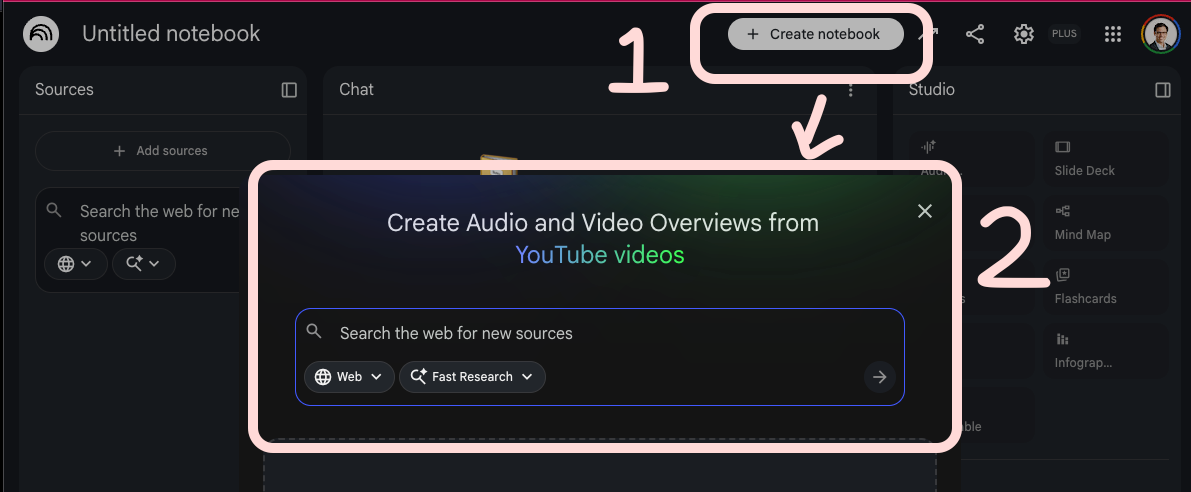
You have two paths to fill it, and most projects use both:
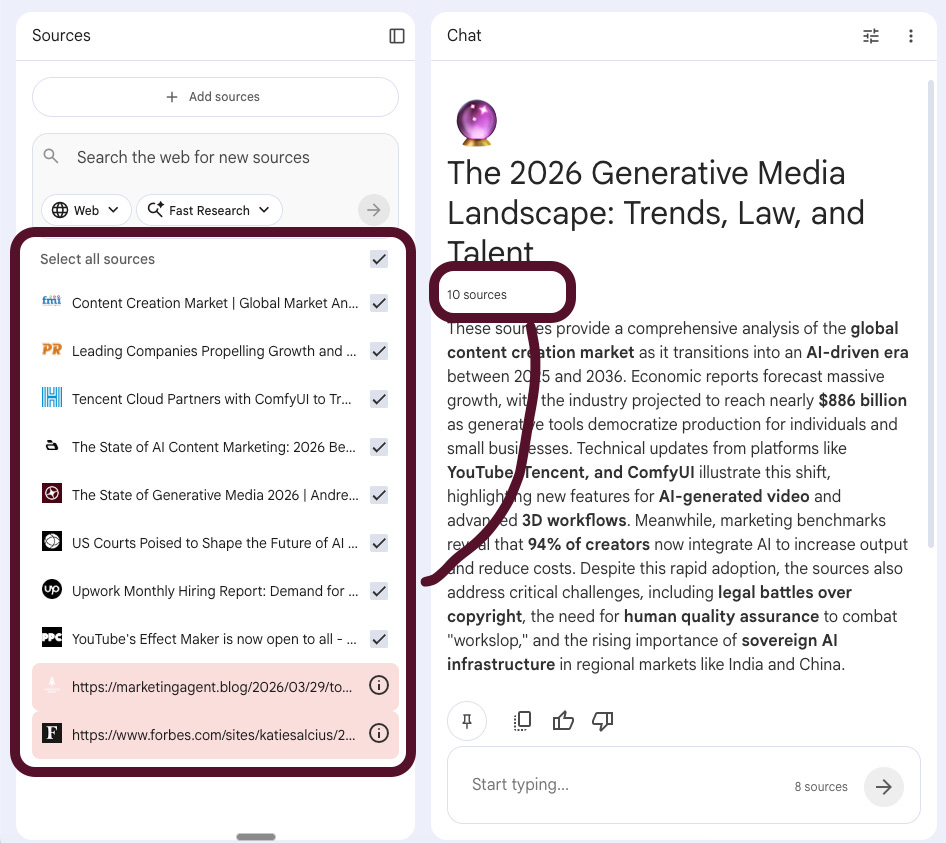
Discovery: NotebookLM has a built-in web search feature that lets you find and add sources without leaving the tool. Type a topic into the search bar, review what comes back, and selectively add the sources you trust. You control what gets in. Nothing is added automatically.
Your own sources: Upload what you already have. PDFs from your team, Google Docs from your Drive, YouTube videos you’ve watched, URLs you’ve bookmarked. NotebookLM accepts all of these.
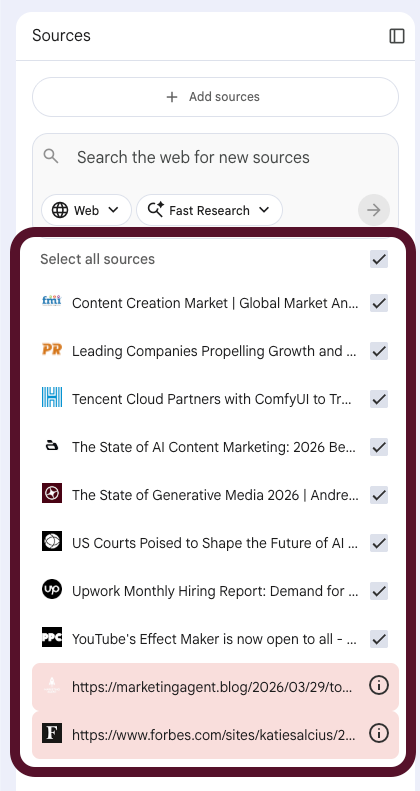
I recently built a notebook on the 2026 generative media landscape. I used the discovery feature to find market reports, legal analyses, and industry benchmarks, then added a few sources I already had bookmarked. In about ten minutes I had eight grounded sources: a Global Market Analysis report on the content creation market ($886 billion projected by 2036), the Andreessen Horowitz State of Generative Media 2026 report, a legal analysis of US courts shaping AI copyright, Upwork’s hiring data on demand for quality-focused creative roles, YouTube’s Effect Maker launch, and three more covering Tencent’s ComfyUI partnership, leading companies in the space, and AI content marketing benchmarks.
With those sources loaded, NotebookLM immediately generates a summary and suggests questions. But here’s what matters: every answer it gives you from this point forward links back to a specific passage in a specific source. You can click the citation, read the context, and decide for yourself whether to use it. This is the anti-hallucination layer in action.
Copy-Paste Prompt (for querying your notebook): Based on these sources, create a research brief that includes: (1) the 5 most important findings with direct quotes, (2) any statistics with their exact source and date, (3) points of disagreement between sources, and (4) questions these sources don’t answer.
Step 2: Move to Gemini and Build Everything From It
This is where NotebookLM and Gemini connect, and where most people don’t realize the workflow exists.
Open the Gemini app and mount your NotebookLM notebook. (Google calls this “connecting” your notebook to Gemini.) Once mounted, Gemini can see every source in your notebook and work from that grounded foundation. You’re not starting from scratch or hoping Gemini searches the right things. You’re pointing it at research you already vetted.
From here, the outputs are wide open:
Ask deeper questions. “Based on my research, what are the three strongest arguments that AI-generated content will face regulatory pushback by 2027?” Gemini answers from your sources, not the open web.
Generate an executive brief. “Write a 500-word executive summary of these findings for a leadership team evaluating AI content tools.” You get a brief grounded in eight vetted sources, not a hallucinated summary of the internet.
Create visuals. Use Gemini’s image generation to build charts, infographics, or presentation visuals based on the data in your research. “Create a bar chart comparing the projected content creation market size in 2026 vs 2036 based on the Global Market Analysis data.”
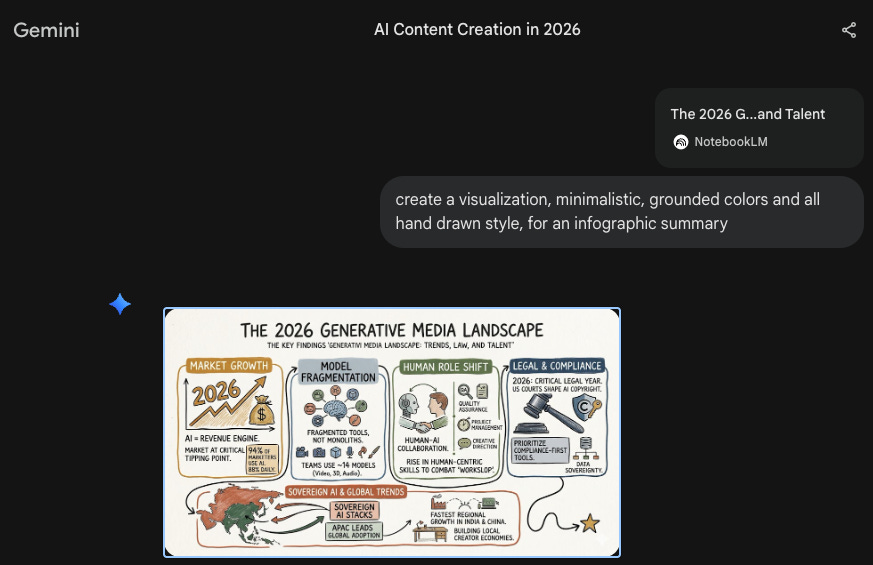
Note: To get the infographic on brand for your business, simply add detailed brand instructions to the prompt.
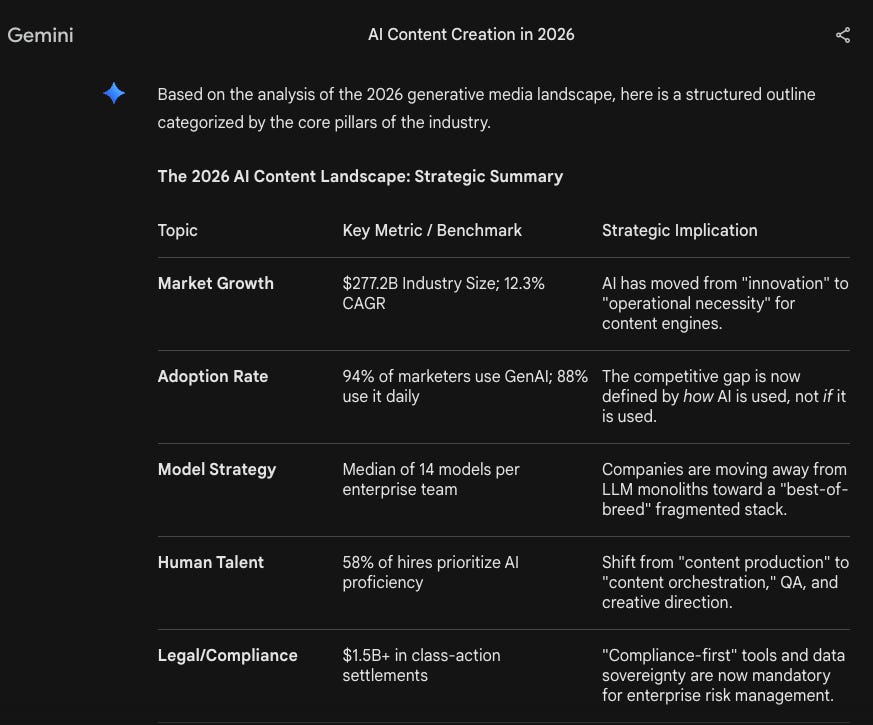
Build a spreadsheet. Ask Gemini to organize your findings into structured data. “Put the key statistics from each source into a table with columns for: source name, key finding, specific number, and date.” Export that into Google Sheets and you have a living reference document.
Draft an email. “Write a 3-paragraph email to my leadership team summarizing the three most relevant findings from this research for our Q3 content strategy.” Gemini drafts it from your grounded data. You review, edit, and send.
Turn findings into action. Once your research is organized, tools like Jotform let you operationalize it, turning insights into team surveys, client intake forms, or data collection workflows that connect your research to real decisions.
Audio Overview (back in NotebookLM). Before you finalize anything, go back to NotebookLM and generate an Audio Overview. It converts your entire notebook into a podcast-style conversation between two AI hosts who discuss, debate, and summarize your research. I use this for review: listening to AI hosts walk through my research brief catches weak arguments my eyes skip over when reading. It’s like having a peer review you can run in 10 minutes. (I covered 6 ways leaders can use Audio Overviews in a previous post.)
The key insight is this: the hours you save on discovery and verification are hours you get back for the part only humans can do, actually thinking about what the research means, making judgment calls, and deciding what to do with it.
Your Company Already Pays for This
Here’s where the Google ecosystem angle gets practical.
As of March 2026, 750 million people use Gemini monthly, and Google has sold over 8 million paid Gemini Enterprise seats across 2,800+ companies. Barclays analyst Raimo Lenschow put it this way in March 2026: “What Google is doing with Gemini in Workspace is the most compelling enterprise AI play I’ve seen. It removes the adoption barrier entirely.”
If your organization is on Google Workspace, you already have the infrastructure for this. Gemini lives inside Gmail, Docs, Sheets, and Drive. NotebookLM connects natively to Google Drive, letting you pull documents directly from your existing folders into a research notebook.
The free tier of NotebookLM gives you 50 sources per notebook, 50 daily chats, and 3 Audio Overviews. That’s enough to run this entire workflow on your next project without spending a dollar. Google AI Pro ($19.99/month) expands to 300 sources and 500 queries if you need more.
Most AI adoption stalls because it means learning new platforms, new logins, new ecosystems. This system removes that friction entirely. If your team can use Google Docs, they can use this workflow. That’s a real competitive advantage that most organizations are leaving on the table.
If you want help building this into your leadership practice, book a free discovery call.
If You Only Remember This
AI without controlled sources is a credibility risk. Every major AI tool (Gemini, Claude, ChatGPT) is a prediction engine, not an expert. Your reputation depends on catching what it gets wrong before your audience does.
NotebookLM grounds your research, Gemini turns it into action. Build your knowledge base first with sources you trust, then move to Gemini to generate briefs, visuals, emails, and structured data, all anchored to those sources.
Questions Leaders Are Asking
What is NotebookLM and how is it different from ChatGPT or Gemini? NotebookLM is Google’s source-grounded research tool. Unlike ChatGPT or Gemini, which can pull from their general training data, NotebookLM only answers based on the specific documents, URLs, and files you upload. Every response includes citations linked to the exact passage in your source material.
Can I use NotebookLM for free? Yes. The free tier includes 50 sources per notebook, 50 daily queries, and 3 Audio Overviews. That’s enough to run the complete discovery-to-output workflow on most research projects. Google AI Pro ($19.99/month) expands those limits significantly.
Do I need to be technical to use this workflow? Not at all. If you can use Google Docs and paste a URL, you can run this entire system. NotebookLM was built for researchers and professionals, not engineers. I’ve walked complete beginners through it in my step-by-step guide.
How does this compare to using Perplexity for research? Perplexity is excellent for fast, cited web searches (I covered it in AI Research 101). The key difference is control: Perplexity searches the open web, while NotebookLM only works with sources you specifically choose. For research where credibility is on the line, that control matters. Many leaders use both, Perplexity for quick lookups and the Gemini + NotebookLM system for anything they’ll put their name on.
What if my company is on Microsoft, not Google? NotebookLM accepts uploaded files from any source (PDF, DOCX, plain text), so you can use it regardless of your primary ecosystem. The Gemini integration is more seamless for Google Workspace users, but the core anti-hallucination workflow works for anyone.
On your next research project, Monday morning, start with NotebookLM. Connect it to Gemini. Tell me how it went.
“AI without controlled sources is a credibility risk.”
this x 100. one of the top messages i would try to get out to any builder or leader in the space. every incident is going to get a response and having this answered saves us all a lot of time. not to mention leads to measurable improvements on that response.
Joel, this is a strong and timely case for something a lot of people still get wrong: AI is not automatically a research system just because it can produce polished language on command.
That distinction matters.
What landed for me is the discipline behind the workflow. Build the knowledge base first. Control the sources first. Then let the model help you think, summarize, organize, and draft from inside that boundary. That is a much more mature framing than the usual “just ask AI better questions” advice.
I also like that you centered credibility instead of convenience. Speed is great. Trust is better. And for anyone publishing research, briefing leaders, or putting their name on a conclusion, that tradeoff is not academic.
Really useful piece. The phrase “anti-hallucination layer” is going to stick with me