




TL;DR: Perplexity is a research platform combining real-time web search with AI reasoning. Three features separate it from standard AI: specialized search modes (Web, Academic, Social, Finance), Spaces that function as custom research assistants with persistent memory, and Tasks that automate recurring research on a schedule.
I’m convinced that one of the biggest struggles today for learners is to cut through the noise.
You have expertise. You’ve built something meaningful. But the research piece consumes all of your time, mostly eliminating bad sources. What to do? How to be more efficient?
For many, this is where AI comes in. However, most leaders I talk to are treating AI search tools like fancy Google… type a question, read an answer, close the tab (not any of you reading though 🫣).
I wanted to solve that today with a deep dive into Perplexity, one of the most underutilized yet powerful AI research tools today.
For this, I invited Ilia Karelin because he understands something most AI users fail to see, you need strategic systems to win, not just fancy tools. Ilia writes about practical AI workflows that compound over time, and his approach to Perplexity transforms it from “smart search engine” to “intelligence platform that makes you smarter with every query.”
Ilia is one of my favorite new creators on Substack.
He’ll teach you to build research systems that run while you sleep.

In this guide, you’ll learn:
How to choose the right Perplexity search mode for different intelligence needs (most people never switch from default)
The Spaces feature that turns scattered research into custom AI research assistants (this is the game-changer)
How to automate recurring research with Tasks so you never miss a competitor move or market shift
The difference between using Perplexity for 5 minutes versus building knowledge that compounds
Why this matters: You’re already drowning in information. The answer isn’t consuming more; it’s building systems that surface the right intelligence at the right time.
Take it away, Ilia.
Does anyone use Perplexity nowadays?
On X, I keep seeing posts like: “Does anyone use Perplexity nowadays?”
The answer to this question would be a “Yes!”. There are some estimations that Perplexity has 20-30 million monthly active users, so there are a lot of people who like this amazing tool.
I’ve watched too many professionals treat Perplexity like “Google with AI.” They search for something, read the answer, close the tab, and that’s it.
They’re missing the entire point.
Perplexity isn’t just a search engine with citations. It’s a unified AI research platform that can fundamentally change how you gather intelligence, make decisions, and organize knowledge across your entire organization.
Before we start the deep dive, though, can we just take a minute and appreciate the Cristiano Ronaldo recently became an investor in Perplexity? On top of this special page they created to introduce the collaboration, they also created a gorgeous experience that you should definitely go through. It’s amazing.
Alright, let’s dive in.
What is Perplexity (and why it’s different from ChatGPT)
Perplexity is a unified AI research platform that combines real-time web search with AI reasoning to give you accurate, cited answers to any question.
They were the first ones to do it!
But here’s what makes it different:
Perplexity searches the web in real-time, finds relevant sources, synthesizes the information, and gives you an answer with citations. It knows what’s happening right at this moment. It is like having a colleague constantly reading the news, research papers, and industry reports before answering your questions.
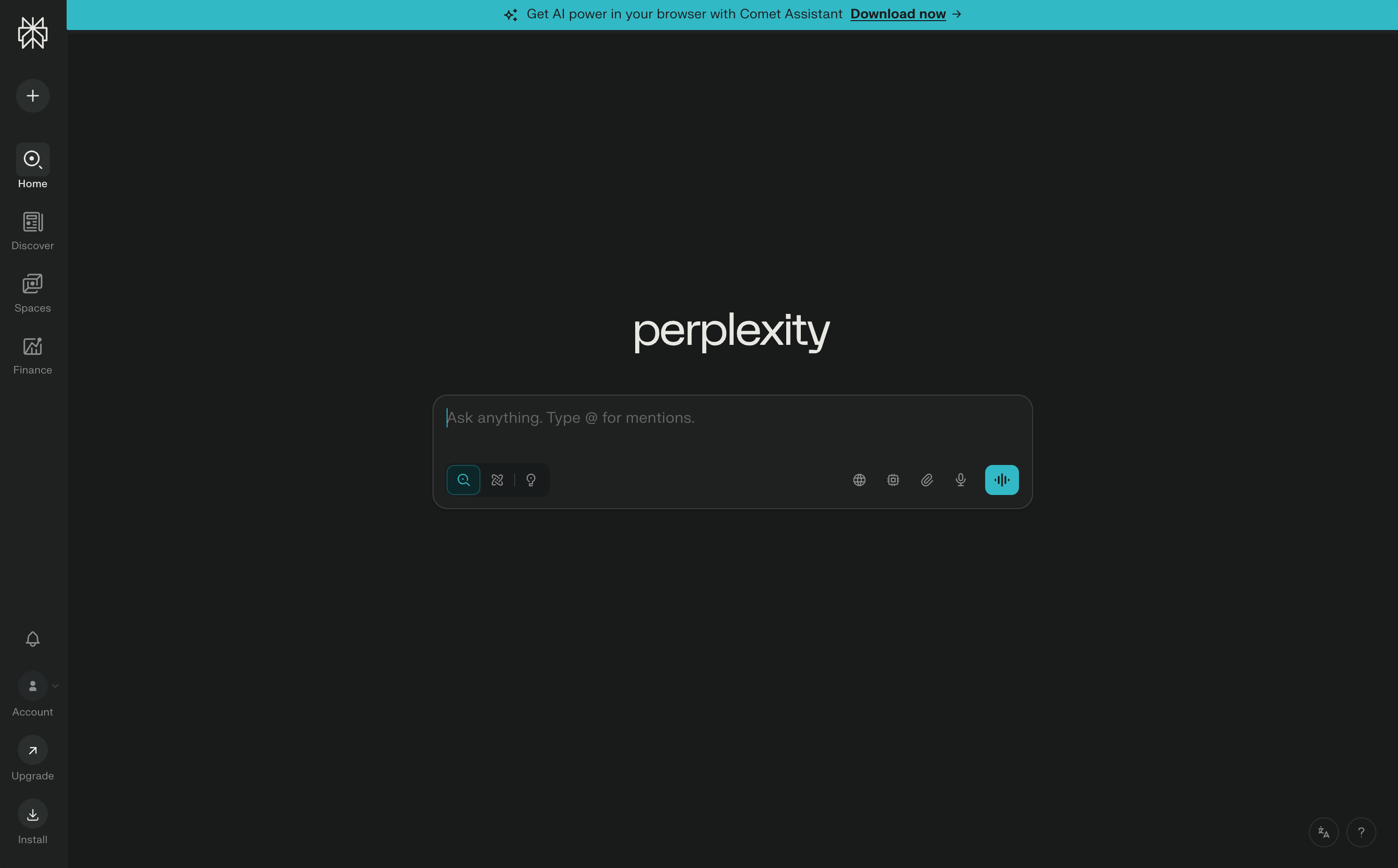
To get started, just visit perplexity.ai and you’ll see the main search interface.
But before you type anything, let me show you something most people miss.
Understanding Perplexity’s Search Modes (and when to use each one)
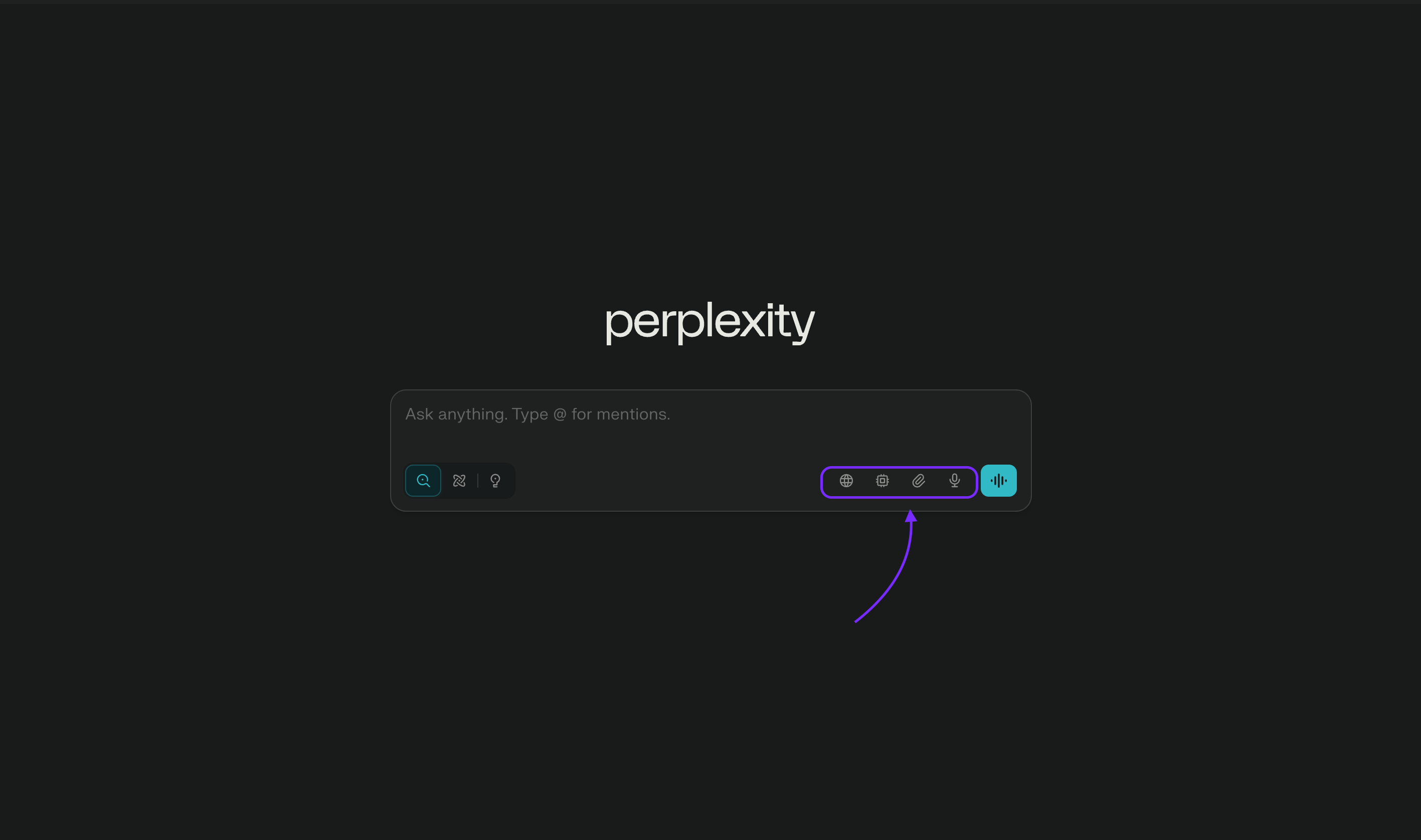
See those icons next to the search bar to the right? Those are Perplexity’s specialized search modes, and they completely change the quality of answers you get.
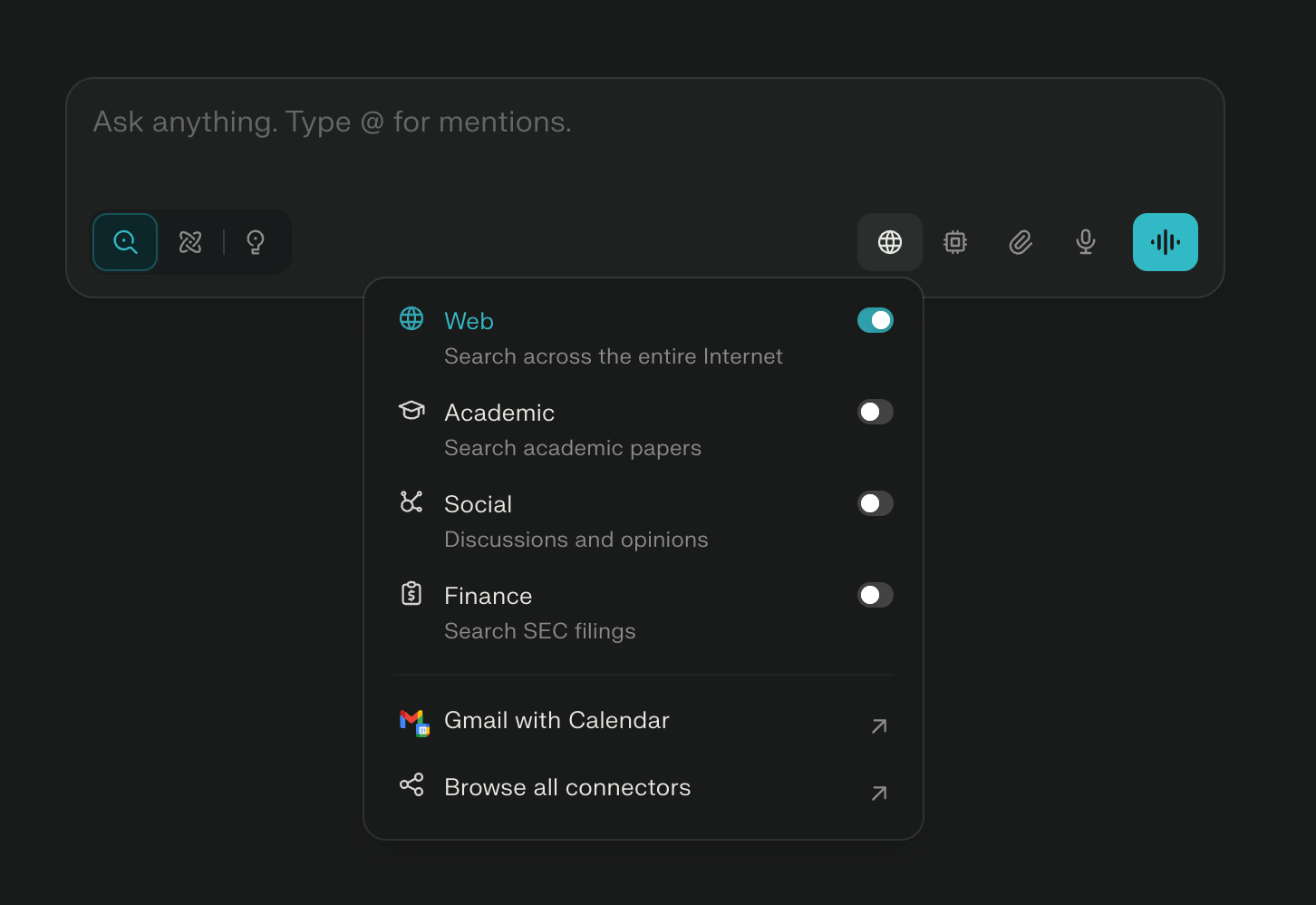
Here’s when to use each one:
Web Search (Default)
This searches the entire internet and is best for:
General questions
Current events and news
Product research
How-to guides
Example: “What are the latest developments in AI agents?”
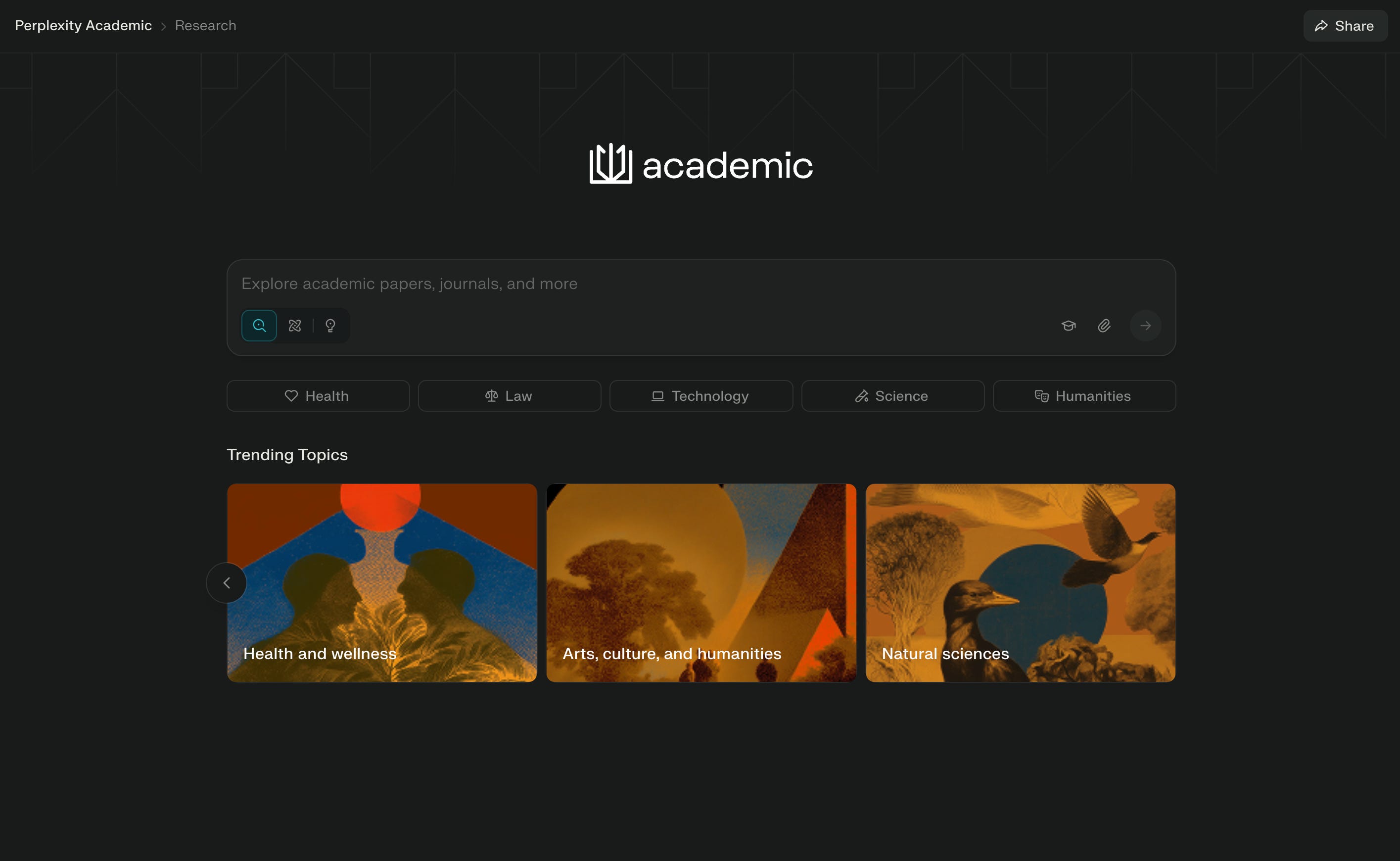
Academic Search
This specifically searches academic papers, research journals, and scholarly sources. Use it for:
Technical deep dives
Scientific research
Understanding methodologies
Finding peer-reviewed studies
Example: “What does recent research say about LLM context window effectiveness?”
Social Search
This searches discussions and opinions from platforms like Reddit, Twitter, and forums. Perfect for:
Real user experiences
Product reviews and recommendations
Community consensus
Trending topics
Example: “What do developers actually think about Cursor vs GitHub Copilot?”
Finance Search
This searches SEC filings, financial news, market data, and investor reports. Essential for:
Company research
Market analysis
Competitor intelligence
Investment decisions
Example: “What’s Nvidia’s latest earnings performance and market position?”
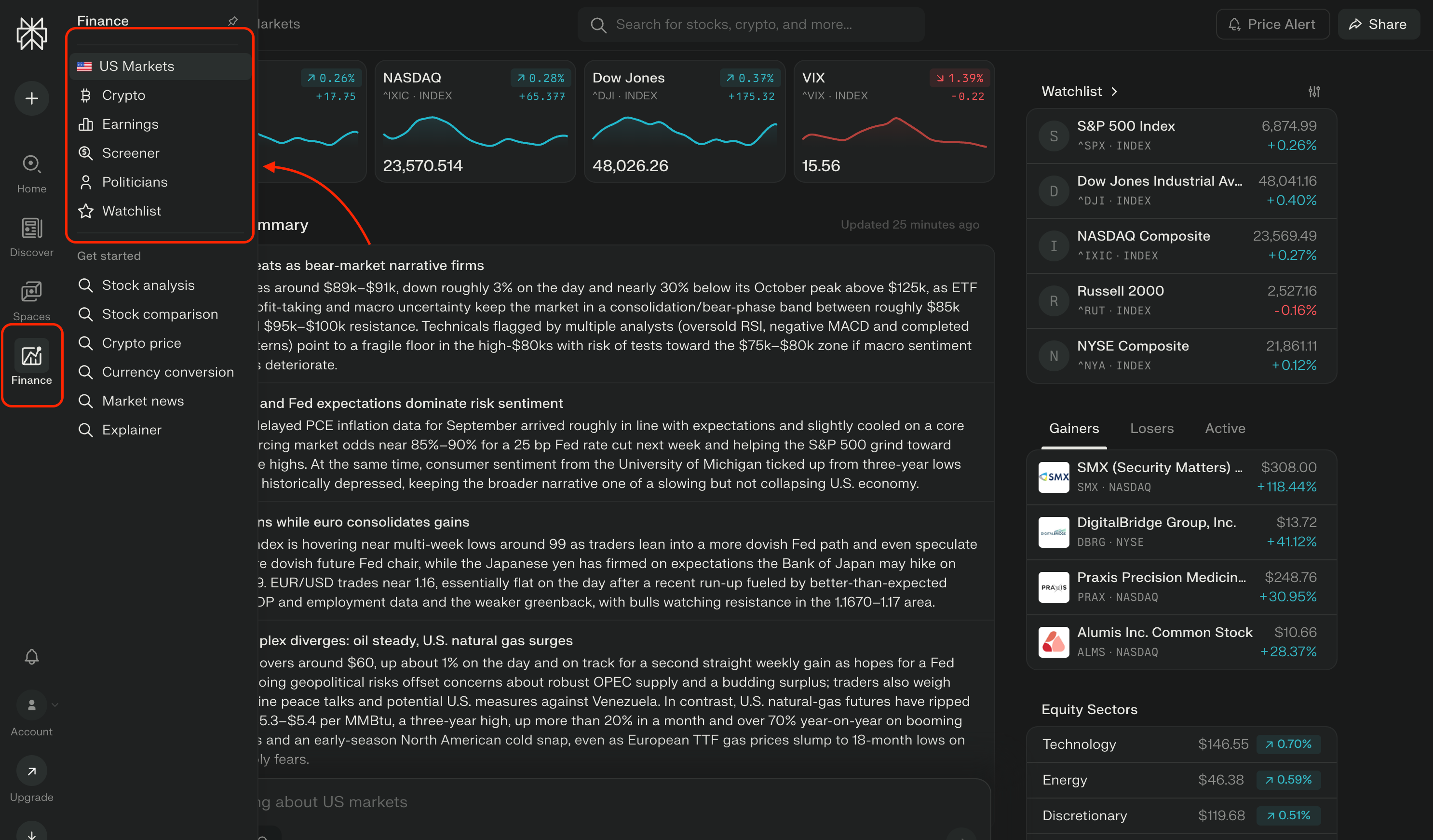
Most people never switch modes. They just use Web search for everything. That’s like using a Swiss Army knife but only ever using one blade.
Switch modes based on what you’re researching, and you’ll get dramatically better results.
Choosing the Right AI Model (and why it matters)
Here’s something else most people don’t know: Perplexity lets you choose which AI model powers your search.
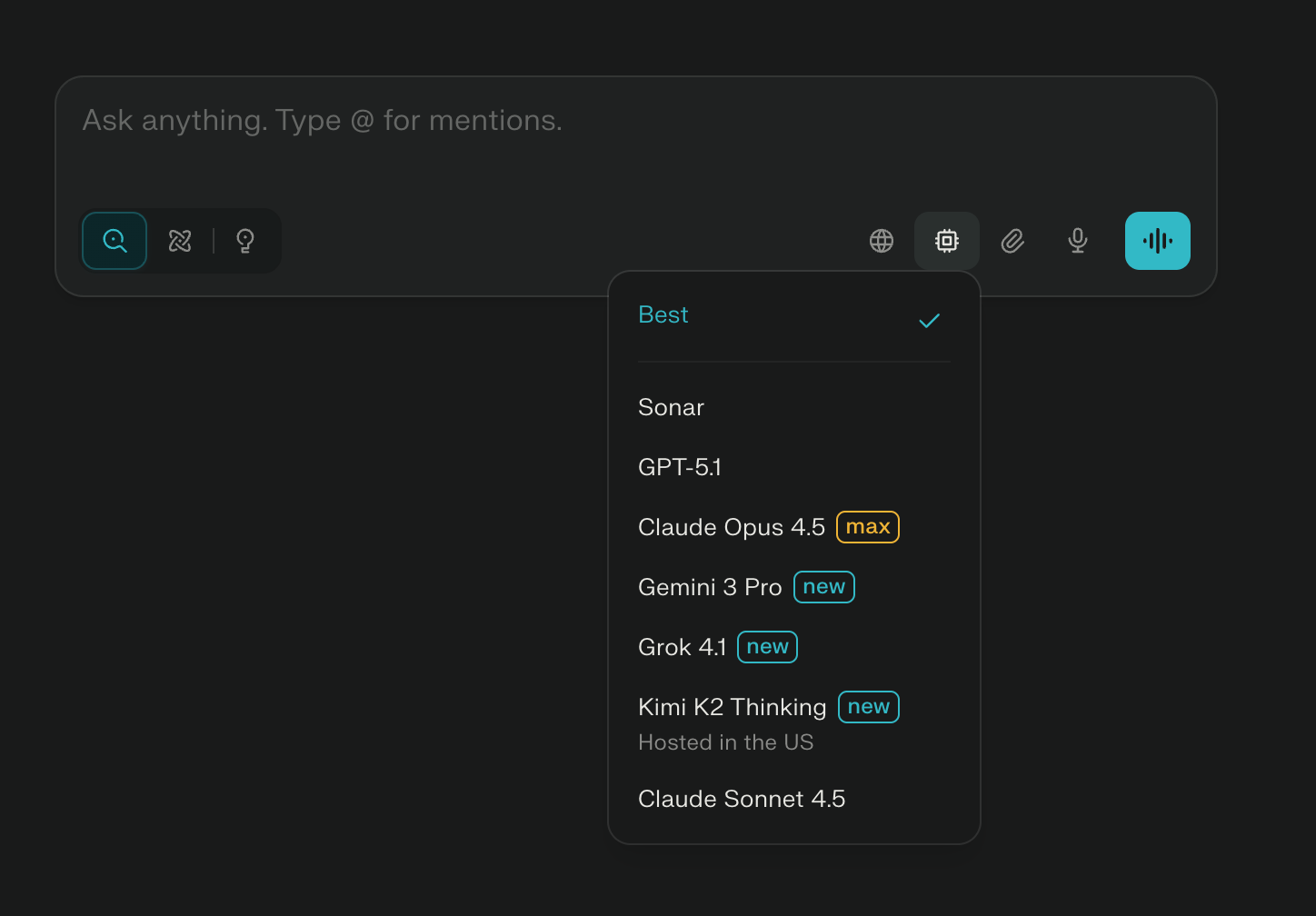
Click the model selector in the search bar and you’ll see options like:
Best (Perplexity’s default, usually the latest Sonnet)
Claude Opus 4.5 (max reasoning, best for complex analysis)
GPT-5.1 (balanced, good for most tasks)
Gemini 3 Pro (fast, good for quick research)
For most research and decision-making, I stick with Claude. But knowing when to switch gives you an edge.
Focus Areas: Specialized Perplexity Pages
Now let’s talk about Focus Areas - these are pre-built, specialized pages that give you structured information on specific topics.
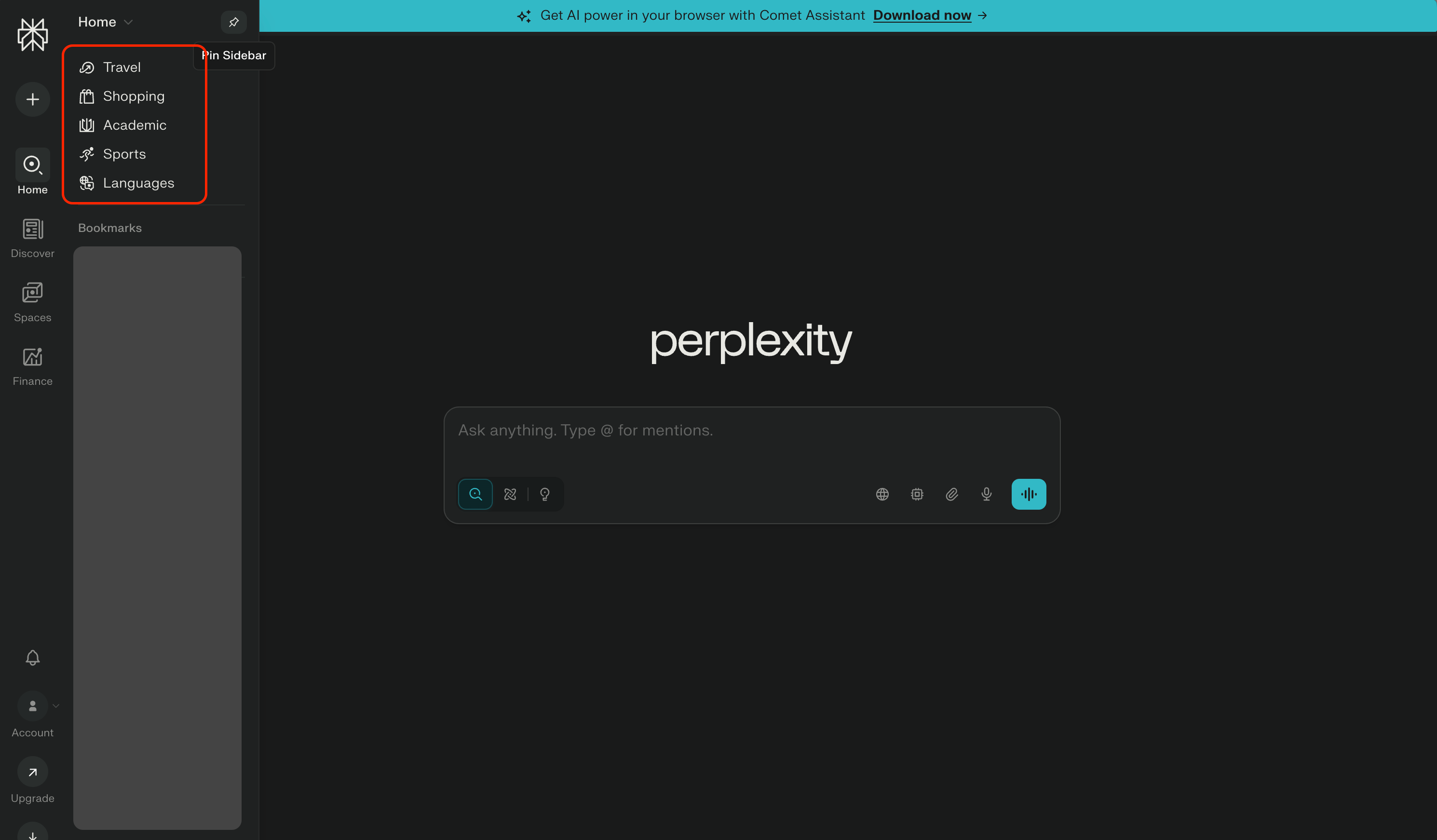
Perplexity has dedicated pages for:
Travel
Plan entire trips with recommendations, itineraries, and local insights.
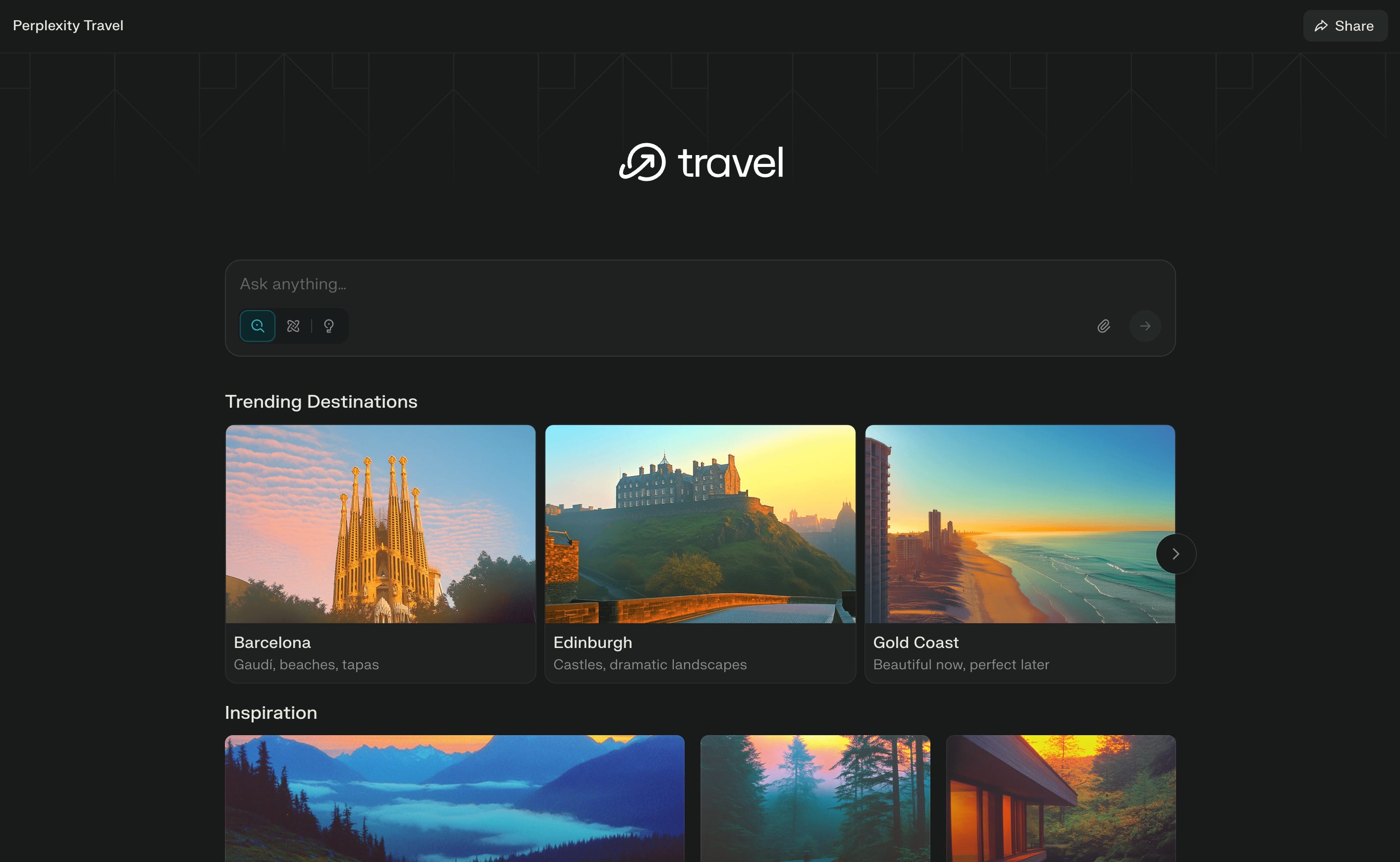
Try asking:
Plan a 3-day trip to Barcelona focusing on architecture and local food.Shopping
Get product recommendations with actual prices and comparisons.
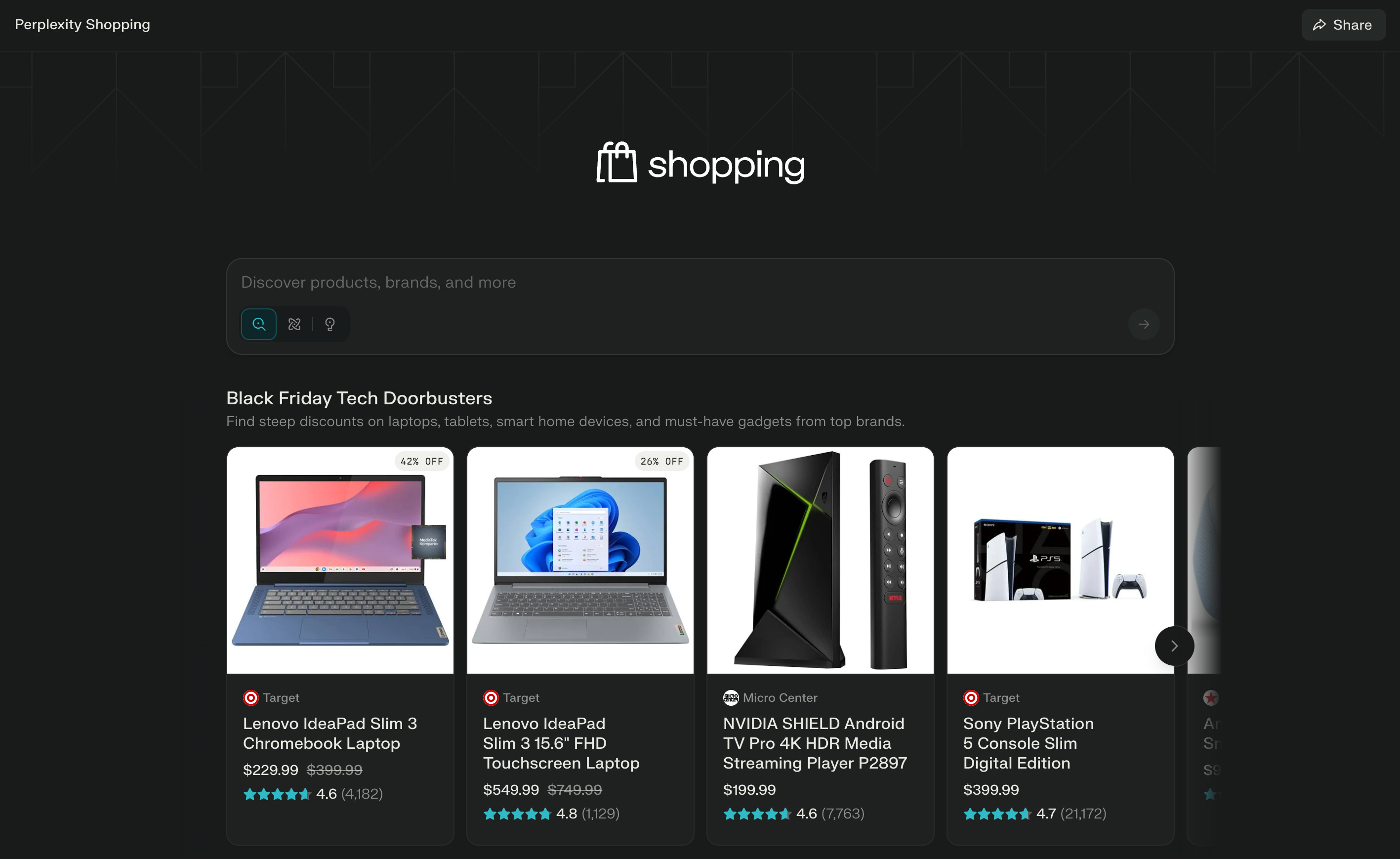
Try asking:
Best noise-cancelling headphones under $200 for working remotely.Academic
Deep dive into research topics with access to papers and studies.
Try asking:
Summarize recent research on the impact of remote work on team productivity.Sports
Real-time scores, player stats, and game analysis. Since I’ve spent more than half of my life in tennis, here’s a screenshot of my current ranking for ya.
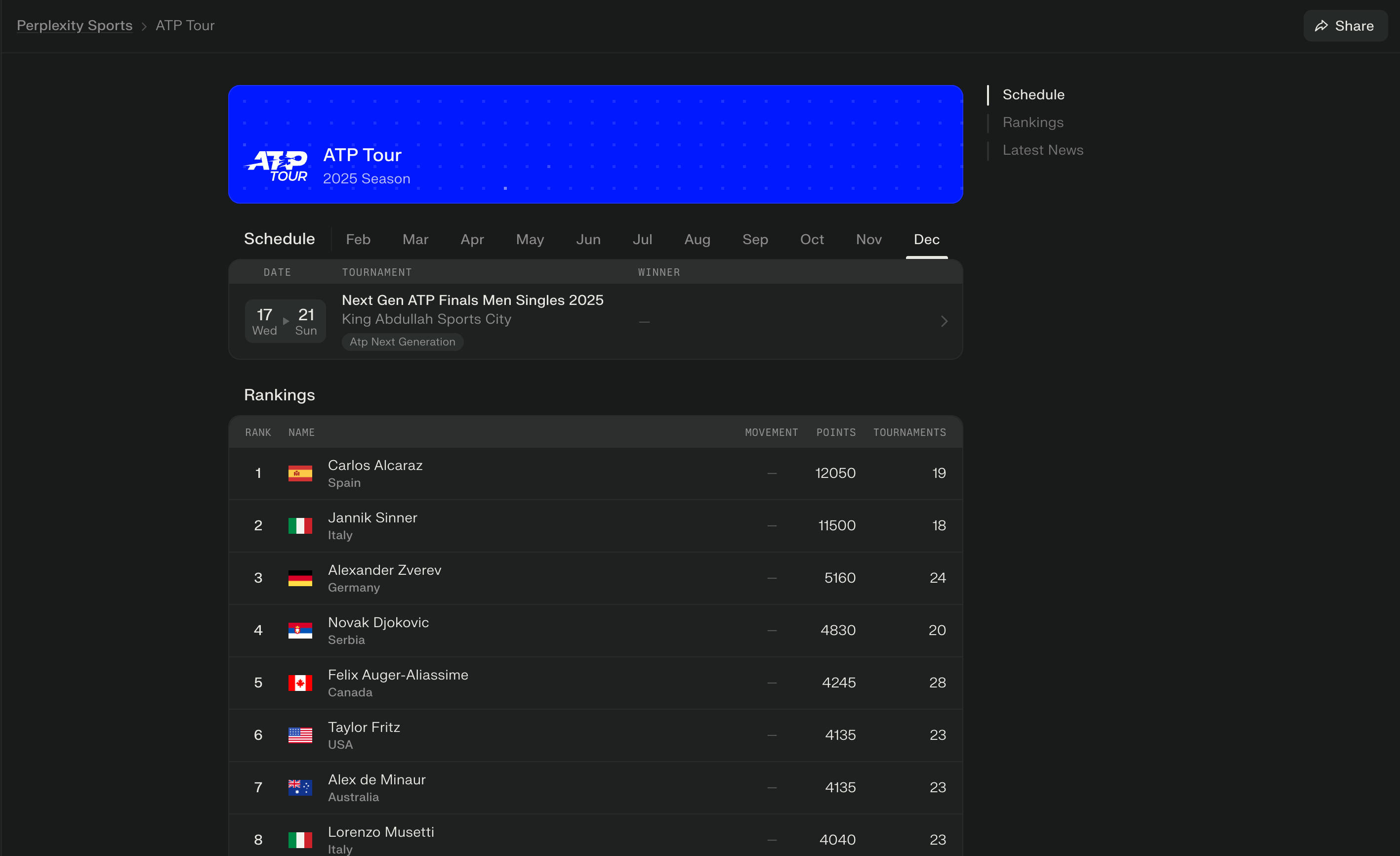
Try asking:
How is [your team] performing this season and what are their playoff chances?Languages
Learn phrases, get translations, and understand cultural context.
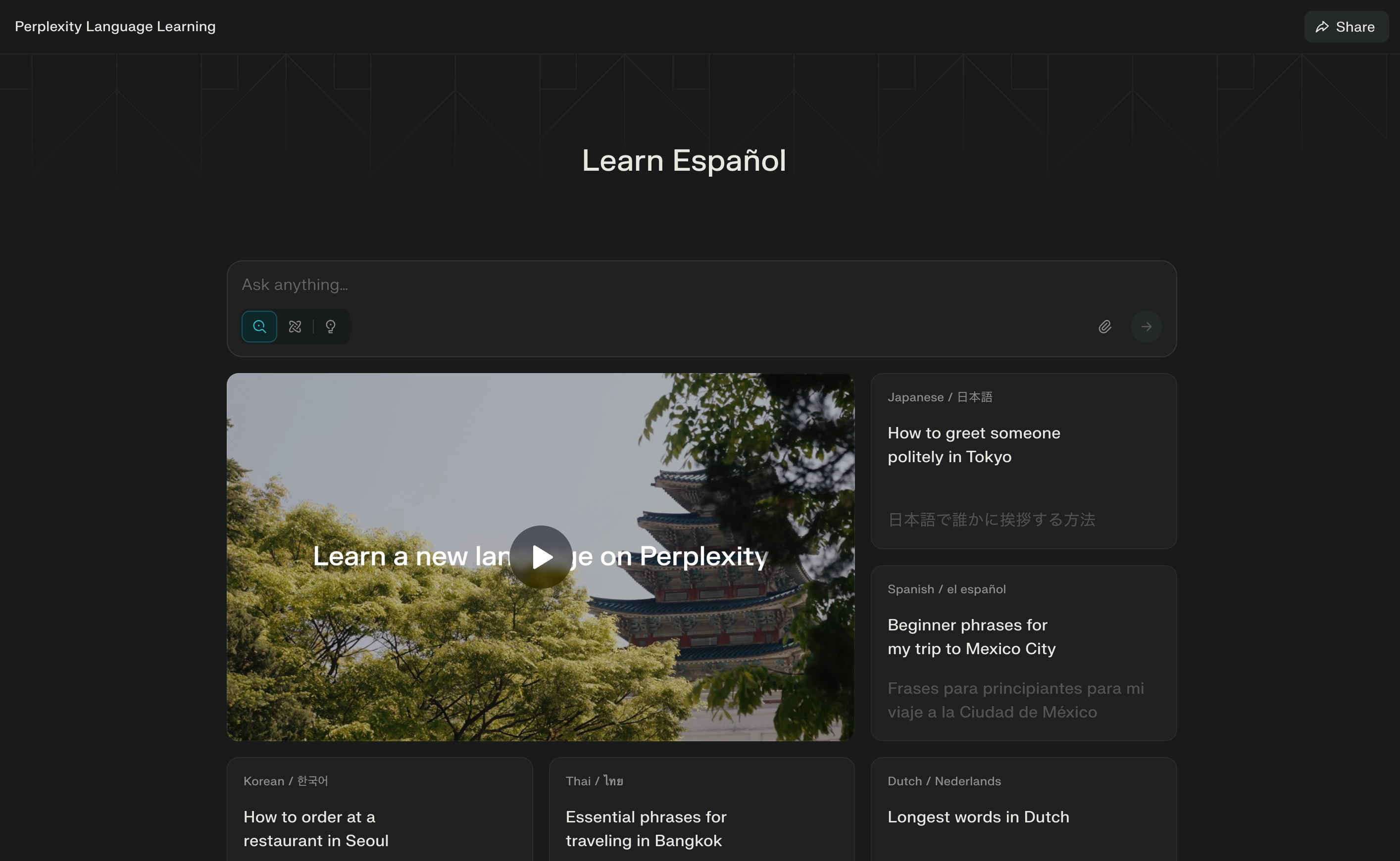
Try asking:
Teach me business Spanish phrases for client meetings.These aren’t just themed search results. They’re specialized interfaces that understand the context of what you’re trying to accomplish.
Let’s switch gears a little. We’re going to provide some practical tips for you guys.
Perplexity Spaces: Building Your Custom AI Research Assistants
Now here’s where Perplexity goes from “useful search tool” to “unfair competitive advantage.”
Spaces are dedicated research environments where you can:
Upload your own documents and context
Set custom instructions for how the AI should respond
Keep all research on a specific topic organized
Build a knowledge base that compounds over time
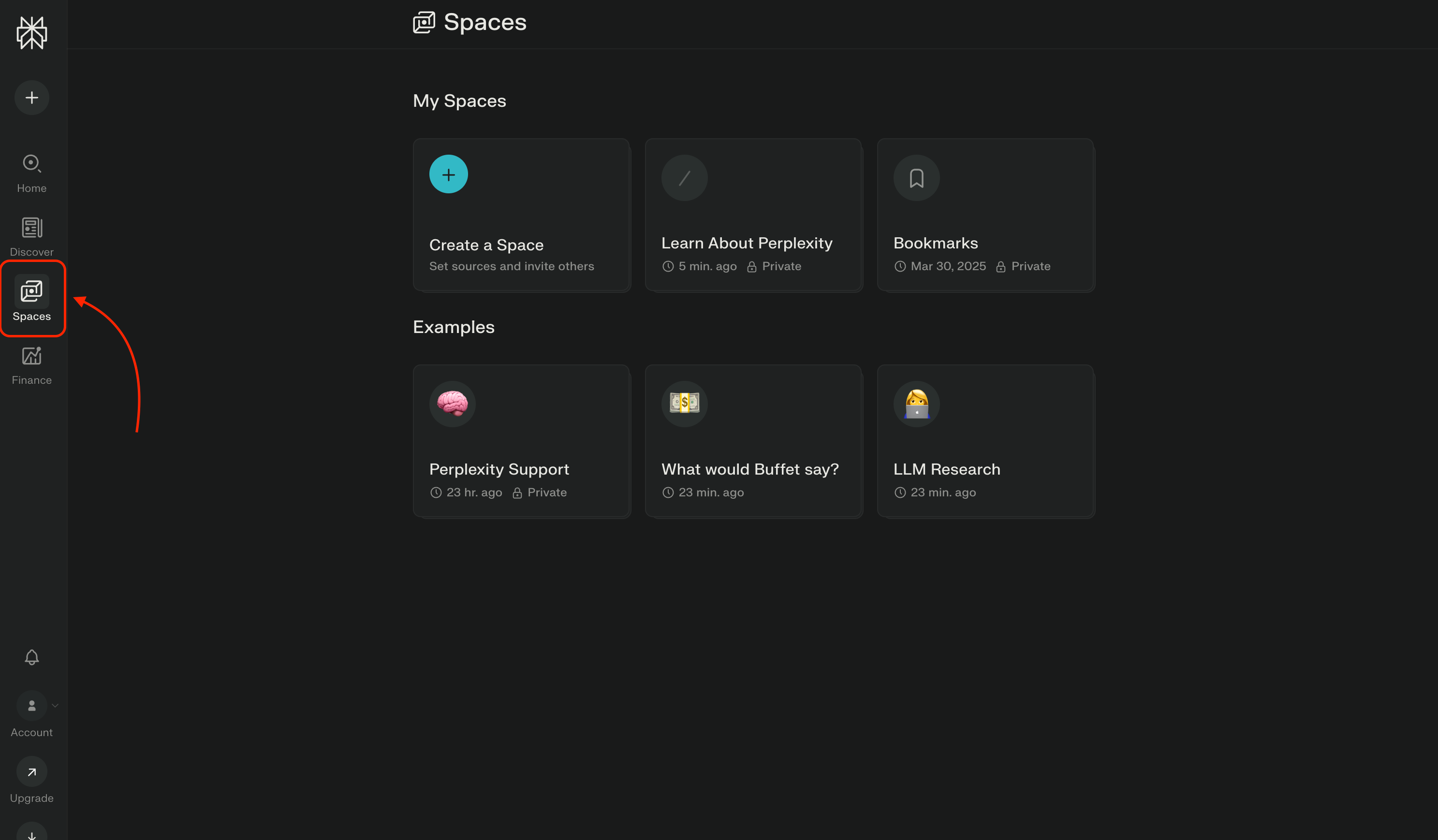
Think of Spaces as hiring a specialized researcher who:
Knows your business context
Remembers every conversation
Maintains your preferred communication style
Only answers based on sources you trust
Let me show you 3 practical examples.
Example 1: Competitive Intelligence Space
Let’s say you’re tracking three competitors in the B2B SaaS space.
Step 1: Create a Space called “Competitor Intel”
Step 2: Upload your sources:
Competitor websites
Their latest funding announcements
Product documentation
Your own competitive analysis notes
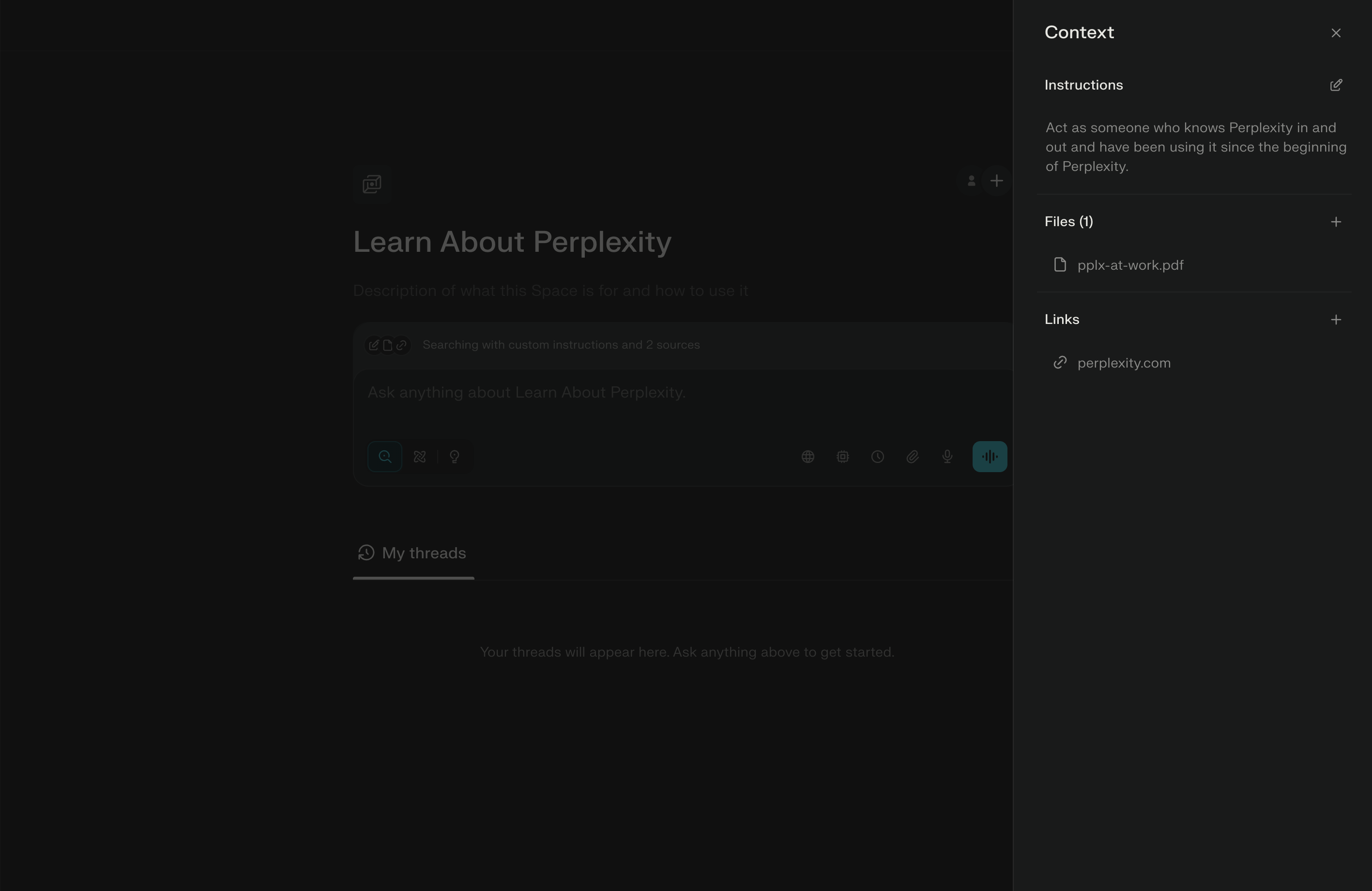
Step 3: Set custom instructions:
You are a competitive intelligence analyst with 10+ years of B2B SaaS experience.

Your goal: Track competitor moves and identify strategic opportunities.

When analyzing information:
1. Focus on product launches, pricing changes, and market positioning
2. Identify patterns that signal strategic shifts
3. Highlight opportunities where we can differentiate
4. Always cite your sources with dates

Tone: Direct, analytical, no fluff.
Step 4: Ask strategic questions:
“What product updates did [Competitor] launch in the last quarter?”
“How has [Competitor’s] messaging changed since their Series B?”
“Compare our feature set to [Competitor A] and [Competitor B]”
Now you have an AI analyst that knows your competitive landscape and can answer questions instantly, with sources.
Example 2: Market Research Space
Use case: You’re exploring whether to build a new product feature.
Setup:
Upload market research reports
Add relevant industry articles
Include customer feedback and support tickets
Link to competitor product pages
Custom instructions:
You are a product strategist focused on market validation.

When I ask about product opportunities:
1. Synthesize customer demand signals
2. Identify market gaps based on uploaded research
3. Compare to competitor offerings
4. Estimate market size when possible

Always distinguish between validated data and assumptions.
Questions you can now ask:
“Based on our customer feedback, what features are most requested?”
“Do competitors offer [specific feature] and how do they position it?”
“What does the research say about market demand for [feature]?”
This is market research that would normally take a junior analyst a full day, but it happens in a couple of minutes.
Perplexity Comet: AI-Assistant Browser
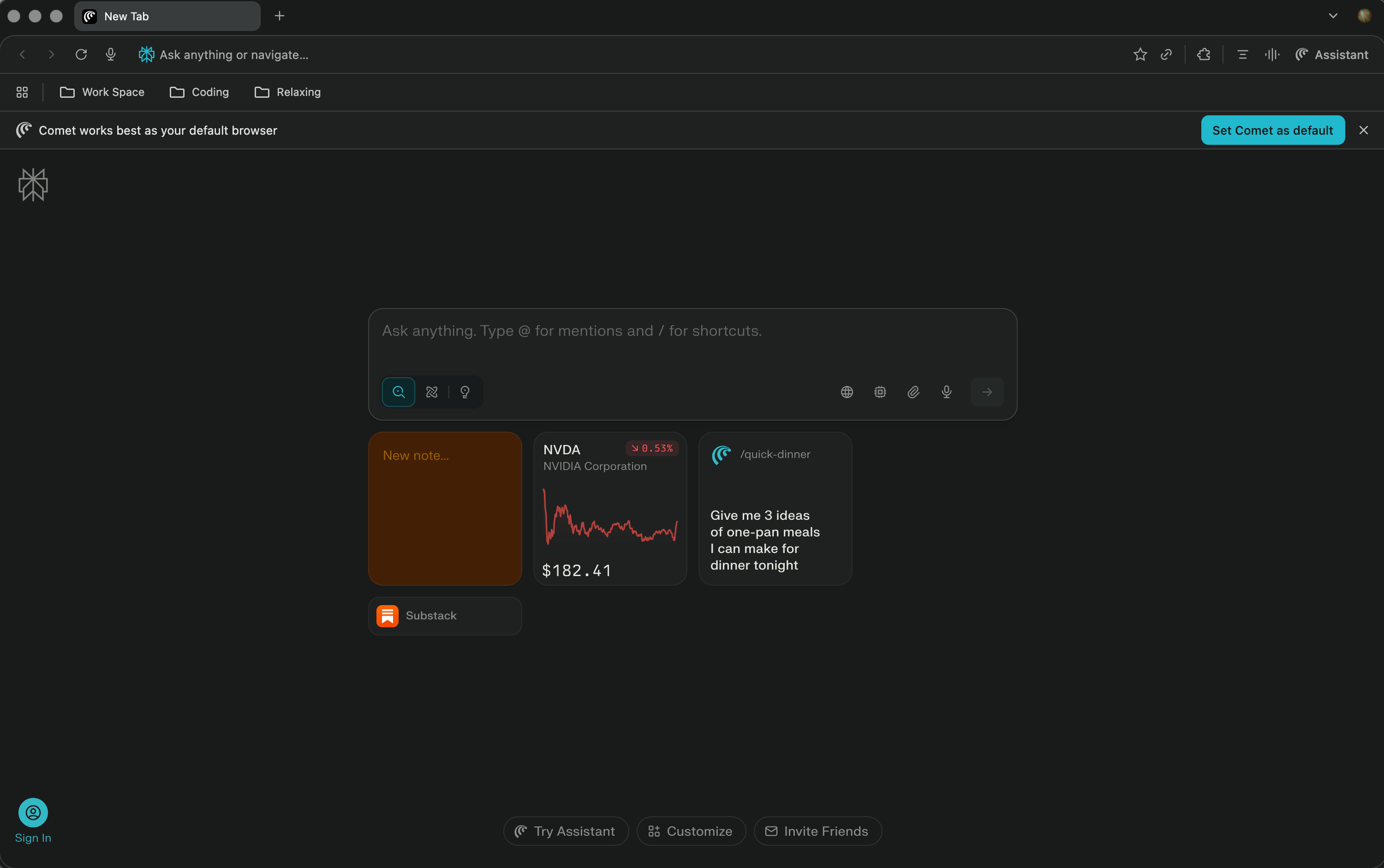
Comet is pretty amazing. It’s a browser that has an Assistant built-in that you can delegate a lot of tasks to. It deserves a whole other post for it! There are a ton of use cases, that’s why I am not going to cover it in this post.
If you want to see a separate post on Comet, please subscribe to my newsletter, and I will see you there!
Now, let’s go back to more practical stuff!
Perplexity Tasks: Automated Research That Runs Itself
Here’s a feature most people don’t know exists: Perplexity Tasks.
Tasks let you schedule recurring research queries that run automatically. Think of them as standing research assistants.
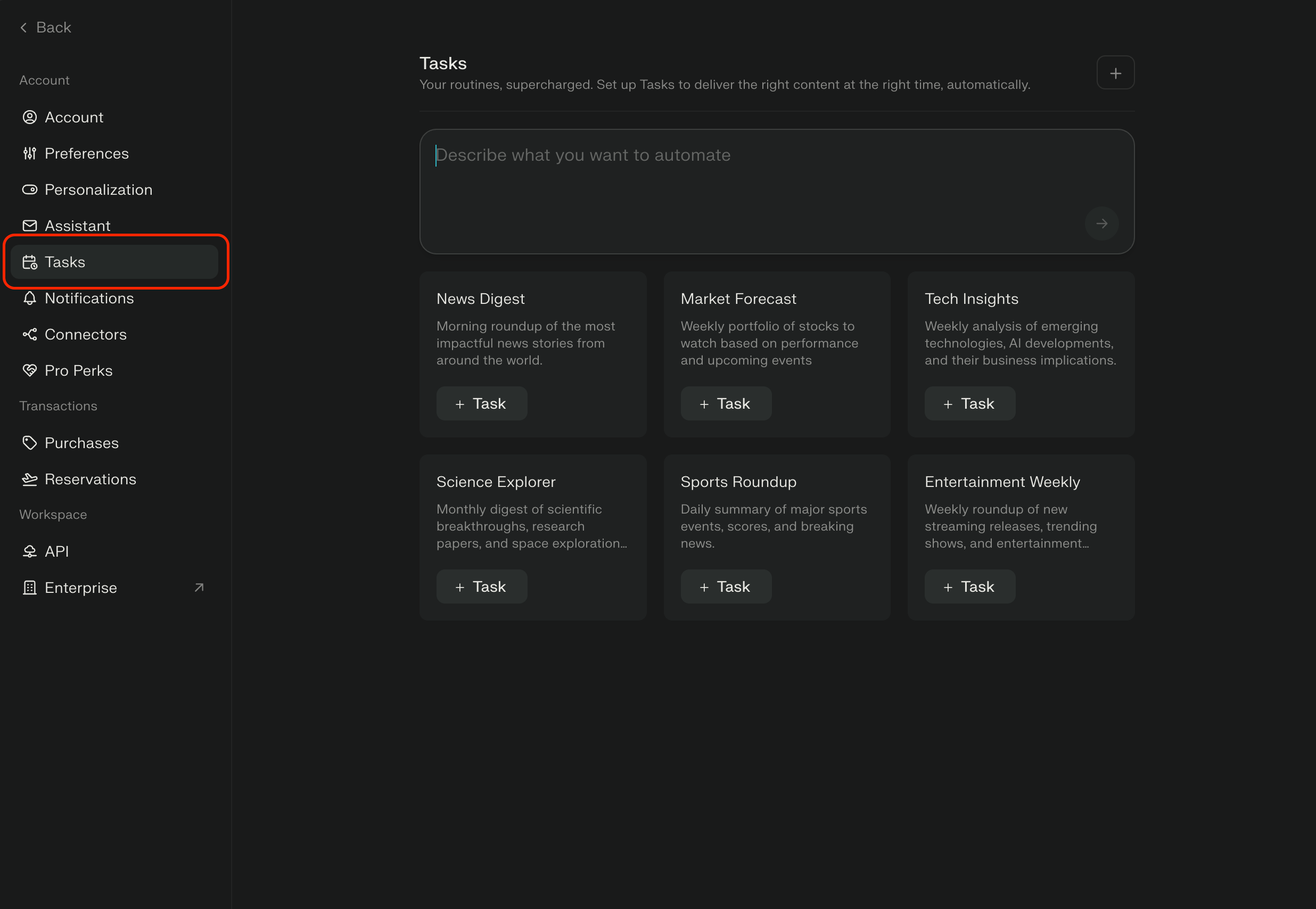
Practical examples:
Daily Market Intelligence:
Task: “Summarize significant AI news from the past 24 hours”
Runs: Every morning at 7 AM
Result: You wake up to a research brief
Weekly Competitor Monitoring:
Task: “Check for product updates, pricing changes, or new features from [Competitor list]”
Runs: Every Monday
Result: You never miss a competitor's move
Monthly Trend Analysis:
Task: “What new AI tools launched this month and what problems do they solve?”
Runs: First of every month
Result: You stay ahead of market shifts
To set up a Task:
Ask your question in any Space
Click “Schedule as Task”
Set frequency and timing
Let it run automatically
This is how you turn research from something you do reactively into a system that runs proactively.
Practical Workflow: How I Actually Use Perplexity
Let me show you my actual workflow for three common scenarios:
Scenario 1: Making a Strategic Decision
Example: Should I add real-time collaboration to my product?
My process:
Start with Web Search + Claude Opus:
“What are the trade-offs of adding real-time collaboration to a productivity tool?”
Switch to Academic Search:
“Research on user adoption of collaborative features in SaaS products”
Check Social Search:
“What do product managers say about building real-time collaboration features?”
Create a Space called “Collab Feature Research”:
Upload: competitive analysis, customer feedback, technical constraints doc
Custom instructions: “Act as a product strategist evaluating a feature decision.”
Ask the Space:
“Given our technical constraints and customer requests, should we prioritize real-time collaboration?”
“What are the implementation risks based on competitor experiences?”
Result: A well-researched decision with citations, competitor analysis, and strategic trade-offs - in about 20 minutes.
Scenario 2: Weekly Content Research
Example: I write a newsletter about AI tools every week.
My setup:
Create a Space called “Newsletter Research”
Add links to the top AI blogs
Upload past newsletter editions
Set custom instructions for editorial filtering
Set up Tasks:
Daily: “Summarize AI tool launches and updates.”
Weekly: “What’s the most important AI development this week?”
Every Monday, ask the Space:
“What counterintuitive insights emerged this week?”
“What are people talking about that will matter in 3 months?”
Result: I spend 30 minutes curating instead of 3 hours researching from scratch.
Advanced Tips Most People Don’t Know
1. Use @mentions to reference specific tabs
Open multiple competitor websites in tabs, then ask: “Compare the pricing models in @tab1, @tab2, and @tab3”
Perplexity will analyze all three simultaneously.
2. Request specific output formats
Instead of: “Tell me about [topic]” Try: “Create a comparison table of [topic] showing pros, cons, and pricing.”
Personally, I love comparison tables because they are straight and to the point.
You’ll get structured data you can actually use.
3. Chain your queries
Start broad, then narrow:
“What are the top AI productivity tools?”
“Now compare only the writing assistants”
“For the top 3, what do users say are the biggest limitations?”
Each query builds on the last. Plus, Perplexity will have a deeper context for the problem you are trying to solve.
4. Upload PDFs to Spaces for deep analysis
Upload a 40-page market research report and ask: “What are the 5 most surprising findings in this report?” “Create an executive summary in 200 words”
Perplexity reads the entire document and synthesizes it.
Real-World Use Cases by Role
For Founders:
Competitive Intelligence:
Create a Space for each major competitor
Set Tasks to monitor product launches and funding news
Use Finance mode to track public company performance
Market Research:
Upload industry reports to Spaces
Ask: “What market gaps are emerging?”
Use Academic Search for scientific backing
Customer Research:
Upload support tickets and feedback
Ask: “What patterns suggest feature priorities?”
For Content Creators:
Content Research:
Schedule Tasks to track trending topics
Use Social search to find community discussions
Create Spaces for different content topics
Competitive Analysis:
Track what other creators are publishing
Identify content gaps
Find unique angles
For Product Managers:
Feature Validation:
Create Spaces for each feature consideration
Upload competitor docs, customer requests, and technical constraints
Ask: “Should we build this?”
User Research:
Social search for real user opinions
Academic search for UX research
Finance search for market validation
For Executives:
Strategic Planning:
Create Spaces for each strategic initiative
Upload board presentations, analyst reports
Ask: “What are the risks we’re not seeing?”
Market Intelligence:
Schedule daily Tasks for industry news
Use Finance mode for competitive performance
Ask: “What strategic moves are competitors making?”
The Bottom Line
Most people use Perplexity for 5 minutes a day and think they’re getting the full value.
But the real power isn’t in asking one-off questions. It’s in building a research system that compounds over time.
When you:
Create Spaces with your business context
Set up Tasks that run automatically
Switch between search modes strategically
Choose the right models for different reasoning tasks
You’re not just searching faster. You’re building knowledge that makes every decision better than the last.
That’s the difference between using Perplexity like a search engine and using it like an intelligence platform.
Next Steps:
Go to perplexity.ai
Create your first Space for something you research regularly
Set up one Task that would save you time every week
Try each search mode for questions you’d normally Google
Start with one use case. Then expand.
Because the real competitive advantage isn’t having access to AI - everyone has that now. It’s knowing how to build research systems that make you smarter over time.
Thank you, Ilia Karelin!
This was one of my favorite guest posts. What Ilia showed you isn’t a search tutorial; it’s a methodology for compounding knowledge.
One thing to try this week:
Pick one recurring research task that currently eats 2+ hours of your time. Maybe it’s competitive monitoring. Maybe it’s staying current in your industry. Maybe it’s preparing for strategic decisions.
Create one Perplexity Space for that task.
Set up one automated Task.
Run it for a week.
You’re not just saving time. You’re testing whether AI can shift from assistant to infrastructure in your leadership practice.
What did you think? Do you use Perplexity? Share in the comments.
PS: Many subscribers get their Premium membership reimbursed through their company’s professional development $. Use this template to request yours.
Partner and Connect
I love connecting with people. Please use the following connect, collaborate, if you have an idea, or just want to engage further:
LinkedIn / Community Chat / Email / Medium

Thank you Joel for the opportunity, I appreciate it!
I’m a regular user of Perplexity. It was a game changer! It’s my starting point to research, brainstorm, synthesize and outline strategy plans.
It also writes prompts and context roles for 5 other AI’s that I use, along with creating charts of which AI system to use for what part of an implementation plan.
I then compile all 5 responses, edit, edit, edit and ask Perplexity to review, synthesize, challenge assumptions, propose mitigations and recommendations.
I’m having fun lately giving the identical prompt to 6 AI’s, compiling all 6 into 1 document, start new chat in all 6 and prompt them to rank and review each response and then outline a comprehensive best of the best.
It’s like an AI board of directors. 🤖