



TL;DR: Google's NotebookLM is a source-grounded research system, not a chatbot. NotebookLM eliminates AI hallucinations by restricting all answers to user-uploaded documents and providing clickable citations for every claim. The tool handles up to 25 million words per notebook and supports four business workflows: knowledge hub creation, team training, custom role configuration, and deliverable generation through its Studio Panel.
Most leaders treat NotebookLM like ChatGPT with a fancy notebook feature. That’s like using a surgical scalpel as a butter knife.
Here’s what I mean. Imagine you’re making a critical strategic decision based on research. You ask ChatGPT for data, and it gives you a confident answer citing “recent studies” that don’t exist. You ask Claude, and it synthesizes information beautifully but often struggles to show you where it came from. You ask Gemini, and it pulls from its training data mixed with whatever it remembers from your last conversation.
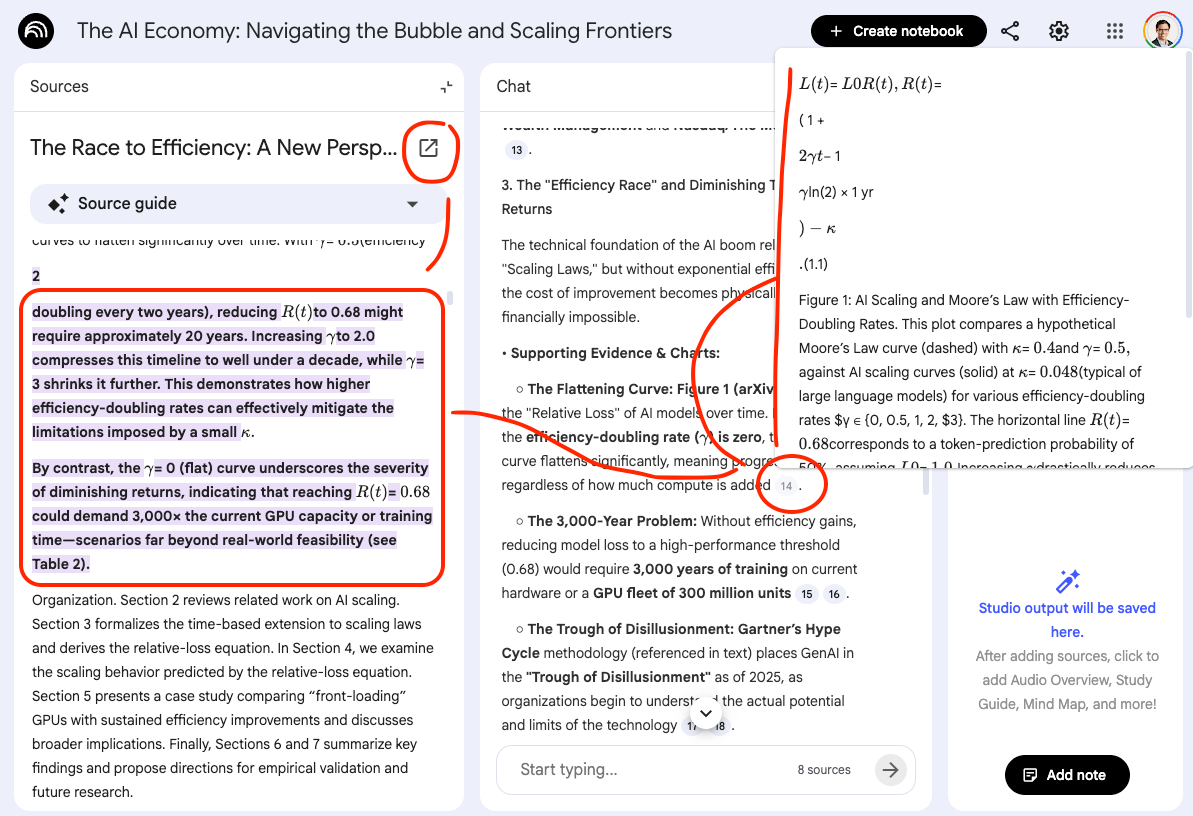
Now imagine a tool that forces itself only to use the exact sources you uploaded. A tool that won’t hallucinate because it literally can’t reference anything outside your chosen documents. A tool that provides clickable citations for every single claim, letting you verify the exact paragraph it pulled from. Example below!
That’s the difference between a chatbot and a research system. And that’s why 99% of leaders are leaving NotebookLM’s most powerful capabilities untouched.
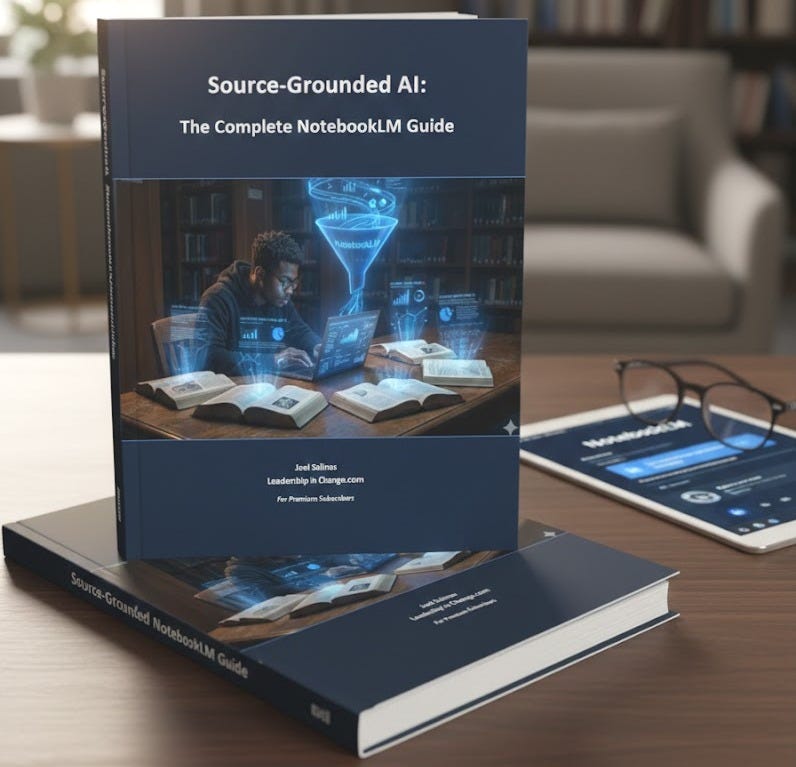
Premium Members: Want the complete NotebookLM implementation system? I just released Source-Grounded AI: The Complete NotebookLM Guide (43 pages) exclusively for you!
Download Your Free Guide in the Premium Hub →
The problem isn’t that NotebookLM is hard to use. The problem is that leaders are still thinking in chatbot mode. They upload a document, ask it questions like they would ChatGPT, and wonder why it’s not impressive.
They’re missing the fundamental shift: NotebookLM isn’t trying to be smarter than other AI. It’s trying to be more honest. That’s what we’ll solve here.
What You’ll Learn:
What NotebookLM Actually Is (And Why It’s Not Just Another Chatbot)
The Source Control Advantage: How NotebookLM Eliminates Hallucinations
4 Business Workflows That Transform How You Research
Custom Configuration: Making NotebookLM Your Personal Strategist
The Studio Panel: From Research to Deliverables in Minutes
When to Use NotebookLM vs ChatGPT, Claude, or Gemini
What NotebookLM Actually Is
NotebookLM is a research intelligence system, not a chatbot. The distinction matters more than you think.
ChatGPT, Claude, and Gemini work from their training data. They’re amazing at synthesis, creativity, and general knowledge. But when you ask them about your specific documents, they’re working from memory of similar patterns, not your actual content.
NotebookLM works differently. It can handle up to 25 million words per notebook (that’s roughly 50,000 book pages). Every answer comes exclusively from the sources you upload. No training data. No general knowledge. Just your documents.
In my mind, this isn’t a limitation. It’s the entire point.
When I’m researching customer psychology for a campaign, I don’t want NotebookLM pulling from random blog posts it was trained on. I want to analyze the three academic papers, two industry reports, and my notes from sources I specifically chose.
The result: Every claim NotebookLM makes includes a clickable citation showing exactly which document and which paragraph it came from.
Most leaders miss this because they’re still thinking in chatbot mode. They upload a document, ask a vague question, and wonder why it’s not impressive. Stop doing that.
How NotebookLM Eliminates Hallucinations (The Source Control Breakthrough)
Note: If you are already familiar with NotebookLM, skip to the next section :)
AI hallucinations cost businesses $67.4 billion in 2024 alone. That’s not a typo. When AI confidently invents statistics, misquotes policies, or fabricates case studies, the consequences range from embarrassing to catastrophic.
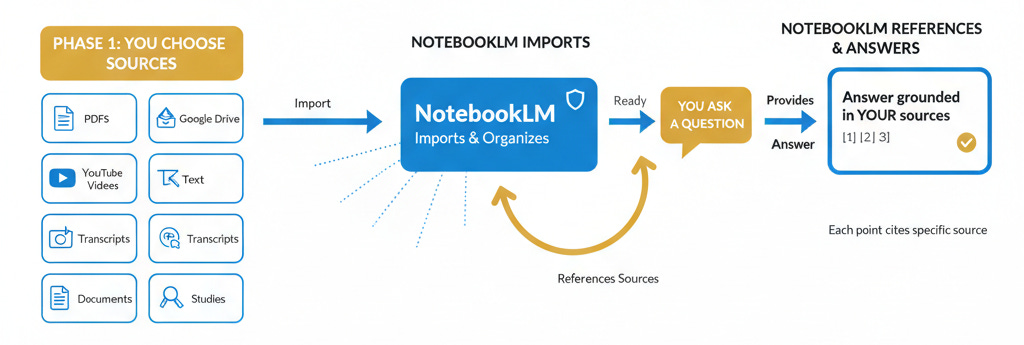
Here’s how it works: Before NotebookLM answers your question, it searches your uploaded sources first. If it can’t find relevant information, it says so instead of inventing something plausible. Then it provides citations for everything it does find.
Last week, I was writing an article about AI implementation in higher education. I needed current, credible sources, but I didn’t want AI pulling from random blog posts or outdated research.
So I went to NotebookLM, uploaded only .edu research papers from the last three months, plus listed my favorite YouTuber who covers AI in education. That’s it. Nothing else.
When I asked NotebookLM for insights on AI adoption barriers in universities, every response came exclusively from those sources. The citations showed me exactly which research paper or which minute mark in which video the information came from. I could click and verify everything in context.
When I clicked those citations, I could verify each claim in context. That’s not possible with standard chatbots.
This is source control.
NotebookLM doesn’t replace ChatGPT. It replaces the part of your brain that worries whether ChatGPT is making things up.
4 Mindblowing Business Workflows That Transform Research
Here’s where most leaders completely miss NotebookLM’s power. They think it’s just for reading PDFs. It’s not.
Here are 4 workflows you can immediately implement…
Workflow 1: Building a Knowledge Hub with Gems
Stop treating your knowledge like one giant pile. Create separate notebooks for different purposes.
I have three main notebooks in NotebookLM:
Articles Notebook: Every article I’ve published on Leadership in Change
Newsletter Compass Notebook: All product documentation, feature guides, and client case studies for Newsletter Compass
Cozora Notebook: Product information, course materials, and implementation docs for Cozora
Here’s why this matters: When I need to reference my work, I don’t want AI pulling from everything I’ve ever written. I want it focused.
If I’m writing about AI leadership, I open Gemini and select my Articles Notebook. Now when I ask questions or request a content dashboard, Gemini only references my published articles. Nothing about product features. Nothing about course materials. Just my leadership content.
This is surgical precision. Each notebook becomes a specialized knowledge base that I can activate when I need it.
Once you set it up, click on the + icon in Gemini, and select NotebookLM
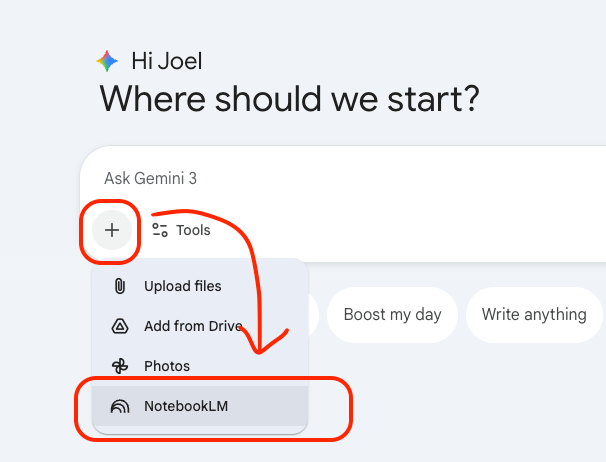
Select the Notebook to focus on and Add
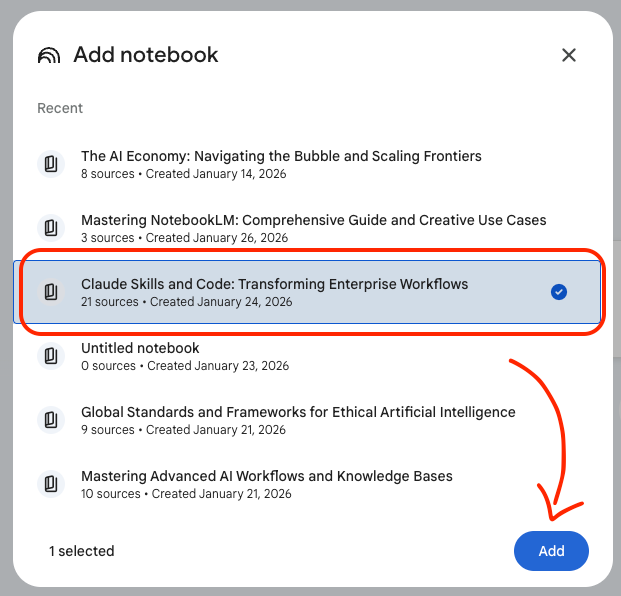
DONE!
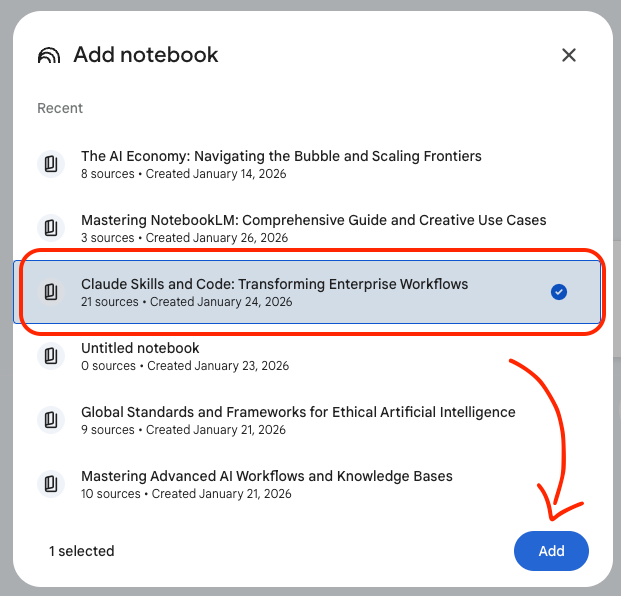
The setup takes 20 minutes. Upload your documents to separate notebooks, and you’re done. Now you have instant access to verified, cited information from exactly the sources you choose.
Quick sidenote, do you want help building your AI strategy? Auditing your workflows? I help mission-driven leaders implement Human-First AI without the tool chaos. Let’s connect!
Workflow 2: Training Teams Without Hallucinations
Here’s a problem: most corporate training relies on people actually reading policy documents. They don’t.
Upload your training materials to NotebookLM. Generate mind maps showing how different policies connect. Create flashcards and quizzes pulled straight from your actual company guidelines, not generic knowledge.
The breakthrough: These aren’t based on what some LLM thinks training should look like. They’re based on your specific policies, with citations for every concept.
I used this for onboarding new contractors. Instead of hoping they’d read my 40-page strategy document, I generated a quiz and mind map. When someone got a question wrong, they could click the citation and see the exact policy section.
Here’s an example, I uploaded my made-up archeologist training manual for new site diggers!
Workflow 3: Custom Configuration for Roles
Look, this one takes 30 seconds and changes everything.
Click “Configure Notebook” in the top right. Under “Conversational Goal,” select “Custom.” Then tell NotebookLM exactly how to behave.
For YouTube strategy: “Act as a YouTube strategist focused on analytics and script hooks. Prioritize data over opinions.”
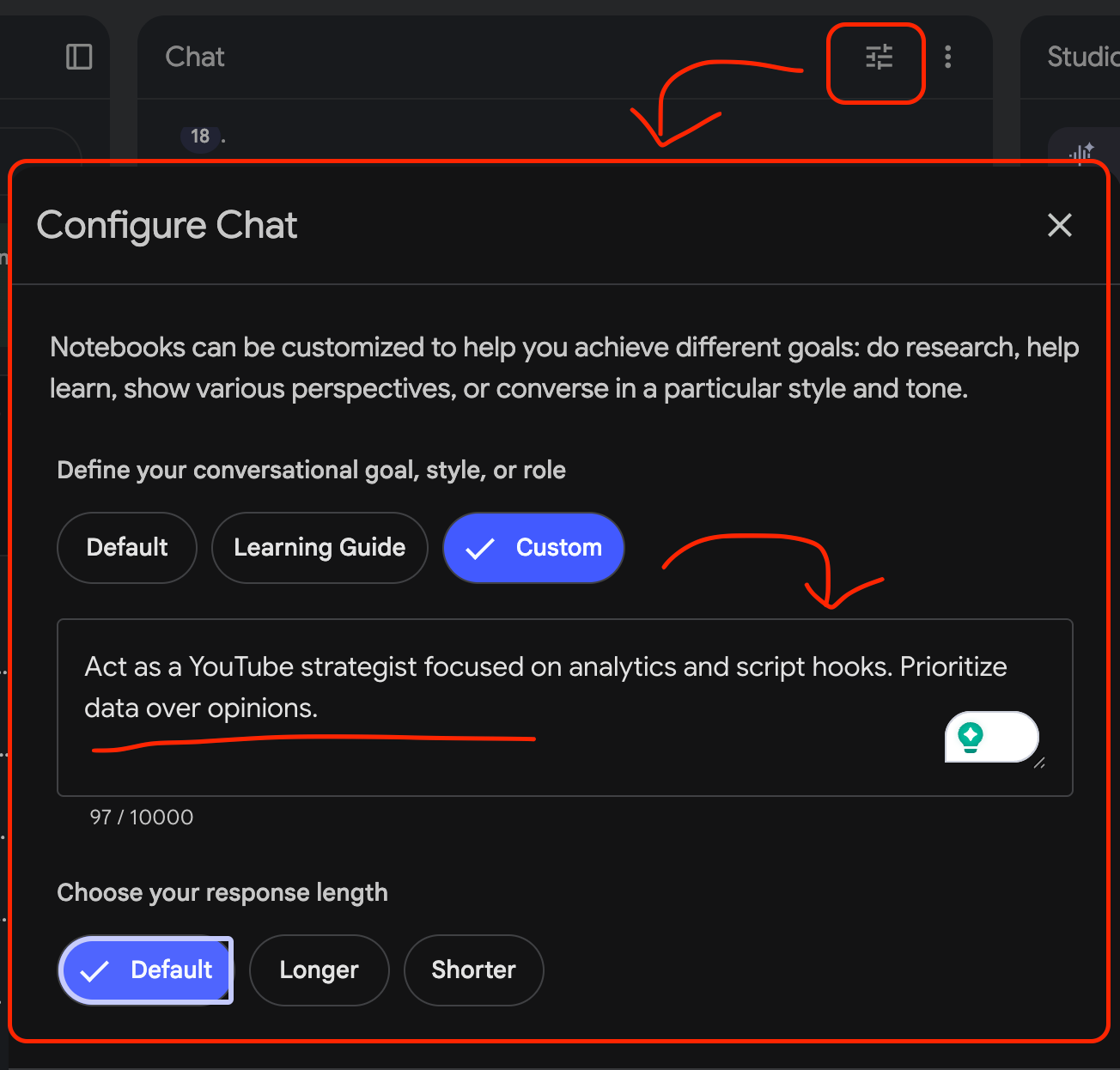
For research analysis: “Act as a research analyst focused on identifying technical contradictions and data gaps. Flag any unsupported claims.”
For competitive analysis: “Act as a competitive intelligence analyst. Compare our approach against competitors and highlight gaps.”
Adjust response length to “Longer” if you want detailed analysis instead of summaries.
Workflow 4: Studio Panel for Deliverables
The Studio Panel is where NotebookLM stops being a research tool and becomes a content creation system.
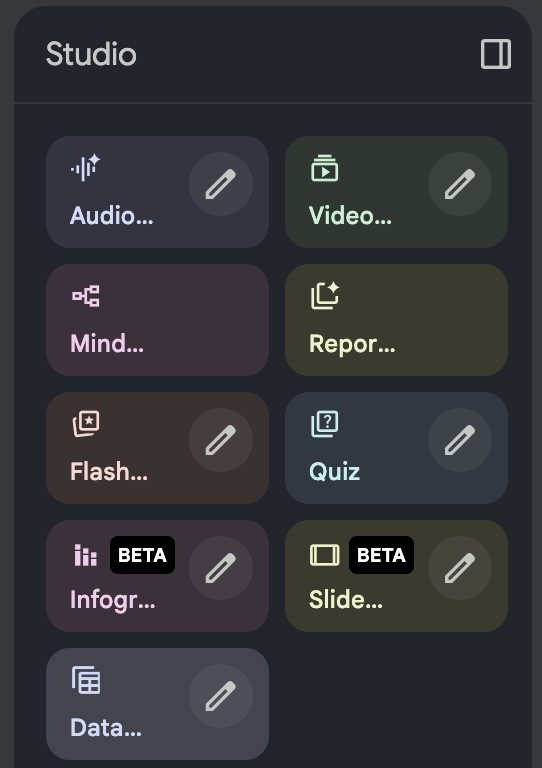
Upload your research sources. Then generate:
Audio Overviews: 10-minute podcast-style summaries you can listen to during your commute
Video Overviews: Narrated video explanations of complex concepts
Infographics: Visual summaries of your data
Slide Decks: Presentation-ready slides tied directly to your sources
I converted a 50-page market analysis report into a 12-minute audio overview last week. My team listened to it during their morning routines instead of blocking calendar time to read the full report.
Going back to my archeologist in training example, here is what some of these look like.
The key: These aren’t generic. They’re locked to your specific sources with citations throughout.
NewsletterCompass.com is here! Every hour you spend on newsletter busywork is an hour not creating. Newsletter Compass fixes that. Use code WELCOME for 50% off during launch.
When to Use NotebookLM vs Other AI Tools
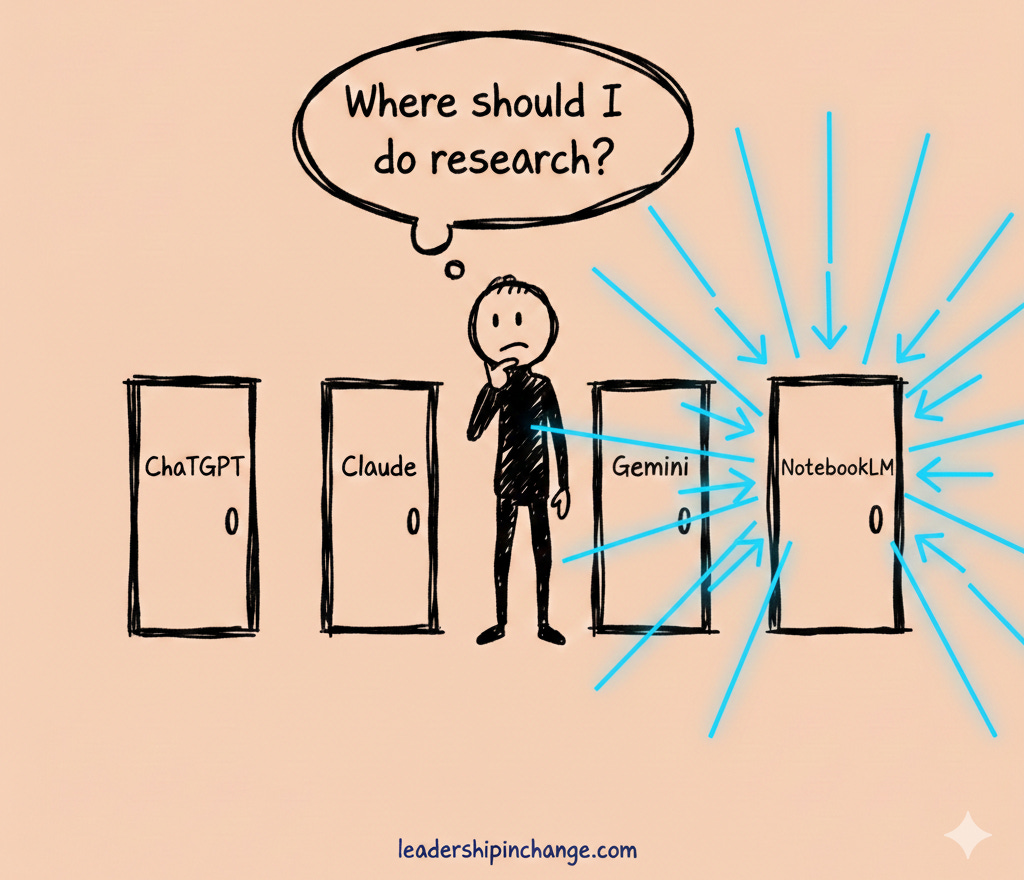
Now, I get asked this all the time: “If NotebookLM is so powerful, should I just ditch ChatGPT and Claude?”
No. That’s not how this works.
They’re not competitors. They’re different tools for different jobs.
Use NotebookLM when:
You need verified, citation-backed information for decisions
You’re working with internal documents that must be accurate
You’re training teams on specific company policies
You’re making decisions based on proprietary research
Use ChatGPT, Claude, or Gemini when:
You need creative brainstorming without source constraints
You’re drafting content that doesn’t require citations
You want synthesis across general knowledge
You need coding assistance or general problem-solving
I use Claude for writing and strategic thinking. I use ChatGPT for quick problem-solving. I use NotebookLM when I need to verify everything against specific sources.
That’s the real insight: NotebookLM doesn’t replace your other AI tools. It fills the gap they can’t touch. Verified, cited research tied directly to your specific documents.
Check out some other amazing NotebookLM posts:
How I Learned Complex Topics 10x Faster with NotebookLM by Wyndo
9 NotebookLM Prompts That Supercharge Productivity by Aniket Chhetri
How to Use NotebookLM with Claude Code by Michael Spencer and Michael Jovanovich
How I Use Gemini + NotebookLM to Read Less, Learn More, and Remember Everything by Nitin Sharma
If You Only Remember This:
If you only take away five things from this entire post, make it these.
NotebookLM eliminates hallucinations by forcing every claim to cite specific paragraphs from your uploaded documents (not by being smarter, but by being more honest)
The Studio Panel turns research into deliverables: podcasts, presentations, mind maps, and training materials, all tied to your sources
Custom configuration transforms NotebookLM from a generic assistant into your personal strategist, research analyst, or competitive intelligence expert
NotebookLM handles up to 25 million words (that’s 50,000 book pages in a single notebook) with citations for every claim
It’s not a ChatGPT replacement; it’s an additional tool for when verified research matters more than creative synthesis
What’s one business decision you’re making right now that requires verified, citation-backed research?
Join 3,500+ Leaders Implementing AI today…
Which Sounds Like You?
“I need systems, not just ideas” → Join Premium (Starting at $39/yr, $1,345+ value): Tested prompts, frameworks, direct coaching access. Start here
“I need this built for my context” → AI coaching, custom Second Brain setup, strategy audits. Message me or book a free call
“I want to reach these leaders” → Sponsor one post (short supply). 3,500+ executives. Check availability
PS: Many subscribers get their Premium membership reimbursed through their company’s professional development $. Use this template to request yours.
Most firms are not comfortable using NotebookLM due to data sovereignty issues otherwise it’s the best tool where you can just upload all company knowledge and achieve what you want without having to pay for enterprise licenses
Thanks Joel, you're one of the few people who I trust absolutely for their expertise about how to use AI tools effectively, and NotebookLM is becoming my go-to tool for actual research. That statistic about the amount of money that hallucinations are costing companies is absolutely wild. Surely it can't be long before more people pick up on the true potential of notebookLM in business and beyond.