


TL;DR: Every time you start a new AI chat and re-explain your brand voice, you're paying the Blank Slate Tax. Claude Skills are markdown files that eliminate this tax by encoding your voice, audience, and workflows so every output sounds like you. 77% of companies struggle with brand voice inconsistency (Lucidpress, 2024). Here is my three-skill marketing system across four businesses, with each brand's rules saved in a file Claude references automatically.

So, I own or co-own 4 brands, each one has a different audience, a different tone, and a different set of rules about what “on-brand” actually means.
Last November, 9 PM on a Tuesday, I had two Claude tabs open: one writing a welcome email sequence for one brand, the other building a branded PDF for another. Halfway through, I caught that Claude had started writing both with the wrong brand. Wrong brand, wrong voice, and wrong audience entirely.
And honestly? It was my fault. I’d been switching between projects all morning, re-explaining tone and context every time I opened a new chat.
According to Reclaim.ai’s research (December 2025), it takes 23 minutes and 15 seconds to fully refocus after switching contexts, and professionals lose up to 40% of productive time to that kind of back-and-forth. I was living that stat in real time.
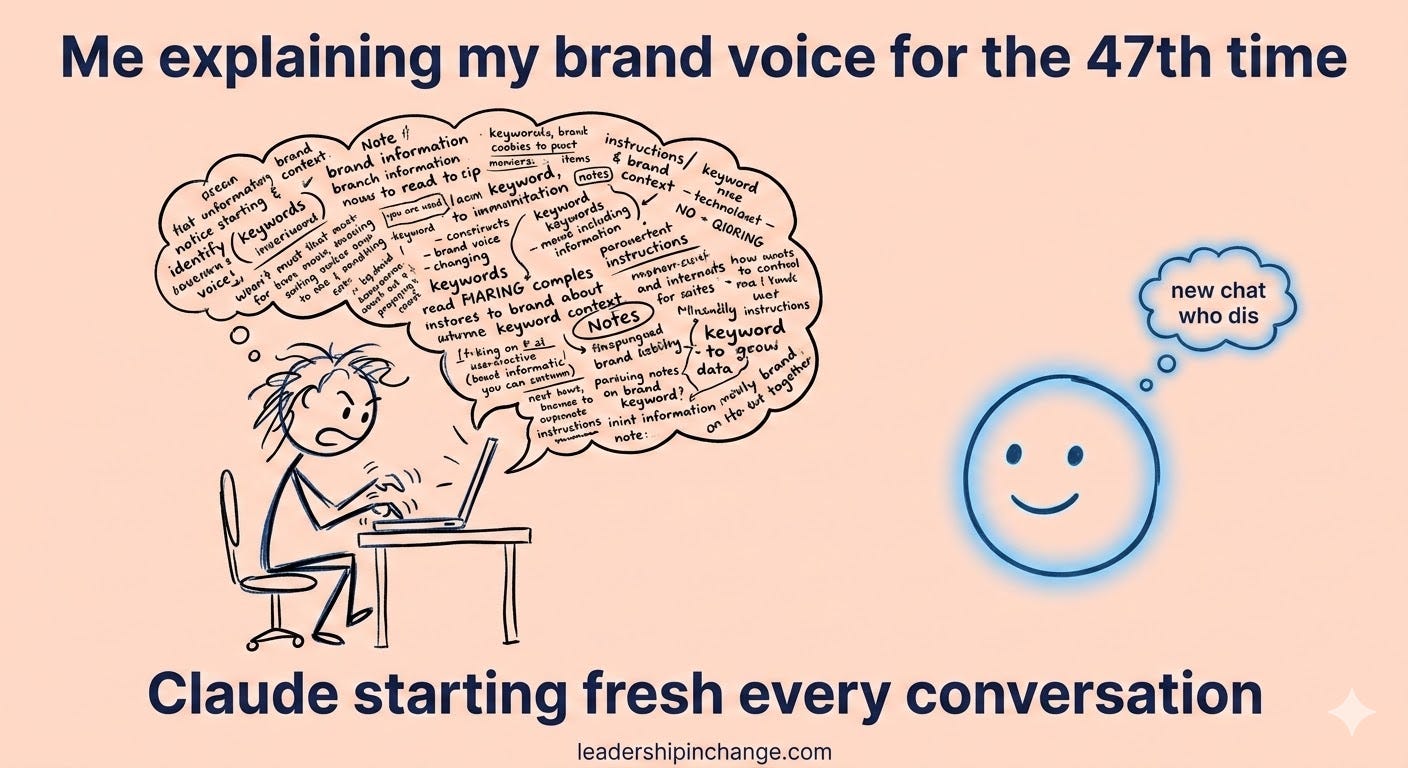
That morning taught me something I should have figured out earlier: context was my bottleneck, not Claude. I kept treating every conversation like a blank slate instead of building a system that remembers who I am. This is what Claude Skills solves.
What you’ll walk away with:
Why your brand voice, not the AI, is the real bottleneck in marketing automation
How I use three Claude Skills to run content, email, and strategy across four brands
How to build your first marketing skill file in about 10 minutes (plus 3 free skill downloads at the bottom of this post, 8 for Paid Members)
Quick Win (< 60 seconds)
Open any Claude or ChatGPT project you use for marketing. Add one sentence to the project instructions:
“Before generating any content,
confirm which brand or business this is for and
apply the corresponding voice guidelines.”
That single line forces Claude to ask before it assumes, and it cuts voice drift immediately.
A word from our partners, tools I love and use daily…
Jotform is a Leadership in Change partner, and this is a natural fit. The emails are only as good as what feeds them. If your signup form is clunky, people bounce before they ever see email #1.
Jotform AI lets you generate forms by describing what you need, the same "describe it and it's done" approach that makes Claude Skills work. Leadership in Change readers get 50% off annual plans. Build the form that captures the lead today!
77% of Companies Have This Problem
This number surprised me:
77% of companies report producing content that doesn’t consistently reflect their brand voice (Lucidpress, 2024).
And that data comes from before most teams started using AI to generate content at scale.
Think about what happens when you add AI to that mix. You’re prompting Claude or ChatGPT three, five, or ten times a day. Each prompt starts fresh. Each output drifts a little further from your actual voice. Semrush Enterprise documented this pattern in August 2025: AI-generated text drifts most in the earliest outputs, right when you haven’t given it enough context to anchor on.
The result? Content that sounds professional but generic, polished but completely personality-free. Your audience can feel the difference even if they can’t name it.
I tried better prompting first. For a while, I was convinced that was the answer: more detail, more context, more words crammed into each request. And honestly, it worked for individual outputs. But the inconsistency across outputs kept creeping in, especially across four businesses with four different voices.
What actually solved it was a skill file.
A Claude Skill is a markdown file (just a text document with structure) that tells Claude: here’s my brand voice, here’s my audience, here’s what I never say, here’s what I always say, and here are the exact steps to follow for this type of work. You save it once. Claude references it every time. No re-explaining.
Lucidpress found that companies that keep their branding consistent across every touchpoint see up to 33% more revenue. That’s real money left on the table. The skill file is how I lock that consistency in, even when I’m moving fast between four completely different brands.
This article gives you the framework. If you’re looking at your own role and wondering how to set this up, there are two ways I can help.
Which Sounds Like You?
“I need systems, not just ideas” -> Join Premium (Starting at $49/yr, $1,345+ value): Tested prompts, frameworks, plus the full 8-skill marketing dashboard with every skill in this article and five more. Start here
“I need this built for my context” -> AI coaching, custom workflow setup, strategy audits. Message me or book a free call
The Three Skills That Run My Marketing
I wrote about 5 Claude Skills for document creation back in February. Proposals, presentations, dashboards. Those are internal productivity skills.
The three I’m sharing today are outward-facing. They handle the marketing work that used to eat my time.
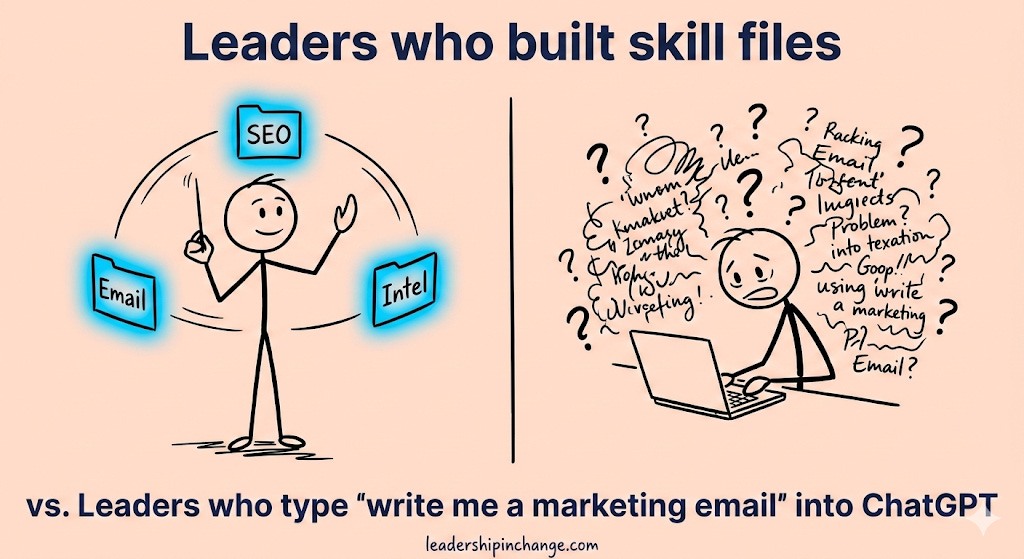
Full downloads at the bottom of the article.
Skill 1: Email Sequence Builder
I give Claude the sequence type (welcome, launch, re-engagement), the number of emails, and which brand I’m writing for. The skill file already has my voice rules, audience profile, and email structure preferences baked in. Claude generates subject lines, preview text, body copy, and CTAs for each email, all in the right tone, without me re-explaining anything.
The difference between prompting for an email sequence and using a skill for one is the difference between giving someone verbal directions and handing them a GPS. Both work fine once, but only one holds up when you’re writing across four brands in the same morning.
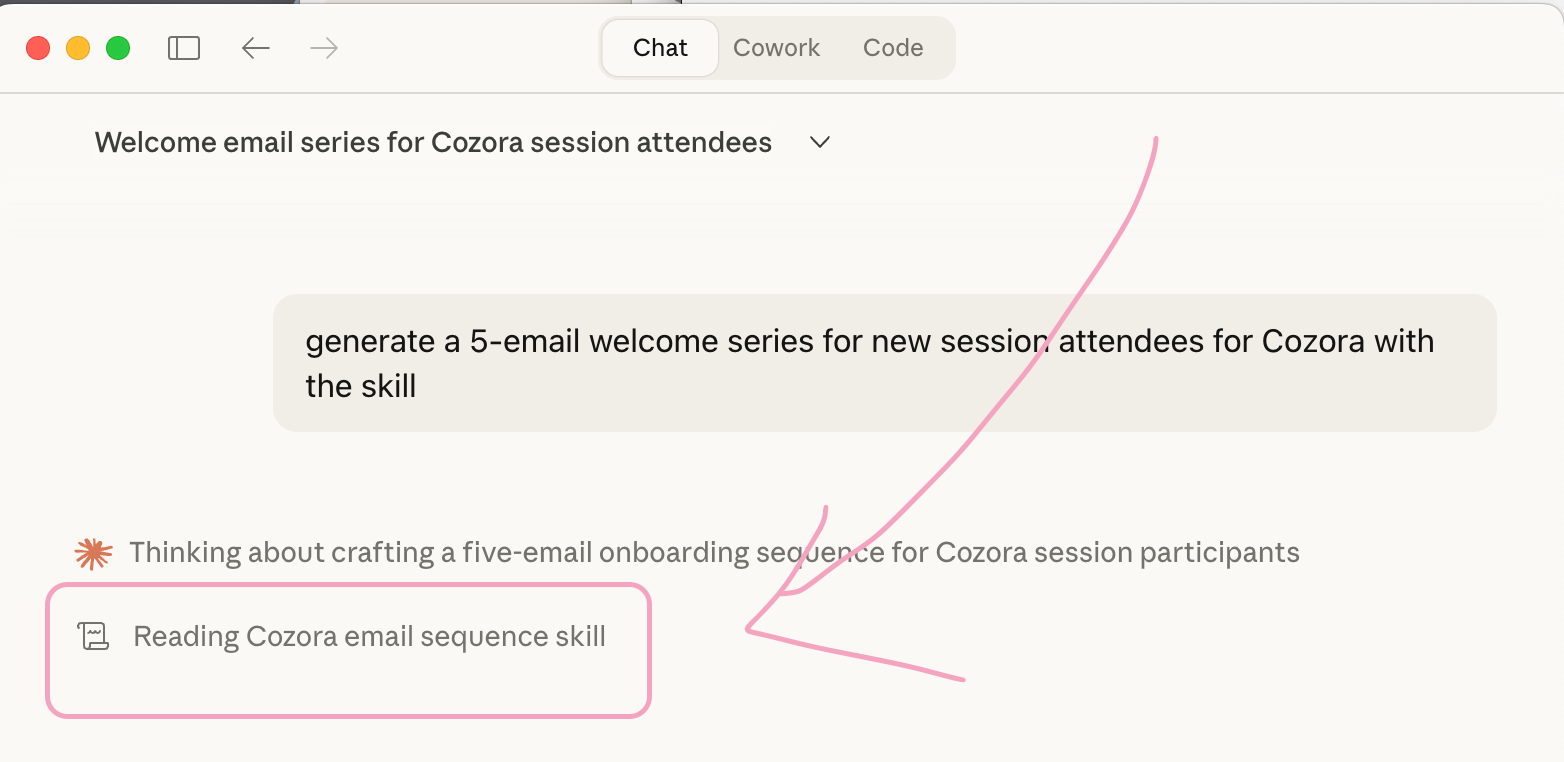
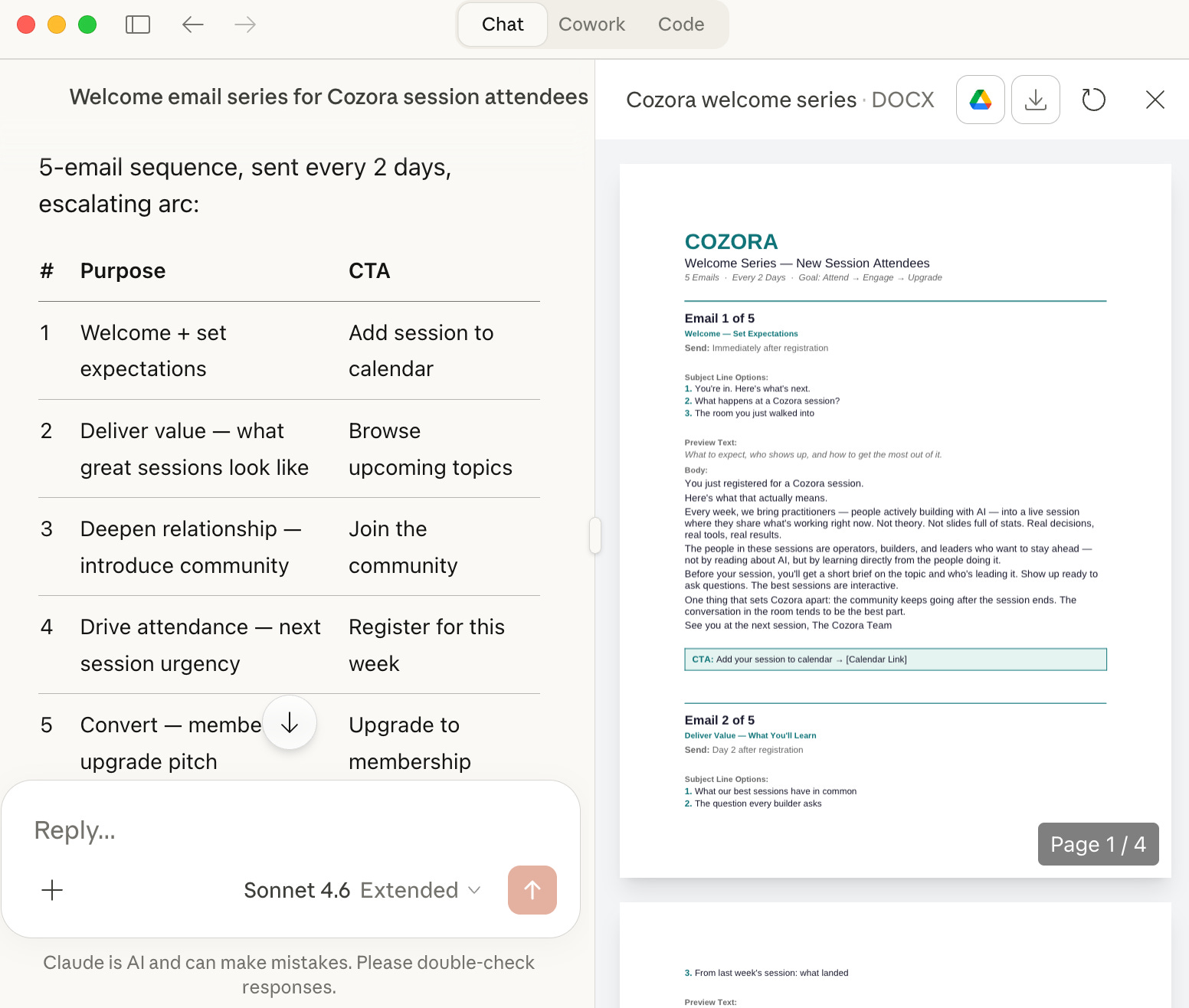
EXAMPLE: Email Sequence Builder → Cozora — I asked it to generate a 5-email welcome series for new session attendees. The skill already knows Cozora’s voice is “expert, approachable, forward-thinking,” that we sign off with “See you at the next session,” and that we never say “cutting-edge” or “revolutionary.” Every email it generated sounded like it came from our community, not a marketing template.
1st. It invokes the skill…
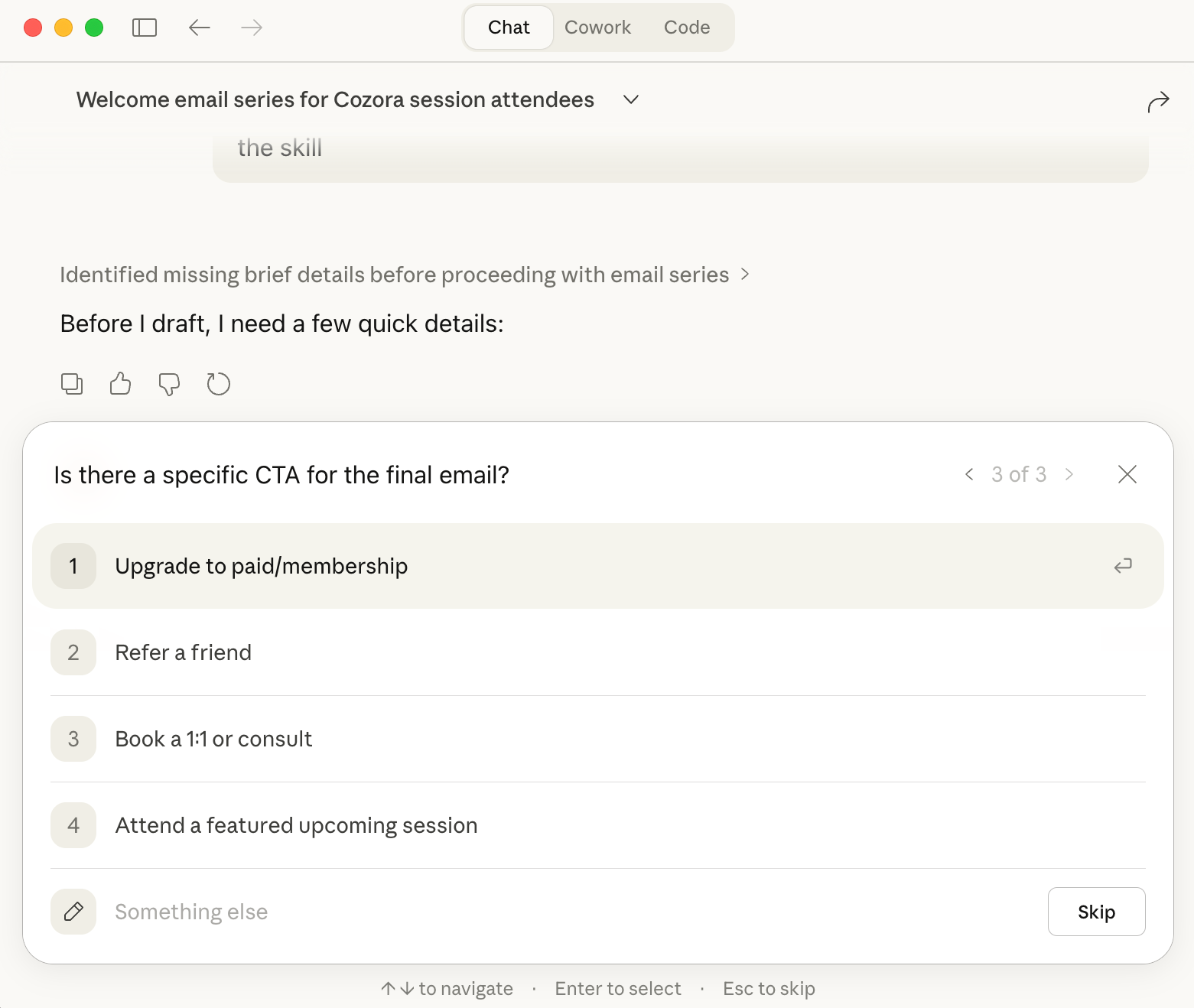
Then, it asks a few clarifying questions.
And we are done!!!
Skill 2: Competitor Intelligence Brief
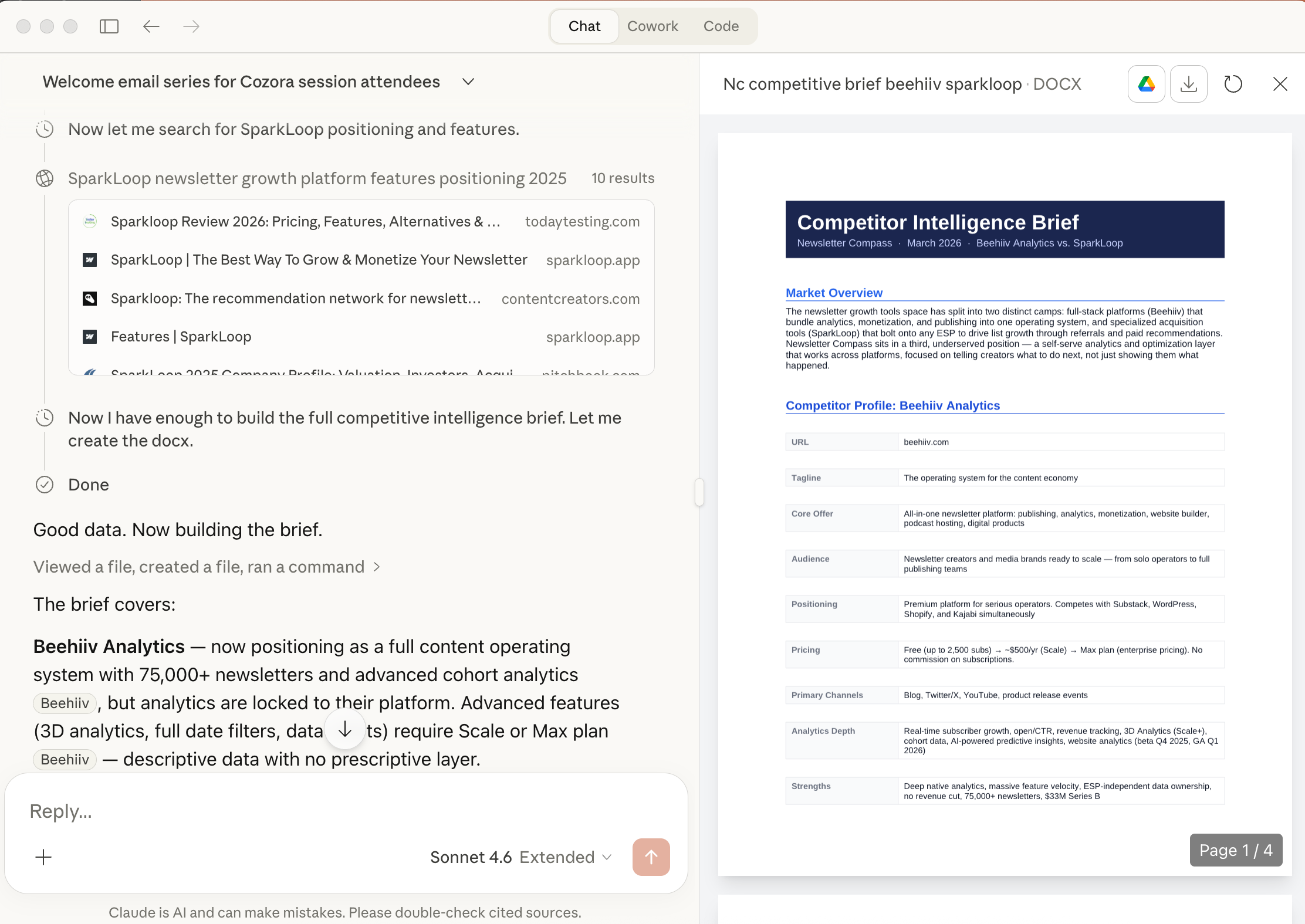
This one surprised me with how useful it became. I describe a competitor or paste their URL, and the skill walks Claude through a structured analysis: positioning, messaging gaps, content strategy patterns, and opportunities I can act on. It’s the kind of research I used to spend half a day on, compressed into a 10-minute conversation.
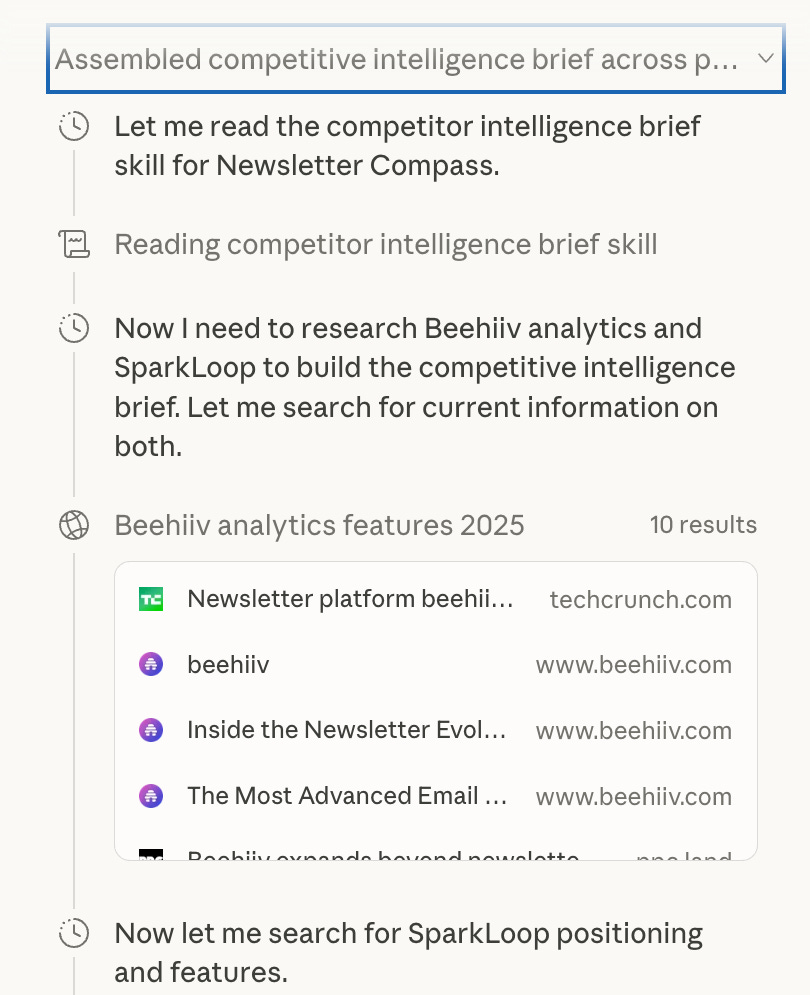
EXAMPLE: Competitor Intelligence Brief → Newsletter Compass — I ran it against Beehiiv’s analytics and SparkLoop. The skill already knows our positioning (”self-serve growth tool, not a service”) and our audience (”creators who don’t have a data team”). The brief it generated identified messaging gaps I hadn’t noticed.
And the automated research begins!
And a minute or two later, we are ready…
Skill 3: SEO Article Optimizer
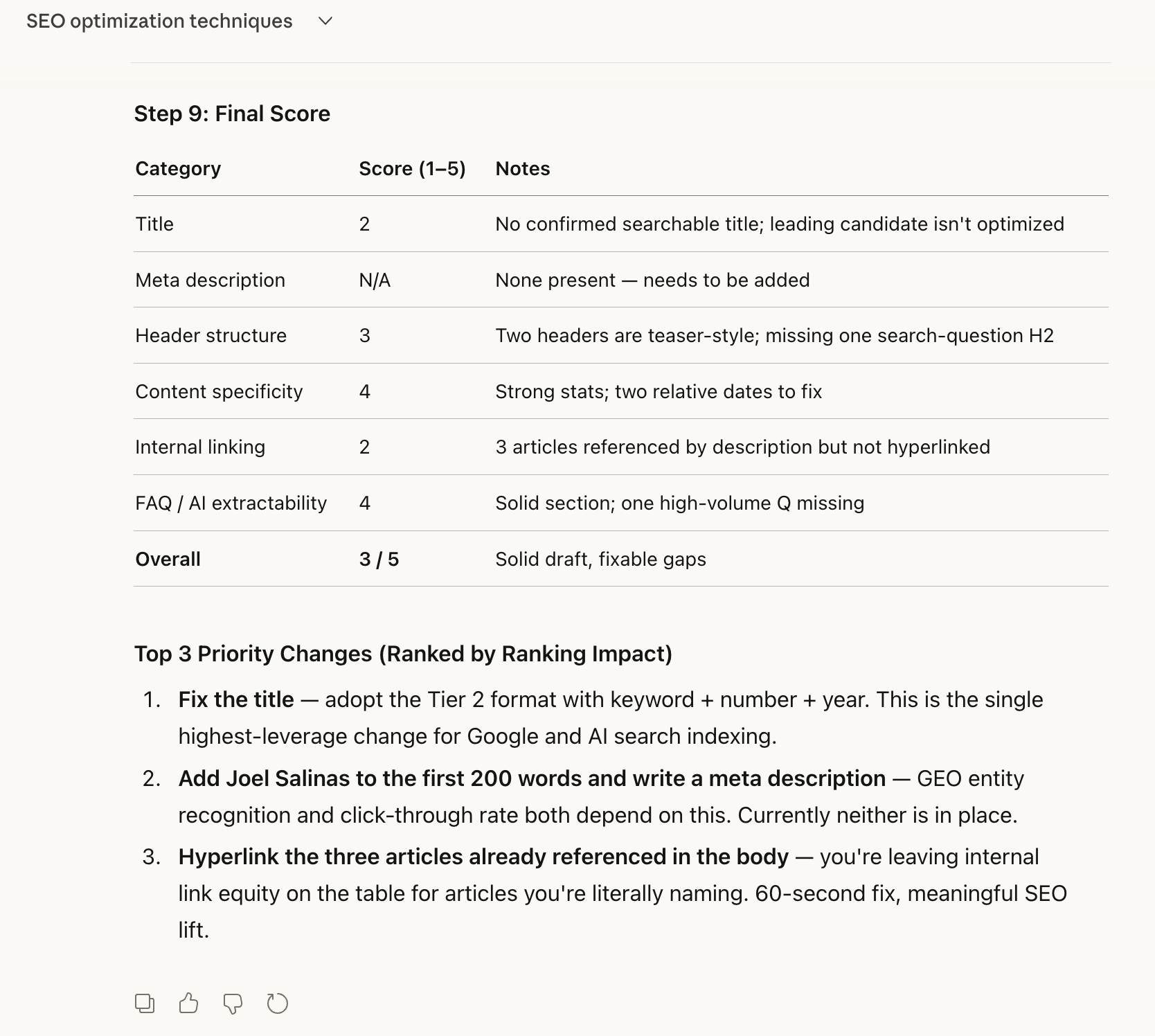
After I finish a draft, I run it through this skill. It checks my titles, meta descriptions, header structure, FAQ sections, and internal linking. I wrote about the importance of search discoverability before, and this skill turns those principles into a repeatable check.
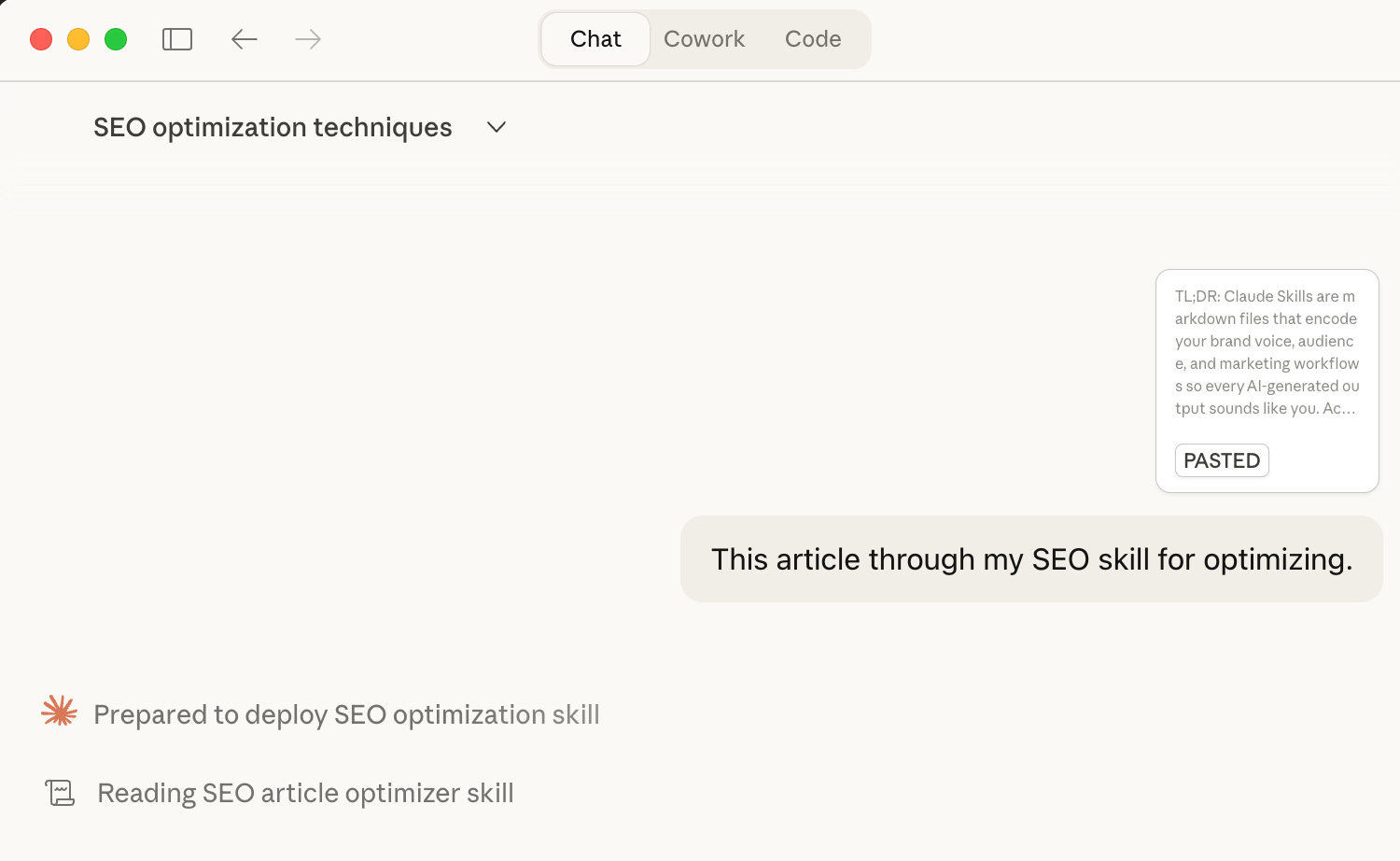
EXAMPLE: SEO Article Optimizer → Leadership in Change — I ran this article through it. The skill knows our topical pillars, our archive of published articles for internal linking, and that we need “Joel Salinas” in the body text for GEO entity recognition. It caught three header issues and suggested two internal links I’d missed.
As always, the skill is called up first..
Final score… 3/5
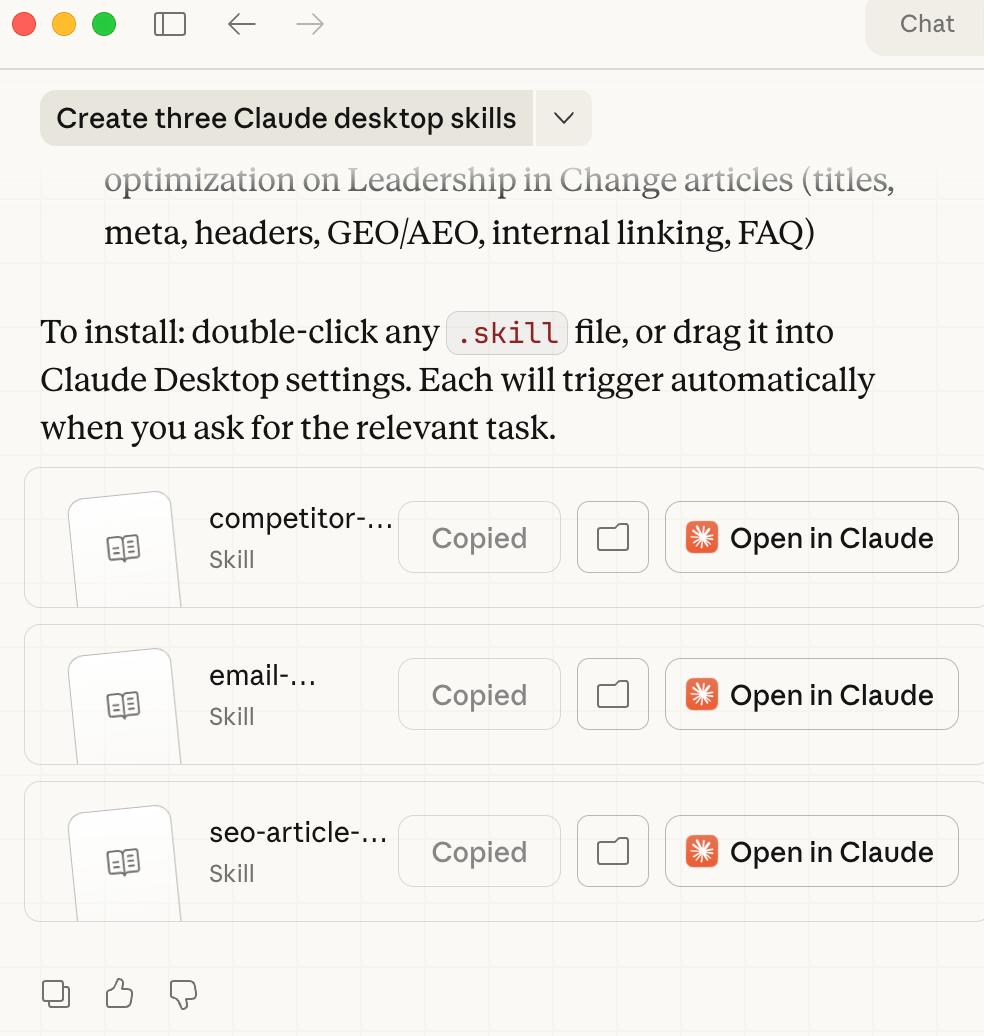
These three are free to download at the bottom of this article. Upload them to a Claude Project, fill in your brand details, and they work immediately.
I actually use eight marketing skills total (which sounds like a lot, but each one took about 10 minutes to build). The three above, plus social content repurposing, ad copy, and landing pages, a content calendar planner, a brand voice auditor, and a campaign brief generator. I built all eight into a Notion dashboard that Premium members can access and copy into their own workflow. If you want the full system, it’s in the Premium hub. But these three are more than enough to start with.
How to Build Your First Marketing Skill in 10 Minutes
If you’ve read my piece on Claude Code for non-technical leaders, you already know that Claude works best when you give it structured context. A skill file is just the next level of that same idea.
Here’s the thing, you don’t have to write a skill file from scratch. You can use Claude itself to build the skill for you.
The Prompt That Builds Your First Skill
Copy this entire prompt and paste it into a new Claude conversation. Claude will ask you a series of questions about your brand, your voice, and the marketing task you want to automate. When you’re done answering, it generates a complete skill file you can upload and start using immediately.
Paste this into Claude:
“I want to build a Claude marketing skill. Walk me through it step by step. First, ask me what marketing task I want to automate (email sequences, competitor research, SEO optimization, social content, ad copy, or something custom).

Then interview me about my brand: my brand name, audience, voice attributes, tone, words I always use, words I never use, and any task-specific details. Ask one question at a time so it feels like a conversation, not a form.

After I’ve answered everything, generate a complete skill file in markdown format with these sections: Purpose, When to Use, Brand Context (filled in with my answers), step-by-step Instructions, Output Format, and Quality Checks.

Then tell me exactly how to upload it to Claude Projects.”
That’s it. Claude handles the structure. You just answer the questions honestly.
What Happens When You Run It
Here’s how the conversation flows. Claude asks you:
“What marketing task eats the most of your time?” — You pick one: emails, competitor research, SEO checks, social content, ad copy, or describe your own.
“What’s your brand name, and what do you do?” — One sentence. Don’t overthink it.
“Who’s your audience?” — Be specific. “Mid-career marketing managers at B2B SaaS companies in Europe” gives Claude something to work with. “Business professionals” doesn’t.
“How should your content sound?” — Complete the sentence: “My content should sound like I’m ___.” When I did this for Cozora (my AI education platform), I wrote: “a smart colleague sharing something they just learned in a live session, excited but grounded.” That sentence shapes every output.
“Give me 3-5 words that describe your voice.” — For my newsletter, it’s: conversational, direct, research-backed, practical, blunt. For Cozora: expert, approachable, forward-thinking, practical, community-driven. Same person, different context, completely different skill files.
“Any words you never want in your content?” — This is where the magic happens. I ban “leverage,” “synergy,” “utilize,” “transformative,” and about ten others across every brand. The skill file enforces this automatically, so I never have to catch those words in editing again.
Task-specific details — email length, sign-off style, competitor names, whatever the skill type needs.
After you answer, Claude generates the full skill file with your brand voice baked in, your instructions structured, and your quality checks written. Copy it, save it as a .md file, and upload it.
How to Upload Your Skill
Claude.ai (Projects):
Go to claude.ai and open or create a Project
Click the pencil icon next to “Project knowledge” in the sidebar
Click “Add content” → upload your
.mdfile (or paste the text directly)Start a new conversation in that project — the skill is active
Claude Code: Save the .md file in your project folder. Claude Code picks it up automatically.
OR Just give it to Claude Cowork and let it do its thing.
What I Keep Human
I want to be honest about something. I don’t automate everything, and I’m suspicious of anyone who says they do.
My skill files handle the repeatable structure: email scaffolding, SEO checks, competitive research formatting. But I write my own newsletter openings. I decide which stories to tell. I choose the angle for every piece of content.
I wrote about the risks of outsourcing your thinking to AI in January, and I meant it. The orchestration layer, deciding what gets automated and what stays human, is the actual leadership skill here. This is what I mean when I talk about the AI Leadership Triad. When I talk about the AI Leadership Triad, what I mean by Adaptability and Innovation is the work of building systems that let you move faster without losing what makes your work yours. Using every new tool isn't the point. The point is staying in control of what you ship.
My rule of thumb: if it requires my lived experience, my opinion, or a relationship with the reader (basically anything that makes the content mine), I keep it human. If it’s structural, repetitive, or research-intensive, I hand it to a skill.
Questions Leaders Are Asking
What exactly is a Claude Skill, and do I need to be technical to use one? A Claude Skill is a plain text file (markdown format) that gives Claude specific instructions for a task, along with your brand voice, audience details, and quality rules. You don’t need any coding knowledge. If you can write a Word document, you can build a skill file.
Can I use the same skill across Claude and ChatGPT? The core structure works in both, since it’s just a text file with instructions. Claude Projects and ChatGPT Custom GPTs both let you upload reference documents. The syntax might need minor adjustments, but the brand voice section and workflow steps transfer directly.
How many skills do I actually need to get started? One. Seriously. Pick the marketing task that eats the most of your time and build a skill for that first. I started with email sequences because I was writing the same welcome series structure over and over. Once that worked, I added a second, then a third. Building all eight at once would have been overwhelming.
Will AI-generated marketing content sound generic even with a skill file? Only if your brand context section is generic. The skill file is only as specific as the voice guidelines you put into it. “Professional and engaging” produces generic output. “Direct, slightly irreverent, uses short paragraphs, never says ‘leverage’ or ‘synergy,’ speaks like a founder who’s been in the trenches” produces content with actual personality.
If You Only Remember This
Your brand voice is the actual bottleneck. 77% of companies already struggle with voice consistency (Lucidpress, 2024), and AI without context makes it worse. A skill file fixes this permanently by encoding your voice into a file Claude references every time.
Start with one skill, not eight. Pick the marketing task that drains you most, write the skill file in 10 minutes, and upload it. You’ll know within two uses whether this system works for you.
Automate the structure, keep the soul. Skill files handle the repeatable parts of marketing. Your stories, your angles, your judgment about what to say and when to say it stay with you. That’s the leadership layer that no file can replace.
What’s the first marketing skill you’d build? Reply and tell me. I read every response.
Free Downloads
Download these Claude Marketing Skills (ready to upload to Claude Projects):
Marketing Skill Builder — The prompt from this article, packaged as a skill. Upload it to a Claude Project and say “build me a marketing skill” — Claude walks you through creating any skill from scratch.
Email Sequence Builder — Generate welcome, launch, or re-engagement email sequences in your brand voice.
Competitor Intelligence Brief — Structured competitor analysis: positioning, messaging gaps, content strategy, opportunities.
SEO Article Optimizer — Post-draft optimization for titles, meta descriptions, headers, FAQ sections, and internal linking.
The remaining five skills (Social Content Repurposer, Ad Copy & Landing Page Writer, Content Calendar Planner, Brand Voice Auditor, and Campaign Brief Generator) are available in the Premium Notion dashboard along with these three. Access all 8 skills in Premium.
Thank you!
Joel
Consistency comes from what you store, not what you prompt.
I find your playbook breakdowns very useful. Even if I use ChatGPT, they inspire my workflow and prompts.