


TL;DR: Claude Skills are specialized workflows that transform Anthropic's Claude from a general writing assistant into a document engineering system. Five specific skills (proposal generation, presentation building, dashboard creation, financial modeling, and workflow visualization) can reduce deliverable creation time by 40+ hours monthly. Leaders can create and upload a custom skill in under 3 minutes using a single SKILL.md file without any coding.

Quick note for anyone new here: Claude is Anthropic's AI assistant, the main rival to ChatGPT. "Skills" are Claude's version of saved workflows you can invoke by name.
The first time I launched my “business proposal Claude skill” and it took my voice notes and turned them into a fully formatted, client-ready proposal for my AI Leadership coaching business, I was blown away. Logo, brand colors, formatted tables, signature lines. Fifteen minutes from voice note to send button.
I tried three other approaches before this. An AI tool that kept inserting wrong names, or a Slide-deck software that I then had to spend hours reformatting (and it cost as much as Claude!).
Want the whole system, live?
Everything above is one piece of what I teach in the AI Judgment Workshop. Ninety minutes, live, and you walk out with your AI archetype, a map of where your team really sits, all four playbooks, and a 90-day plan you wrote in the room, so you’re not leaving with homework but with the plan already on the page.
$99. Premium subscribers $49. Executive members free. Twenty seats, replay included, and the $99 credits toward the engagement if you go further. The next cohort date is on the page.
Then I found Claude Skills, and the same input started producing completely different output, which is what I want to share with you.

Most leaders have no idea this exists. Claude has specialized capabilities called Skills that transform it from a writing assistant into a document engineering system. I run a coaching and AI building practice at jsalinas.org where I help leaders implement AI without chaos. These five skills cut my deliverable creation time by 40+ hours monthly.
🎁 Here is the challenge for you, and I mean it, you can do it!: Create one skill and generate one document before this article ends. The first person who comments with a screenshot wins a lifetime of free Premium Member Hub access.
What Makes Skills Different
Regular Claude writes emails and summarizes documents. Skills teach Claude specialized workflows that trigger automatically when you mention them or ask for what they do.
What you need:
Claude Professional plan ($17/month)
A text editor (Notepad, TextEdit, anything!) OR download my .md files
3 minutes per skill
What Skills create:
Word documents, PDFs, PowerPoint presentations
Excel spreadsheets with working formulas
Interactive dashboards, org charts, workflow diagrams
Approximately 27% of Claude-assisted work consists of tasks that wouldn’t have been done otherwise. Dashboards and analysis tools that would never be cost-effective manually. Power users report 50-100% productivity gains.
Let me break that down. A 50% gain means a proposal that used to take 6 hours now takes 4 hours. A 100% gain means it takes 3 hours. If you create 4 proposals monthly, that’s 12 hours back. Almost two full workdays.
ROI is simple: If your time is worth $150/hour and Skills saves 10 hours monthly, that’s $1,500 in freed capacity.
Projects vs Skills: What’s the Difference?
Before we dive in, let’s clear up the confusion I see constantly.
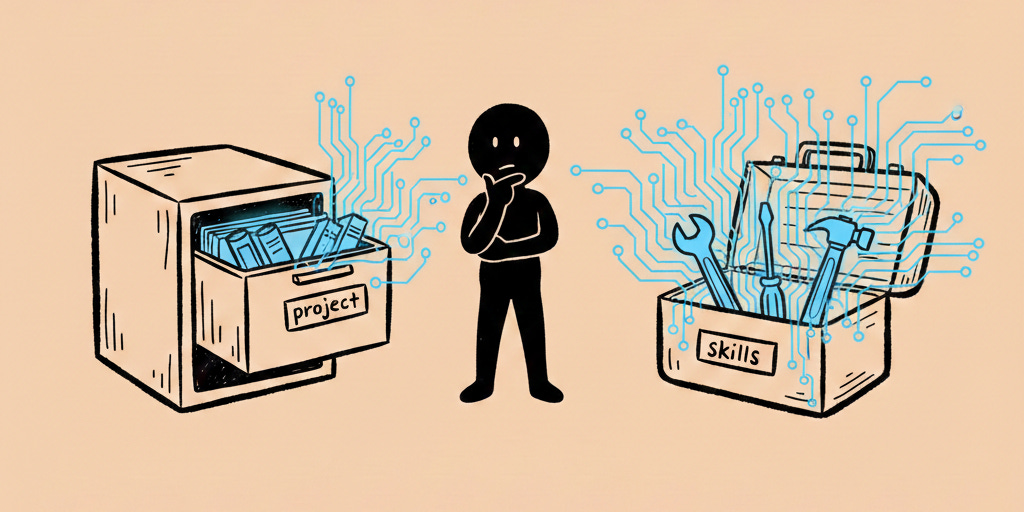
Claude Projects are workspaces where you:
Upload documents for Claude to reference
Add custom instructions for how Claude should behave
Set knowledge that applies to every conversation in that Project
Example: A “Marketing” Project with brand guidelines and past campaign docs
Claude Skills are specialized workflows that:
Teach Claude how to create specific outputs (proposals, decks, dashboards)
Work across ALL your Projects and conversations
Trigger when you mention them or ask for what they do
Example: A “proposal-generator” skill that creates client proposals anywhere
Think of it this way: Projects are context (what Claude knows). Skills are capabilities (what Claude can do).
You can use Skills inside Projects. When I’m in my “Client Work” Project and use my proposal-generator skill, it combines the context from my Project (client history, brand guidelines) with the skill’s workflow (how to format a proposal).
How to Create a Skill (Follow These Steps Exactly)
If you already know how to create skills, skip to the next section. This is my sure way to create them, and I know Claude can attempt to create them for you in a downloadable file, but it fails to do it right around 50% of the time.
I’m going to walk you through this step by step. Don’t skip ahead.
Step 1: Create a Folder
Open your computer’s file browser (Finder on Mac, File Explorer on Windows)
Create a new folder
Name it in lowercase with dashes between words
✅ Good:
proposal-generator❌ Bad:
Proposal Generatororproposal_generator
Step 2: Create the SKILL.md File
Open any text editor (Notepad on Windows, TextEdit on Mac, or VS Code if you have it)
Create a new blank file
Save it inside your folder with the EXACT name:
SKILL.mdCopy one of the SKILL.md files I provide below (or download the file)
Paste it into your SKILL.md file
Save the file
Step 3: Zip the Folder
On Mac:
Right-click the folder
Select “Compress [folder name]”
You’ll get a .zip file
On Windows:
Right-click the folder
Select “Send to > Compressed (zipped) folder”
You’ll get a .zip file
Step 4: Upload to Claude
Open Claude.ai in your browser
Click your profile icon (bottom left corner)
Click “Settings”
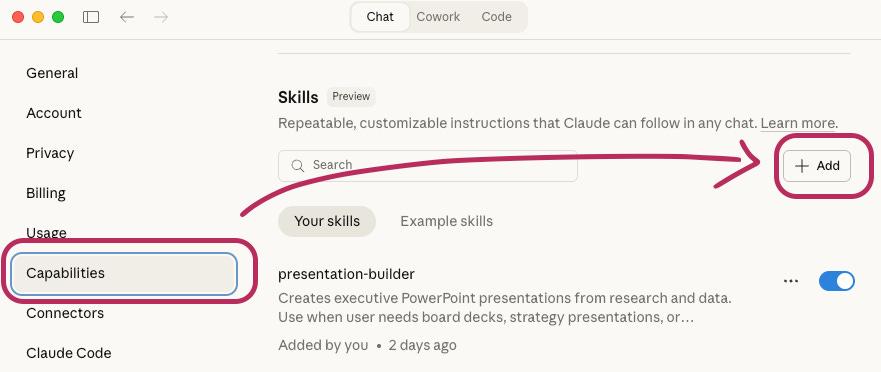
Click “Capabilities” in the left sidebar
Click “Skills”
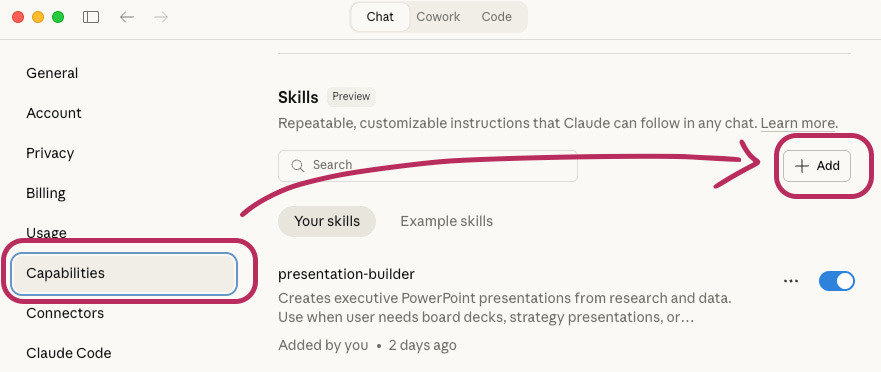
Click the “+ Upload skill” button
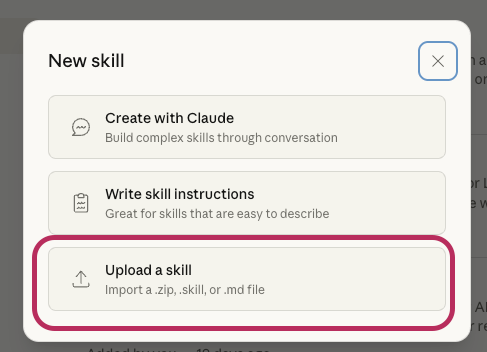
Select your .zip file
Wait for “Skill uploaded successfully” message
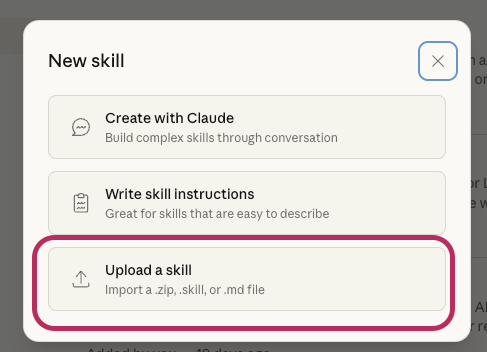
Step 5: Use Your Skill
Start a new conversation in Claude and type:
“Use my proposal-generator skill to create a client proposal”
Or just: “Create a client proposal” (Claude will detect and load the skill)
That’s it. The skill is now available in every Claude conversation you have.
The 5 Skills That Changed My Coaching Business
I’ve tested dozens of Skills running jsalinas.org. These five consistently save me the most time every single week.
Skill #1: Turn Voice Notes Into Client-Ready Proposals
I generate coaching or AI-build proposals often. Each used to take half a day. Now I record project details during my morning walk with WisprFlow, paste those notes into Claude with my proposal skill, and review a formatted proposal 5 minutes later.
Last month: 4 proposals. Time saved: 18 hours. Revenue: $ Pretty good :)
What this skill does:
Asks for project details (or pulls from Claude’s memory if you’ve mentioned them before)
Uses your template if you include one in the folder, or creates professional formatting
Generates complete proposals with cover page, scope, timeline, pricing, terms
Outputs as Word document ready to send
Download: proposal-generator.md (link to downloadable file)
Quick preview of what’s inside: The skill checks Claude’s memory for your business name and brand colors first. It looks for a template in an assets folder. If no template exists, it creates professional formatting automatically. You just answer the questions about the specific project.
Here’s
sample using a made-up request from Microsoft to vibe code a new version of Office 365 :)
NewsletterCompass.com is here! Every hour you spend on newsletter busywork is an hour not creating. Newsletter Compass fixes that. Use code WELCOME for 50% off during launch.
Skill #2: Turn Research Into Board-Ready Decks
Built a 12-slide nonprofit board deck in 22 minutes last Tuesday. Before Skills? Two days minimum, and still needed more formatting tweaks! (Can you tell I hate building slide decks?)
What this skill does:
Asks for presentation purpose and key points
Uses your PowerPoint template if you include one
Maps research notes to professional slides with charts and speaker notes
Outputs as PowerPoint ready for presentation
Download: presentation-builder.md (link to downloadable file)
Pro tip: Drop a PowerPoint template in the assets folder and the skill will match your exact formatting, fonts, and colors automatically.
For this example, I’m going to use a request to create a presentation showing my favorite AI tools.
Skill #3: Build Dashboards Without a Developer
Changed how I run jsalinas.org. I export client data monthly, upload the CSV, mention my dashboard skill, and get an interactive view of active clients, package breakdown, MRR, and conversion rates.
Last week, someone asked about Q3 trends. I filtered my dashboard to Q3 and shared my screen; no Power BI or Tableau needed.
What this skill does:
Takes your CSV data
Asks what metrics matter most
Creates an interactive HTML dashboard with filters and charts
Opens in any browser, no installation needed
Download: dashboard-builder.md (link to downloadable file)
No coding required: The skill writes all the code. You just upload data and answer questions about what you want to see.
For this example, I generated fake data on the burger ingredient preferences of Substack users.
Skill #4: Create Models That Update Automatically
Built a coaching program budget last month. Forty-seven line items across six tabs. When I update one assumption, like my coaching rate, 283 cells recalculate automatically.
Before Skills, I’d spend three hours building models that broke on first edit. Now takes 20 minutes and never breaks.
What this skill does:
Asks for revenue, expenses, and key variables
Uses your Excel template if you include one
Creates dynamic formulas that cascade through the entire model
Follows professional color-coding standards (blue for inputs, black for formulas)
Download: financial-model-builder.md (link to downloadable file)
The magic: Change one cell, watch hundreds of calculations update automatically. No broken formulas.
Here is a sample using made-up data.
Skill #5: Visualize Processes in Minutes
Use this weekly at jsalinas.org. Last Wednesday a client asked how I verify AI outputs. Instead of three paragraphs, I described my NotebookLM workflow to this skill. Two minutes later, had a visual diagram.
I pasted that diagram into an email, done!
What this skill does:
Asks for the process you want to visualize
Creates clean diagrams, flowcharts, or org charts
Outputs as SVG or PNG ready for presentations
Professional appearance with minimal clutter
Download: workflow-visualizer.md (link to downloadable file)
Best for: Explaining workflows to clients, creating org charts, documenting processes, visualizing systems.
This final example visualizes the workflow for creating a clause scale. I simply pasted the information from this article
Which Skill Should You Create First?
Ask yourself: “What document drains the most time from my week?”
If you create proposals or quotes regularly: Start with proposal-generator. That’s where I saw the biggest immediate impact at jsalinas.org.
If you present to boards or executives: Start with presentation-builder. Board decks are high-stakes and time-intensive.
If you track metrics or report on data: Start with dashboard-builder. Dashboards transform how you understand your business.
If you build budgets or financial projections: Start with financial-model-builder. Models that update automatically save hours every planning cycle.
If you explain processes or systems: Start with workflow-visualizer. Visuals communicate faster than paragraphs.
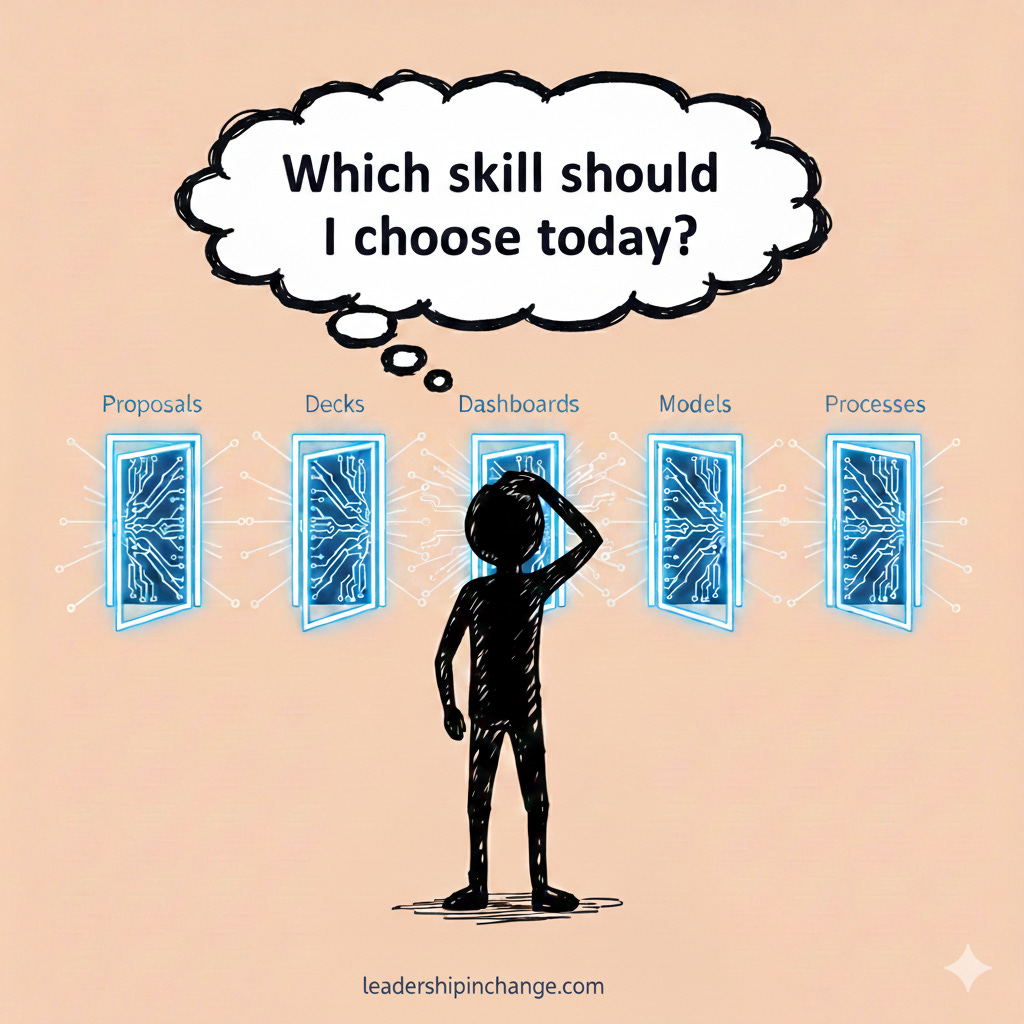
Pick one. Just one. Not all five this week.
If You Only Remember This
Skills teach Claude specialized workflows that work across all conversations
Projects are context (what Claude knows), Skills are capabilities (what Claude does)
Create using 4 steps: folder, SKILL.md file, zip, upload to Claude
Power users report 50-100% productivity gains (40+ hours monthly)
Your Turn
What’s the first skill you’ll create? A proposal generator? A dashboard builder? A presentation skill?
Download one of the five SKILL.md files above. Follow the 4-step process. Upload it to Claude. Then use it to create your first document.
Pick one skill from above. Build it this weekend. That's the entire bar.
Common Questions
Q: Can I edit the SKILL.md files? Yes. Download them, customize the instructions for your specific needs, then upload. The skills are templates you can modify.
Q: Do Skills work in Claude Projects? Yes. Skills work everywhere in Claude. When you’re in a Project, the skill combines your Project’s context with the skill’s workflow.
Q: Can I share skills with my team? Yes. Send them the .zip file or the SKILL.md file. They follow the same upload steps.
Q: What if I want to add my logo or template? Create an assets folder inside your skill folder. Drop your logo, template files, or brand guidelines there. The skills are designed to be used automatically.
Q: Do I need the Professional plan? Yes. Skills require Claude Plus. The ROI pays for itself if you save even 2 hours monthly.
Joel Salinas is an Executive AI Coach who helps leaders at small and mid-sized businesses and nonprofits implement AI without the hype. He writes the Leadership in Change newsletter and runs jsalinas.org.
Written by a human, for humans.
“Projects are context (what Claude knows), Skills are capabilities (what Claude does)”
that alone is a great take away to really clear up a lot of the confusion i see around claude! great post :)
Great job on this, Joel! I definitely got a few ideas I hadn't considered before. Love what Claude is doing!