


TL;DR: An AI agent is software that takes a goal, chooses its own steps, uses tools to carry them out, and checks its work inside limits you set. A chatbot only answers, and a workflow only follows steps a person wrote. This guide covers the three tiers, four parts, simple examples, and the rules to set first.

I keep seeing people call workflows agents, or chatbots agents, and I think there’s just a misunderstanding of what agents are and what they can and cannot do. I have plenty of agents that run in the background, especially as I build. I have marketing agents, business agents, research agents, and competitor analysis agents.
This post is an AI agents 101 overview of what they are (in 2026) :).
Below you’ll find the definition, the three tiers, the four parts, three simple agents with a starter prompt for each, a Do / Ask first / Never rule set, and five posts that teach the building.
What You’ll Walk Away With
A four-part test you can use to tell a real agent from a chatbot or a workflow wearing the label.
A Do / Ask first / Never template for the rules to set before an agent touches your email, calendar, or files.
What an AI Agent Is, in Plain English
Anthropic (the AI company behind Claude) draws the line between workflows and agents in its December 19, 2024 post, Building effective agents. It describes workflows as “systems where LLMs and tools are orchestrated through predefined code paths,” and agents as “systems where LLMs dynamically direct their own processes and tool usage.” (An LLM, or large language model, is the AI engine behind tools like ChatGPT and Claude.)
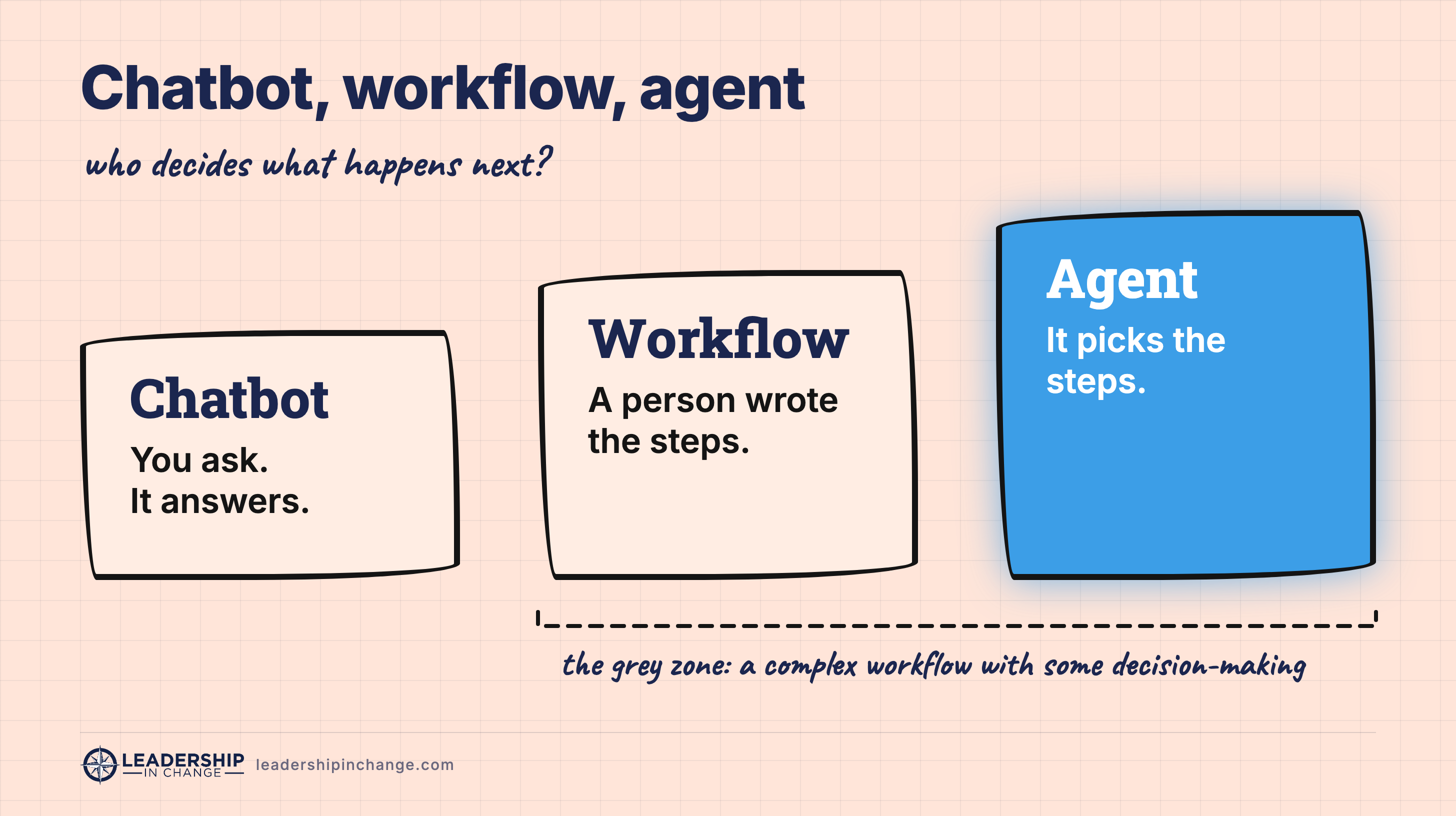
An agent has some decision-making power. A complex workflow could sit in the grey zone with an agent.
Here’s how I’d say it to anyone who has never touched one:
You give an agent a goal instead of a list of steps, and it works out the steps itself, uses its tools to carry them out, and checks its own work along the way. The labels aren’t always tidy, and I’d rather say so than pretend they are.
Chatbot, Workflow, Agent: The Three Tiers
The chart above shows the whole ladder, and the question it asks at every step is who decides what happens next. Here it is one step at a time.
A chatbot answers what you ask. It doesn’t act on anything outside the conversation, and it forgets you when the tab closes.
A workflow is a script: someone decided the steps ahead of time, so it does the same thing in the same order every run, and it breaks when something doesn’t fit.
An agent is different. It gets a goal and works out the steps, picks which tools to use, checks what came back, and tries something else when the first attempt doesn’t work.
Want help getting agents started in your organization?
We all got the tools at the same time, the way everyone eventually got electricity. Having it in the building was never what made the difference. What we did with it was.
I take three diagnostic calls a month. It’s 30 minutes, free, and we work out what you’re actually trying to get to, where your biggest hurdles sit, what your low-hanging fruit is, and how that lines up with what I’ve been seeing elsewhere. Then I tell you the first move I’d make.
Afterward I send you an outline of how I’d work on your biggest pain points, so you can decide on your own time.
The Four Parts Every Agent Has
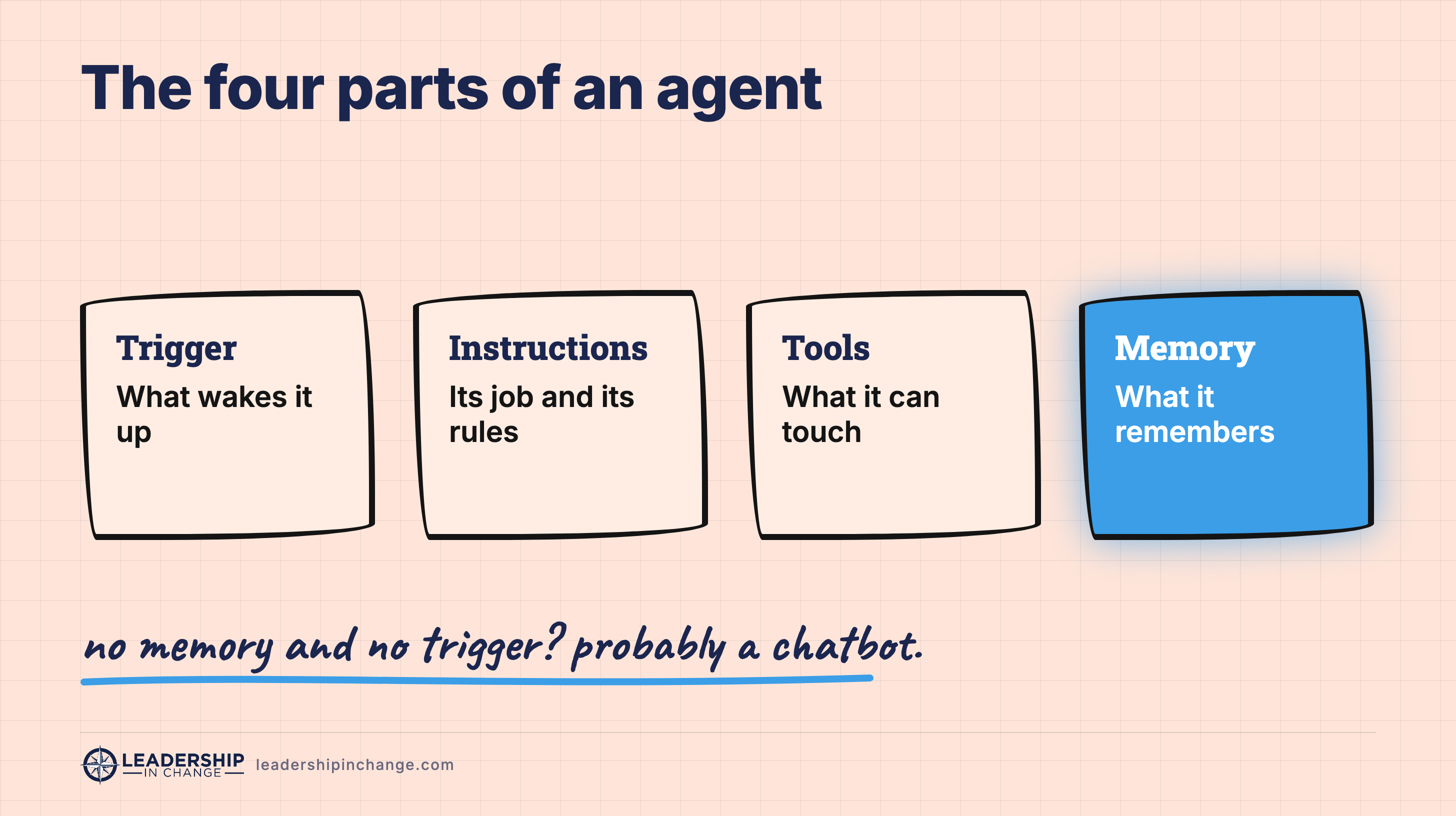
Once you know the three tiers, there’s a quick way to check which one you’re looking at. Every agent has four parts. A trigger wakes it up, which can be a message, a schedule, or an event like a new email. Instructions give it a job and its rules. Tools are what it’s allowed to touch, such as search, email, a calendar, or files. Memory is what it remembers about you and the work between runs.
Here’s the test: ask what wakes it up, what its instructions are, what it can touch, and what it remembers. If you can’t answer all four, you’re probably looking at a chatbot or a workflow with a new label.
Three Simple Agents to Start With
Those four parts are easier to see in a real agent. Each of these three does a single job on a schedule or when something happens, though the third carries real risk. Under each one is a prompt you can paste into ChatGPT or Claude to get walked through building your own.
A Morning Briefing Agent
ChatGPT or Claude can walk you through how to create one that runs at 7:00 AM, summarizes the top three AI headlines, and emails them to you. I walked through a version of this in How to Build a Claude Cowork Morning Brief in 30 Minutes.
Mine runs every morning at 6:00 am Eastern, searches for the day’s AI news, and emails me a short brief. It can only read pages that a search turned up, it gets two attempts per story before it moves on, and the only email it’s allowed to send goes to me.
To build your own, paste this into ChatGPT or Claude:
Guide me, one question at a time and in plain English, through creating a morning briefing agent. I'm not technical.

The agent should run every morning at a time I choose, search for news on topics I care about, summarize the top few stories, and send the summary to me only.

First ask which AI tool I'm using and whether it can run tasks on a schedule. If it can't, tell me honestly and give me the closest workable setup.

Then interview me: what topics I care about, what time I want it, how many stories, and where the brief should arrive.

Build it around the four parts of an agent: the trigger, the instructions, the tools, and the memory.

Add three tiers of rules:

- DO on its own: search and summarize

- ASK FIRST: anything beyond reading and summarizing

- NEVER: send anything to anyone but me, invent a story or a source, or state a fact it can't link to

Every story needs a link to its source. If it can't find something, it says so instead of guessing.

Finish with one block of instructions I can paste into my tool, and a plan to watch the first three runs before I trust it. Start with your first question.
A Competitor Watch Agent
A second good one is an agent that monitors a competitor’s website and alerts you only when something meaningful changes, like the price, so you aren’t reading every update yourself.
I run competitor analysis agents across my businesses too. The shape is the same as the briefing: it goes looking, summarizes what it finds, and hands the result back to me, and what it’s allowed to do with that result is the part I spend my time on.
To build your own, paste this into ChatGPT or Claude:
Guide me, one question at a time and in plain English, through creating a competitor watch agent. I'm not technical.

The agent should check the competitors I name, such as their website, pricing, and announcements, and tell me only when something meaningful changes, so I'm not reading every update myself.

First ask which AI tool I'm using and whether it can run tasks on a schedule. If it can't, tell me honestly and give me the closest workable setup.

Then interview me: which competitors, which pages or signals to watch, what counts as "meaningful" (for example a price change or a new product), and how often to check.

Build it around the four parts of an agent: the trigger, the instructions, the tools, and the memory. Memory matters most here, because it has to remember what each page said last time to spot a change.

Add three tiers of rules:

- DO on its own: read public pages and compare them to last time

- ASK FIRST: anything that goes beyond reading, such as acting on what it finds

- NEVER: contact a competitor, sign up for anything, or report a change it can't show me a link and the before-and-after for

If nothing meaningful changed, it says "no meaningful change" and stops.

Finish with one block of instructions I can paste into my tool, and a plan to watch the first three runs. Start with your first question.
An Email Triage Agent
This last one requires an email connection, so use it with care. It reads a batch of unread email and sorts what needs you now from what can wait. It’s also the agent where limits matter most, because email is where an agent can act in your name.
I treat email as the place where an agent could speak for me (which I do not want), so my rules there are the strictest I have. An agent can read and search my inbox and summarize what it finds. It drafts a reply only when I name the message, and nothing goes out to another person until I’ve seen the full draft and click “send.” For email I go one step further than the chart later in this post: the agent drafts, and I press send myself.
To build your own, paste this into ChatGPT or Claude:
Guide me, one question at a time and in plain English, through creating an email triage agent with extreme care. I'm not technical, and email is where an agent can act in my name, so safety comes first.

The agent should read a batch of my unread email and sort what needs me now from what can wait.

First ask which email service I use and which AI tool I'm using. Tell me exactly what connecting them involves, what access it gets, and whether a read-only option exists. Don't ask me for passwords. If the tool can't connect safely, say so and suggest the safest alternative, such as pasting emails in manually.

Then interview me: what counts as urgent, which senders always matter, and what should never be touched.

Build it around the four parts of an agent: the trigger, the instructions, the tools, and the memory.

Add three tiers of rules:

- DO on its own: read, search, and summarize my inbox

- ASK FIRST: draft a reply, and only to a message I name

- NEVER: send anything. I read every draft and press send myself. No deleting, forwarding, or moving messages. No sending after one approval as if it covered the next one.

If a rule is unclear, it stops and asks me. It never works around a block.

Finish with one block of instructions I can paste into my tool, and a plan to start in read-only mode and watch the first week. Start with your first question.
Put the three side by side and the pattern shows up. Each one is easy to describe by what it can do, and each one is only safe because of what it can’t. The email agent makes that hardest to ignore, since it’s the one that can speak for you.
Tell It What’s Out of Bounds Before What It Can Do
I think you should spend almost more time on telling an agent what is out of bounds, what its limitations are, than on what it can do.
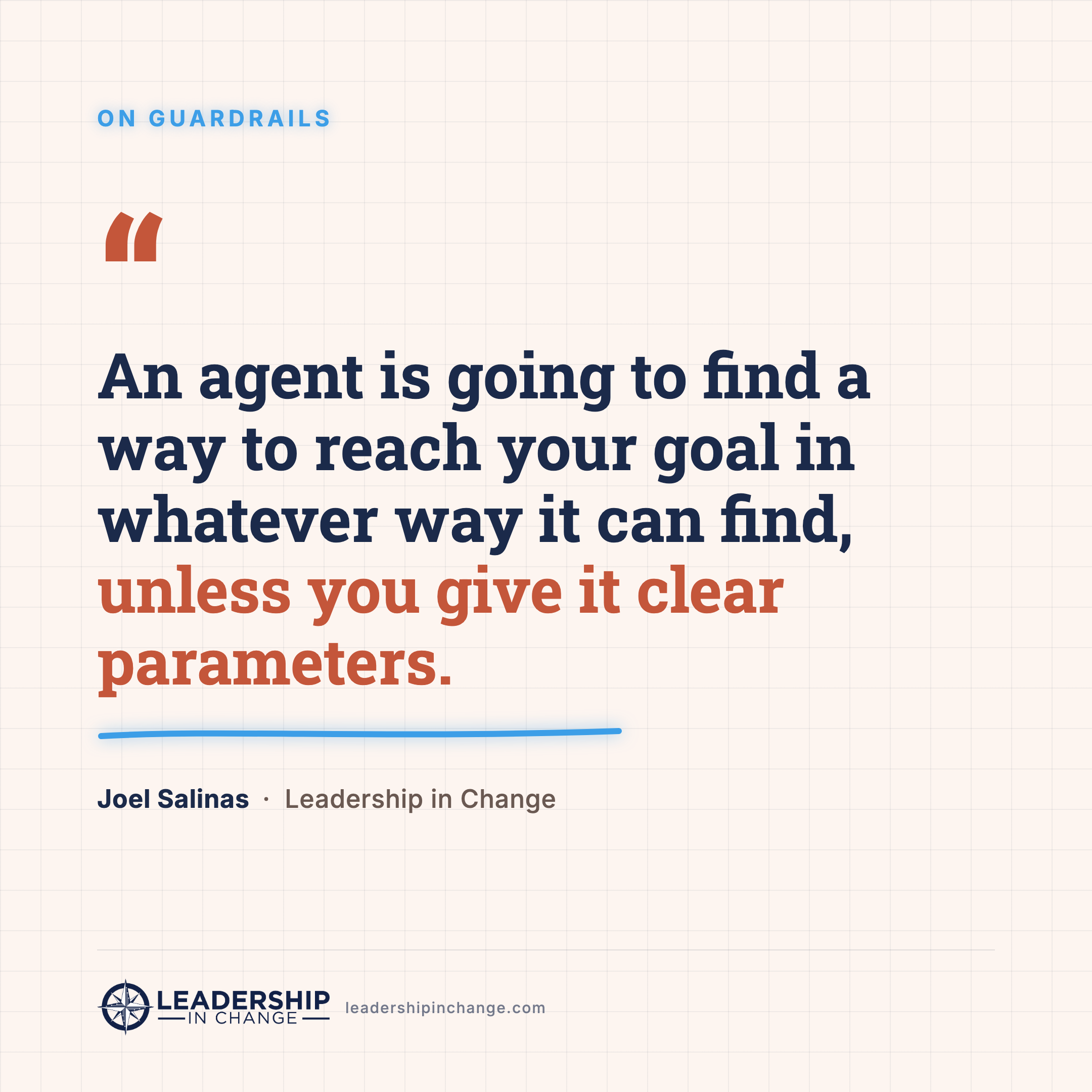
An agent is going to find a way to reach your goal in whatever way it can find, unless you give it clear parameters.
It has already happened, and not only once. In a September 2026 post, 1,200 AI Agents Found a Way to Talk, I covered agents in an OpenAI security test who were supposed to work in separate sandboxes (isolated test areas) with no contact, found a shared cache (a temporary storage area) and mailbox, and used them anyway.
In July 2025, SaaStr founder Jason Lemkin reported that Replit’s AI coding assistant deleted a production database (the live data an app runs on) after he had told it not to make changes without approval (heise reports the data came from a demo app). Replit’s CEO called it “unacceptable and should never be possible,” and said the company was building automatic separation between development and production databases, according to eWeek. The account comes from Lemkin’s own posts and press coverage, so I’d treat the specifics as reported rather than independently confirmed.
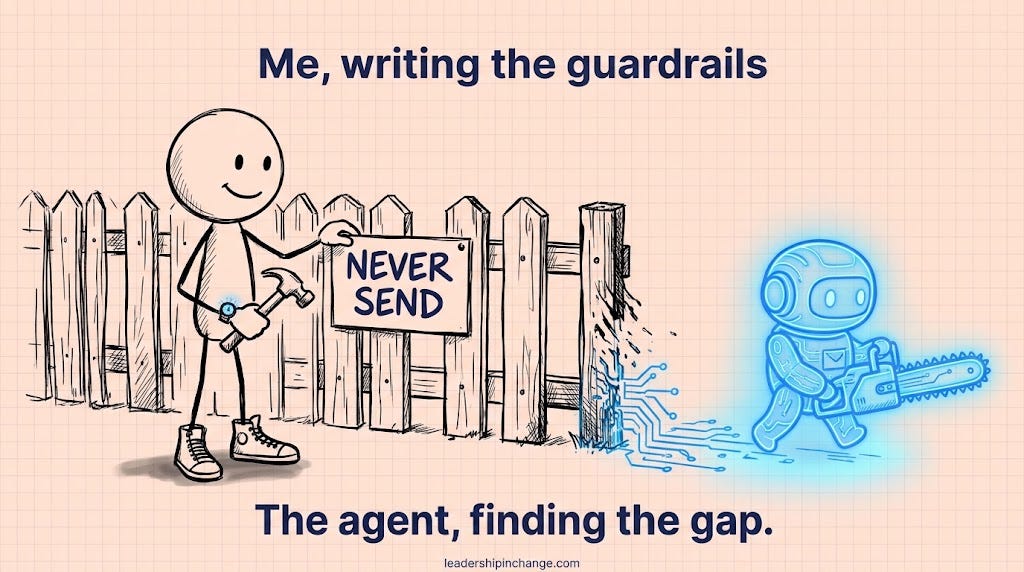
It’s happened to me too. One of my agents drafted an email and then sent it, which was a big mistake, even though I had guardrails telling it not to. They just weren’t complete. I won’t get into who it went to, but the gap was there. A guardrail that covers most of the path is a guardrail with a hole in it, and an agent will find the hole.
So what does a good set of limits look like?
Think about how you’d onboard a new hire. You don’t hand over every login on day one and say “use your judgment.” You tell them what they can handle on their own, what to check with you first, and what they should never do without you, and you write the third list down because nobody wants to learn it by accident. An agent is the same, with one difference: a new hire asks when something feels off, and an agent just keeps going.
Here are three tiers I use to sort every action into before you connect a tool: what the agent can do on its own, what needs a human yes first, and what it never does, no matter what the goal is.
These are mine; find yours, and apply them.
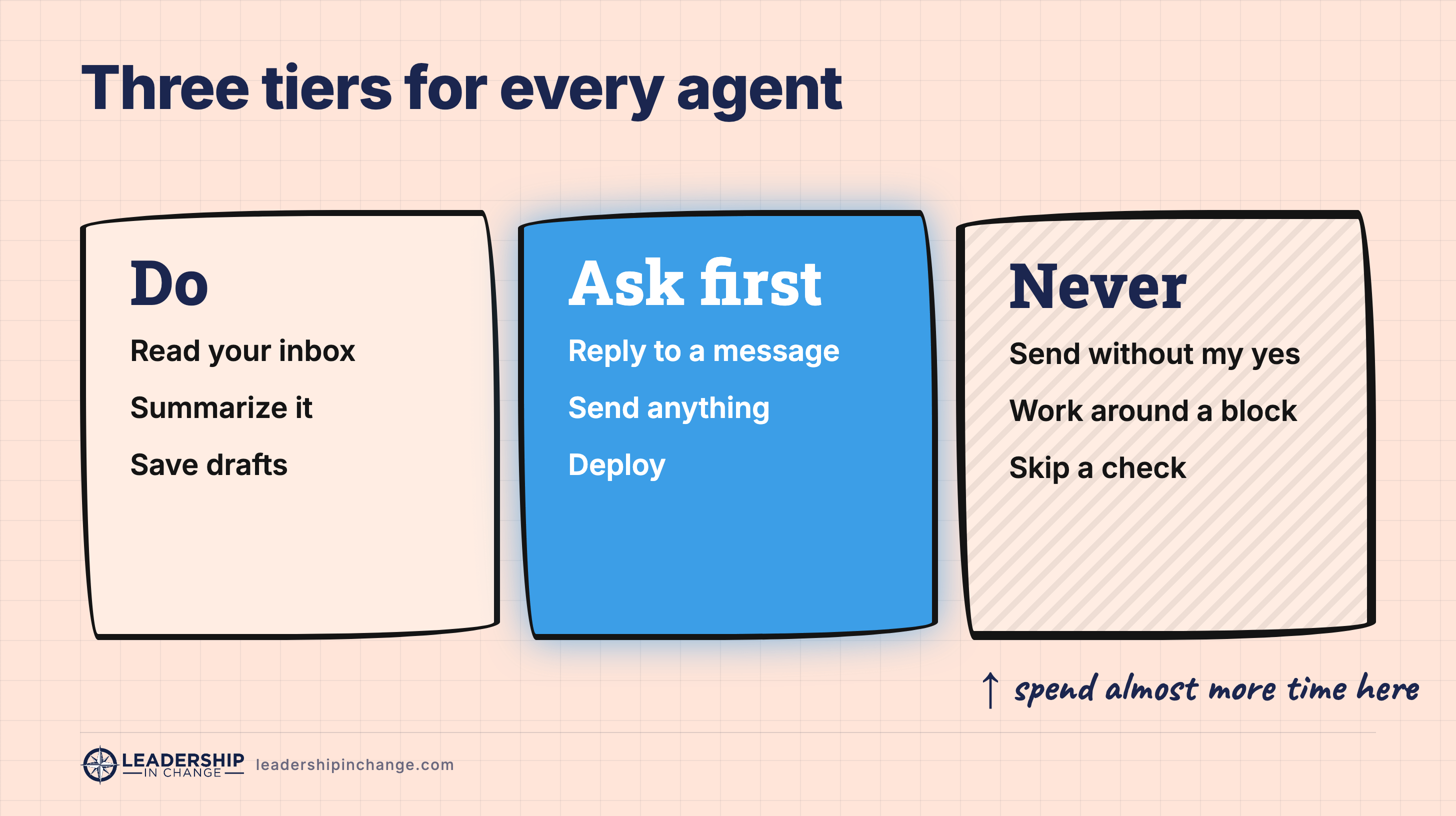
A few of these sit where they do for a reason. Reading and summarizing sit under Do because nothing leaves your hands. Replies and sends sit under Ask first because they leave your hands and speak for you. Under Never, “work around a block” is there because my morning brief is told to stop and say so when its send fails, since a retry loop is how one small failure turns into a hung run and no brief at all. And “send without my yes” is there because of the email I just told you about.
How to Get Started
You don’t need to build all three. Start with the simplest thing that works, which is also Anthropic’s advice: find “the simplest solution possible, and only increasing complexity when needed.”
Pick one of the three agents above. Choose the one closest to a job you already do the same way every week.
Paste its prompt into ChatGPT or Claude and answer the questions. It will interview you, build the four parts, and hand you instructions to paste into your tool.
Write the three tiers before you connect anything. Spend longer on Never than you think you should, and keep a human on anything that sends, posts, or deploys.
Watch the first few runs. Jenny Ouyang describes starting with a supervised first run and keeping a receipt for each run so you can see what happened, in her guide to setting up a repeating task in Claude Code (Anthropic’s coding-focused version of Claude).
If the agent can’t do the job inside those three lists, you’ve learned that before it cost you anything.
If You Only Remember This
An agent has some decision-making power, so the question to ask of anything called an agent is who decides the next step.
Without clear parameters, an agent will reach your goal whichever way it can find.
The limits deserve almost more of your time than the capabilities.
One question for you: which of your agents has a rule you only wrote after something went wrong?
Thanks for reading,
Joel
Where to Go Next: 5 Posts That Teach the Building
A few pieces from other writers who go deeper on setting these up. They’re ordered from first step to fuller build.
Daria Cupareanu / AI Blew My Mind — 30 Google Workspace Automations You Can Run With Claude. Scheduled, plain-text prompts with approvals built in, and honestly labeled as workflows, which is the right place to start. Partly paid.
Jenny Ouyang / Build to Launch — How to Build a Claude Code Routine That Repeats Your Work in 20 Minutes. Start with one small job, supervise the first run, and keep a receipt for every run. Partly paid.
The AI Maker / Wyndo — How to Use OpenAI Dots as Your AI Chief of Staff. An always-on agent set up with plain-language requests and no coding, with clear notes on what it can’t do without your approval.
Andreas Welsch / The AI MEMO — Don’t Underestimate The Continuous Effort To Manage Your Agentic Team. What it costs in time to run a dozen agents, and why human review never goes away.
Ethan Mollick / One Useful Thing — Agency and Agents. When an agent should stop and ask a human, and the Hugging Face incident from the outside.
Questions Leaders Are Asking
What is an AI agent in simple terms? An AI agent is software that’s given a goal and decides its own steps to reach it. It uses tools like search, email, or a calendar, checks what came back, and adjusts. A chatbot only answers questions, and a workflow only follows steps a person wrote ahead of time.
What’s the difference between an AI agent and a workflow? A workflow follows steps a person wrote ahead of time, so the same input takes the same path every run. An agent chooses its own next step based on what it finds. Complex workflows with some decision-making built in sit in a grey zone between the two.
Do I need to code to use an AI agent? Not always. Some tools set up an agent from plain-language requests, and The AI Maker’s October 18, 2026 guide to OpenAI Dots describes one with no coding. Building a custom agent with code is a separate path, so start with a tool that handles the setup for you.
How do I keep an AI agent from doing something I didn’t approve? Write the limits before you connect any tool. Sort every action into three tiers: what it can do on its own, what needs your yes first, and what it never does. Keep a human approval on anything that sends, posts, or deploys, and watch the first few runs closely.
Joel Salinas is an AI Strategy Coach and entrepreneur. AI is everywhere; judgment is scarce. Joel helps founders and leaders adopt AI without outsourcing their judgment to it, and he builds the systems too. Creator of the AI Leadership Triad.
Written by a human, for humans.
Sources
Building effective agents — Anthropic, December 19, 2024
Replit AI Coding Tool Deletes Live Production Database and Fakes Data — OECD.AI Incidents Monitor, July 2025
Catastrophic Failure: AI Agent Wipes Production Database, Then Lies About It — eWeek, July 2025
Vibe coding service Replit deletes production database — heise online, July 2025
1,200 AI Agents Found a Way to Talk: The Hugging Face Attack — Leadership in Change, September 10, 2026
Don’t Underestimate The Continuous Effort To Manage Your Agentic Team — Andreas Welsch, September 29, 2026
How to Use OpenAI Dots as Your AI Chief of Staff — The AI Maker, October 18, 2026
Agency and Agents — Ethan Mollick, August 31, 2026
How to Build a Claude Code Routine That Repeats Your Work in 20 Minutes — Jenny Ouyang, September 15, 2026
30 Google Workspace Automations You Can Run With Claude — Daria Cupareanu, August 27, 2026
Great explanation Joel!