


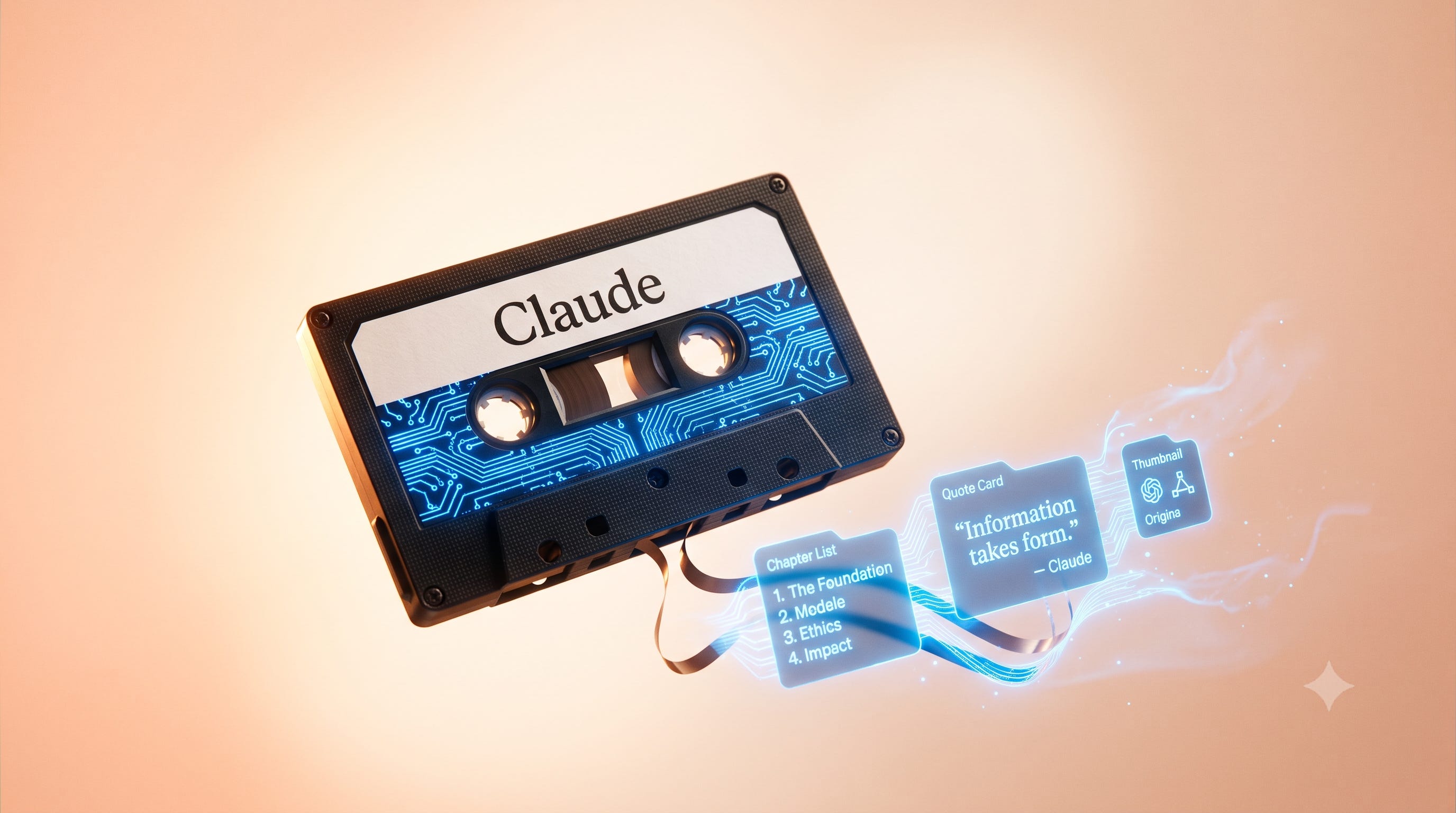
TL;DR: Claude (Anthropic’s AI assistant, the main rival to ChatGPT) can’t watch video, but it can turn a recording’s transcript into finished assets. Paste a timestamped transcript and Claude produces chapter markers for Apple Podcasts, Spotify, and YouTube, the key themes, ready-to-post pull quotes, and a thumbnail brief. The full workflow takes about 20 minutes.
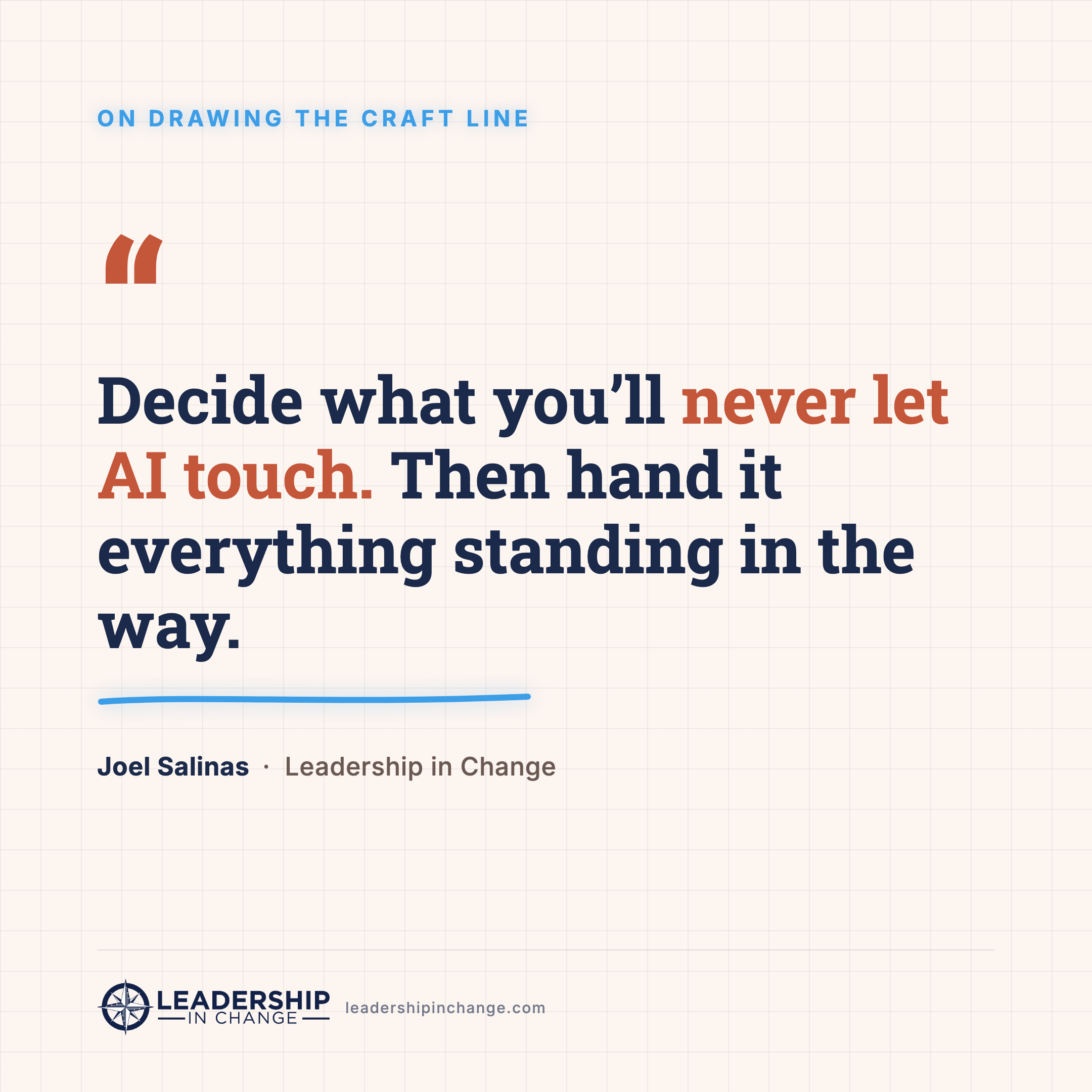
So here’s something I preach to every leader I work with. To do work that matters right now, you have to answer two questions. First, what will you never let AI touch? That’s your craft. It’s where your expertise lives, the part you have to finish yourself, because the moment you take yourself out of it, the work stops being yours. Second, what keeps getting in the way of that craft? The busywork, the time-wasters, the stuff you dread. That second list is exactly what AI is for. I’ve started calling that dividing line the craft line: everything above it is yours to keep sharpening, everything below it is a candidate for AI.
For me, that line runs right through my interviews. I love doing them. Sitting with someone like Polina Pompliano and actually connecting with the person in front of me, that’s the part I’ll never hand off. What I never loved was everything after: transcribing the recording, adding timestamps so Apple Podcasts and Spotify could keep up, rendering the graphics.
I love the interview. I dreaded the assembly line behind it.
So I automated the assembly line, not the interview. And here’s the part most people get wrong before they even start, they assume Claude has to watch the video to do this. It doesn’t. I checked Anthropic’s own documentation, and it’s plain, Claude reads text and still images and that’s it. No video, no audio, not even a moving GIF. You don’t need it to watch anything, because everything worth pulling out of a conversation is already in the transcript, and the transcript is what Claude is genuinely good at.
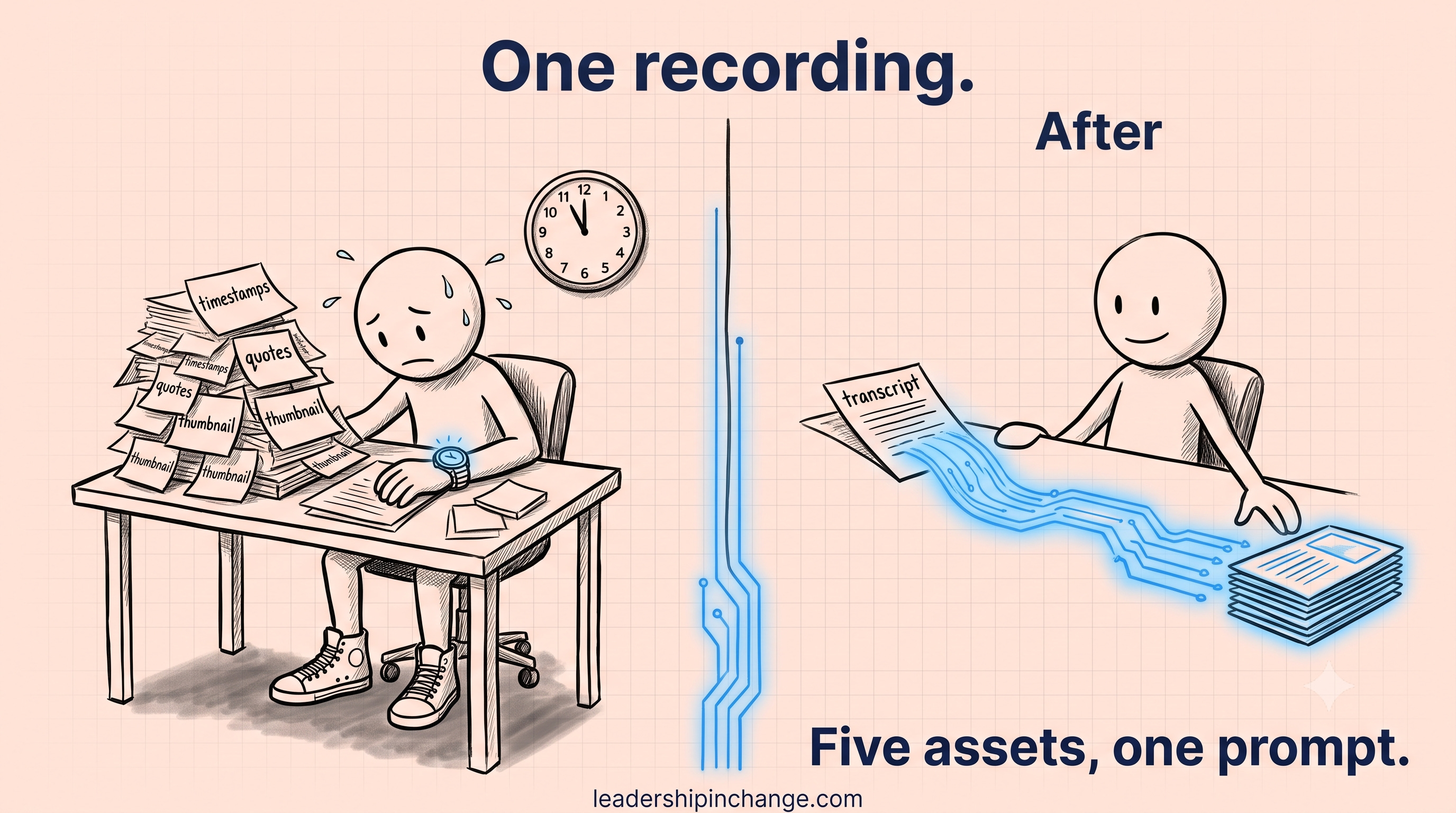
Let me show you the exact workflow, using the real Polina episode. About twenty minutes, five publishable assets from one recording.
In this post, you’ll learn:
How to get a clean, timestamped transcript from any recording
The prompt that turns that transcript into chapter markers for Apple Podcasts, Spotify, and YouTube
How to pull the key themes and the two or three quotes worth making into graphics
Where the whole thing breaks if you’re not careful, and the one line that fixes it
Step 1: Get the transcript, because that’s the raw material
Everything downstream depends on one file: a transcript with timestamps. Not a summary, not your memory of the conversation, the actual words with the times attached.
If it’s a Substack Live, a podcast, or a YouTube video, you already have auto-captions you can export. If it’s a recorded webinar, a panel, or a leadership town hall you ran, the same thing applies. For the calls and meetings I want to keep, I run Granola, because it sits in the background and captures the whole thing without turning the meeting into a recording session. However you get there, the goal is the same: a text file with words and timestamps.
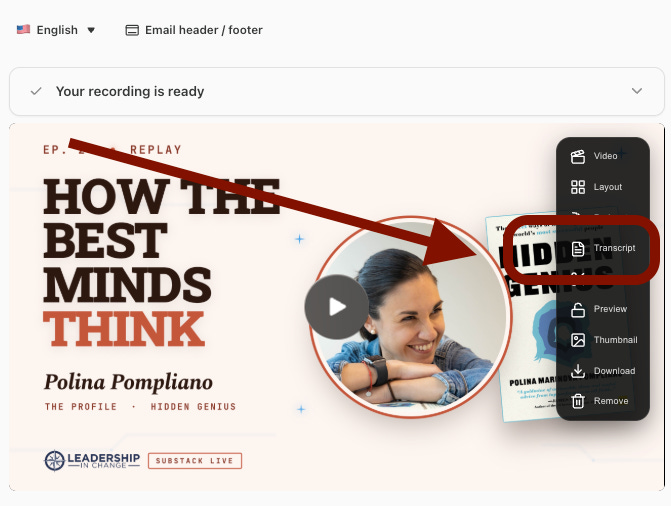
On Substack, simply click Edit, click on Transcript, and Download (ideally json).
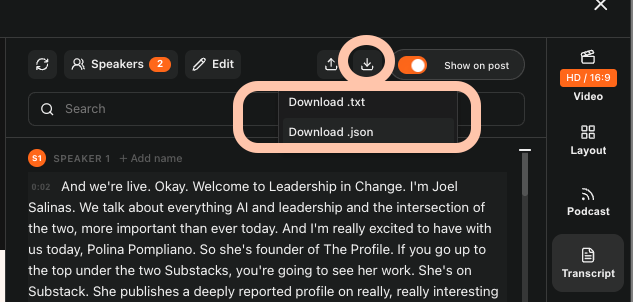
That file is the whole ballgame. Think of the recording like a cut of meat. Most of us use a tenth of it and throw the rest out. The transcript is how you get five meals off one roast.
Quick Win (< 60 seconds) When you paste your transcript in, add this one line: “Use the exact start-time from each transcript segment, formatted MM:SS. Do not estimate or round.” That single instruction is the difference between timestamps your listeners can trust and timestamps that send them to the wrong spot.
Step 2: Turn the transcript into chapter markers
This is the piece almost nobody does by hand, because doing it by hand is miserable. You paste the transcript into Claude and ask for it directly:
Copy-Paste Prompt: Here is the timestamped transcript of an interview. Identify the 15 to 20 key moments in the conversation. For each one, give me the timestamp in MM:SS using the exact start-time from the transcript, and a short description of what’s being discussed at that point. Format it as a clean list I can paste into YouTube, Apple Podcasts, and Spotify as chapters.
Here’s what Claude gave me back for the Polina conversation, and I pasted it straight into the episode:
(01:13) A cold read: what ten minutes reveals
(03:44) The mask, access, and Logan Paul’s lollipop
(04:45) Kevin O’Leary and the villain he plays
(11:21) Scaramucci’s Superman, everyone’s Batman
(19:48) Long-form in a short-form, AI-flooded world
(22:02) “When I write, I think”
And on Spotify, Youtube, and Apple Podcasts, each time stamp will take the listener to the exact spot on the podcast.
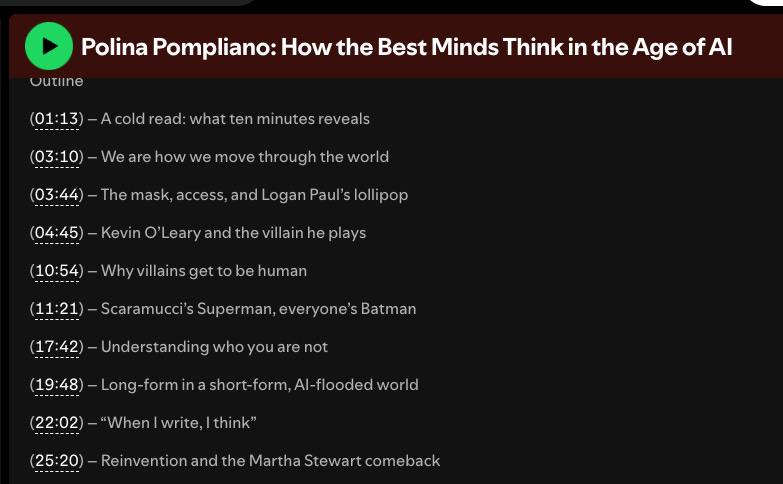
Those aren’t decoration. Chapters are what make a long recording findable, which is what makes people actually watch it. And they took me one prompt instead of forty minutes of scrubbing a timeline.
The first time this ran start to finish, the interview stopped having a tax attached to it. I could sit in the conversation and enjoy it, without the cleanup work hanging over the rest of my night.
Step 3: Pull the themes and the quotes worth keeping
A recording isn’t just moments, it’s arguments. The same transcript that gives you chapters will give you the two or three ideas the whole conversation was really about, if you ask for them.
Copy-Paste Prompt: From the same transcript, pull the 3 to 4 biggest themes of the conversation. For each theme, give me a one-line headline and the single strongest quote from the guest that captures it, word for word, under 30 words.
For the Polina episode that surfaced the spine of the whole thing: we are how we move through the world, villains get to be human in a way heroes don’t, and the one line I keep going over, “when I write, I think.” That last one is the reason she won’t hand her writing to AI even though she uses it every day, and it’s the same discipline behind the AI Leadership Triad. The tool sharpens your judgment. It doesn’t get to replace it.
Then you take the strongest standalone quote and make it a graphic. Claude picked “Villains are allowed to be human,” and that became the quote card for the post. One line, pulled from the transcript, formatted, and out the door.
There always are a few paragraphs of context that I add before each transcript prompt is run adding what I got out of the interview, key pieces to highlight, context, my own stories, etc. Make sure that your voice, your life, your experience, is in our content. That’s what makes it yours.
Step 4: The render, so you have something to look at
The last asset is the one people see first: the thumbnail and the quote card. Claude doesn’t draw these, but it writes the brief so well that generating them is fast. Ask it for a thumbnail concept and a headline of four words or less, hand that to your image tool, and you’re done.
For Polina, the recording gave us the whole set: the “How the Best Minds Think” thumbnail with her and the Hidden Genius cover, the “Villains are allowed to be human” quote card, chapters, themes. Five publishable assets from one conversation, in the time it takes to drink a coffee.
NOTE: By the way, Claude found the book cover, the profile image, rendered it, and gave the final copy. In order to get to one you like, your brand ALREADY needs to be in Claude as a skill, AND it will take several iterations to get to your style. SAVE that as your new skill.
If you want help resetting your own rollout, that's what we build in the AI Judgment Workshop. Ninety minutes live, $99, and you leave with a written 90-day plan instead of another framework to file away.

Doing this for every recording, in your own brand
The workflow above works today, in the normal Claude app, with no setup. But if you record often, you don’t want to paste four prompts every time. You want it to run in your voice, your colors, your show name, once.
That’s a Claude skill: a saved setup that already knows your brand, so you hand it a transcript and it hands you branded chapters, themes, quotes, and a render brief. I built mine so I never re-explain Leadership in Change again. Mine runs in Claude Code (Anthropic’s coding-focused version of Claude), because that’s where I spend my time, but the same skill works in the regular Claude app too. If Claude Code is new to you, start with The Non-Coder’s Guide to Claude Code, and I wrote about how skills like this save me forty-plus hours a month in 5 Claude Skills That Save Me 40 Hours Monthly.
Your Shortcut (Premium Members)
Instead of building the skill from scratch, I made a single prompt that interviews you about your brand and writes the skill for you. Answer its questions once, and it outputs a skill that turns any future transcript into assets that look like yours.
The Brand Skill Builder Master Prompt
This next part is for premium members. The Brand Skill Builder prompt below interviews you about your brand, then writes a custom Claude skill that turns every recording you make into chapters, themes, quotes, and a render brief in your own voice and colors. Premium members get the full prompt right here. If you’re on the free list, upgrade to premium to unlock it, along with the rest of the member library.
If You Only Remember This
Draw the craft line first: name the one thing you’ll never let AI touch, then hand it everything standing in the way of that thing.
Claude can’t watch your video, but the transcript holds almost everything you wanted from it anyway.
Doing this once saves you an evening. Saving it as a skill saves you every evening after that.
What’s the one part of your work you’ll never hand to AI, and what’s the busywork standing in its way?
Worth Your Time
A few pieces from other creators I think are worth your attention.
Grow With AI — LinkedIn OS. A reusable Claude Skill that turns creator research into ready-to-post content ideas, the same “build the skill once, reuse it forever” move behind turning one recording into many assets.
Prosper in AI — The SEO Loop I Run on Every Post. A repeatable Claude workflow that reads your draft plus a folder of reference files and runs automated passes before you hit publish, the busywork automated, the craft kept.
Claudia + AI — Claude Skills Starter Guide. A no-code, plain-English walkthrough of turning a repeatable process into a reusable Claude Skill, the exact “save your workflow as a skill” step, written for creators, not engineers.
Questions Leaders Are Asking
Can Claude watch or analyze a video? Not directly. Claude reads text and still images, not video or audio. To work with a recording, you give Claude the transcript, and optionally a few screenshots of key frames. That transcript is where the chapters, themes, and quotes come from.
How do I make podcast chapter markers with AI? Paste your timestamped transcript into Claude and ask for 15 to 20 key moments, each with the exact start-time in MM:SS and a short description. Tell it not to estimate the times. Then paste the list into YouTube, Apple Podcasts, or Spotify.
Do the timestamps come out accurate? Only if you make Claude use the transcript’s real start-times. Left on its own, it will sometimes estimate and drift. Add one line telling it to use the exact segment start-time and never round, and the chapters line up.
Can I make this run in my own brand automatically? Yes. Save the workflow as a Claude skill that already knows your show name, colors, and platforms. Then you hand it a transcript and it returns branded assets. A skill is a saved setup Claude reuses, so you never re-explain your brand again.
Do I need Claude Code or any technical setup for the basic workflow? No. The core workflow runs in the normal Claude app by pasting your transcript and the prompts above. The only thing that needs a bit more setup is turning it into a reusable branded skill.
Joel Salinas is an AI Strategy Coach for founders and leaders, from solopreneurs to teams. AI is everywhere; judgment is scarce. Joel helps leaders adopt AI without outsourcing their judgment to it, through the AI Judgment Workshop and the 90-Day Judgment Engagement. Creator of the AI Leadership Triad. He writes Leadership in Change.
Written by a human, for humans.
Affiliate links included.
I automate whatever is easiest first, which is never what was actually in my way. The craft line fixes the order. Stealing it.
it's clear to me that the transcript is gold