


TL;DR Claude generates complete, downloadable slide deck presentations directly in chat, no PowerPoint required. By building a brand skill with your exact colors, fonts, and design rules, every deck matches your brand automatically. Professionals spend 40% of their PowerPoint time on formatting alone (GfK study). This workflow eliminates that entirely: paste your content, run the prompt, and download the finished deck in 10 minutes.

A few weeks ago, I had a last-minute session to run with my team on using AI for content repurposing. I didn’t have time to build a presentation, at all, but one was needed. So I did something that would have been impossible a year ago: I dictated all my thoughts into Claude using Wispr Flow, activated the brand skill I’d built for our nonprofit (which already had our colors, fonts, and tone baked in), and asked it to generate a slide deck. Claude gave me a few options for layout and text density, I picked one, and the presentation was ready. I didn’t make a single edit. All I had to do was get in the room and present.
Without Claude, I simply would not have had a presentation that day.
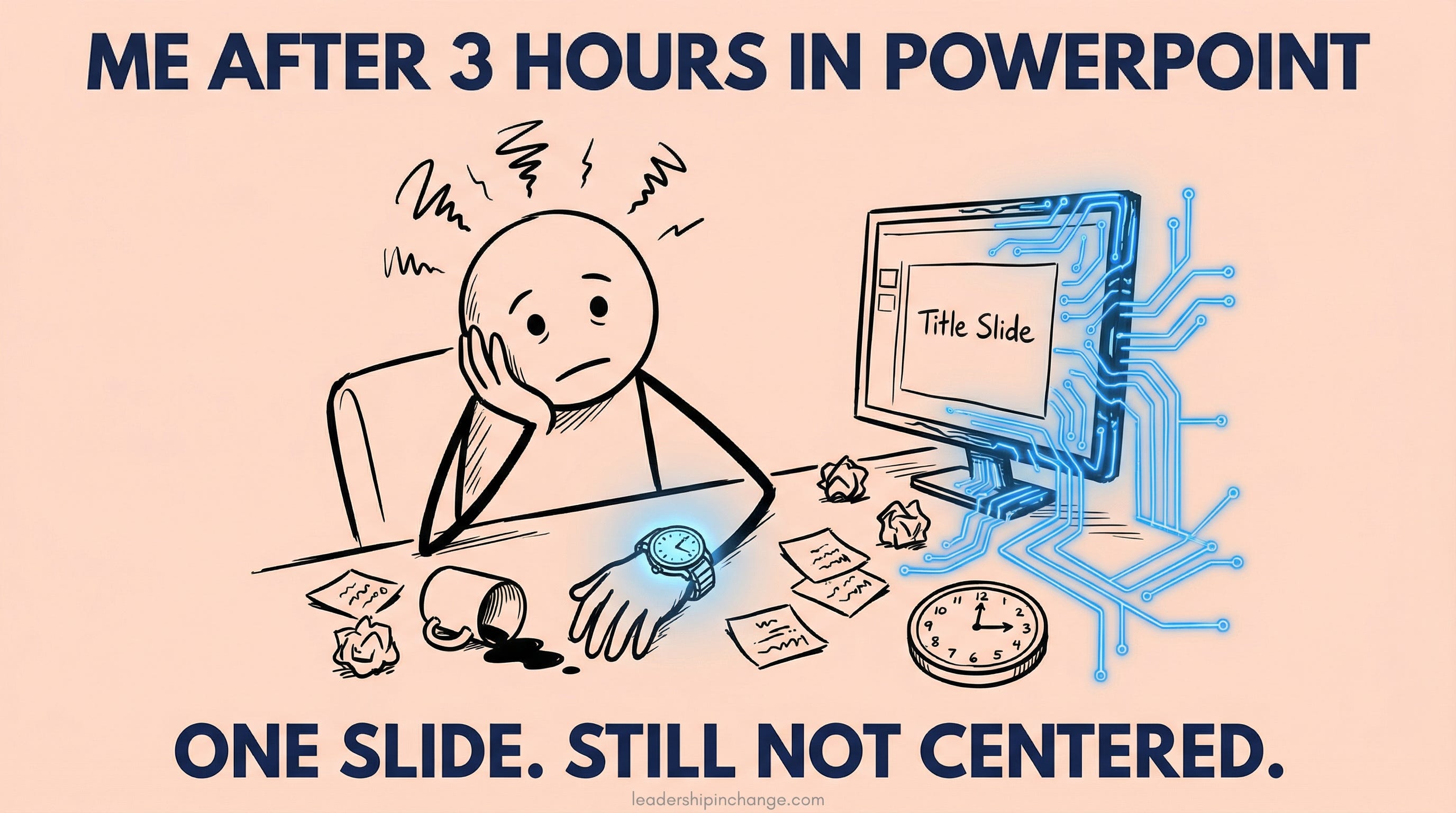
That moment crystallized something I’d been feeling for months. I run four brands: LeadershipinChange.com (this newsletter), Cozora.org (an AI live learning community), NewsletterCompass.com (an AI toolkit for newsletter creators), and my AI coaching business (jsalinas.org). Different colors, different fonts, different energy. For years, that meant opening PowerPoint (if you are under 30, “slide deck” ;) ), hunting for the right template, adjusting layouts, fixing alignment issues, swapping icons, and Googling “how to make slides pop” like everybody else. In fact, this is one of the most common patterns I see in coaching conversations with leaders working with AI: hours lost to manual tasks instead of substance and strategy.
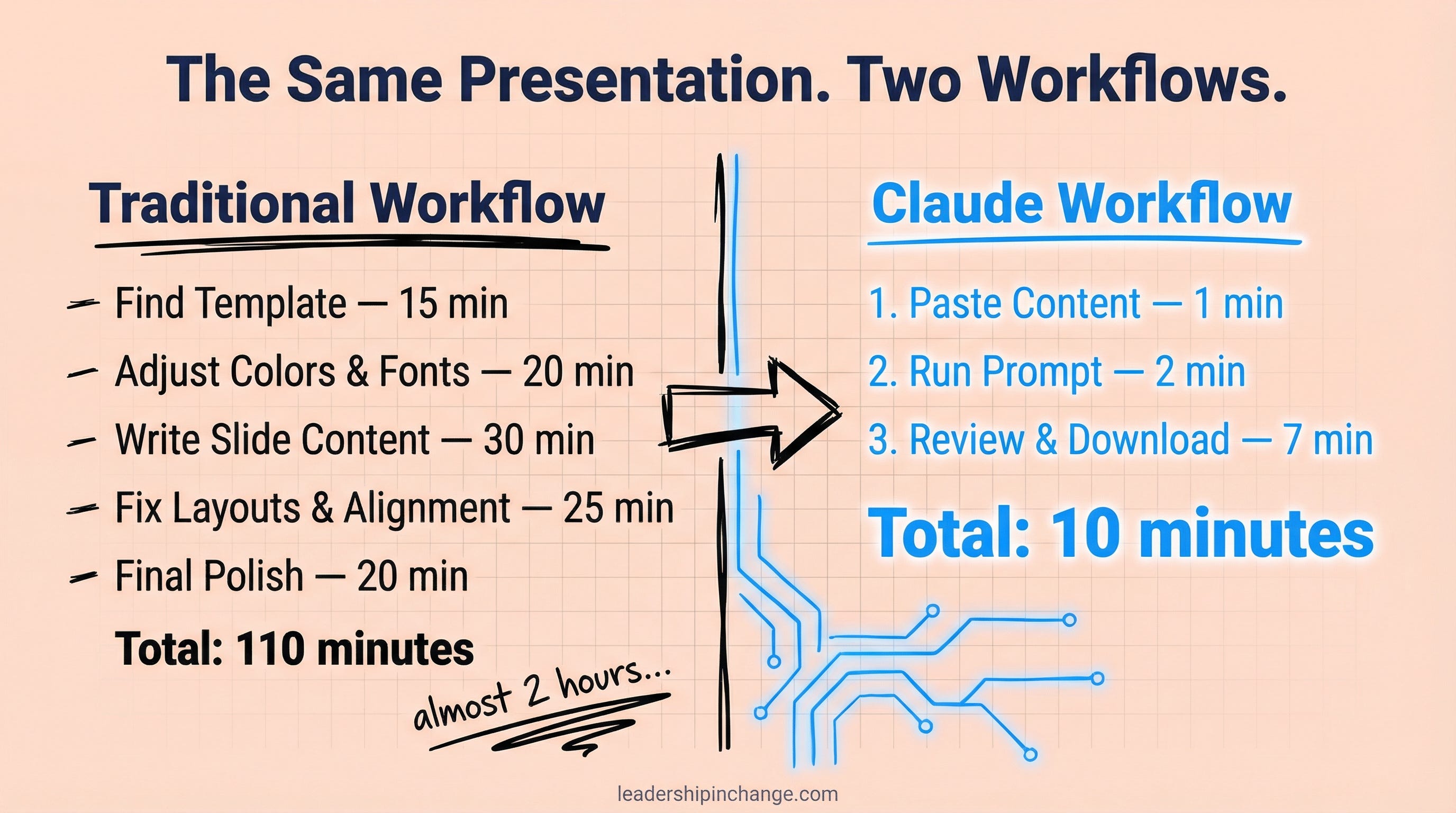
I haven’t opened PowerPoint in months. I create every slide deck in Claude now, and the whole process takes about 10 minutes. Here’s how.
In this post, you’ll learn:
How to generate a complete, downloadable slide deck inside Claude in under 10 minutes
How to set up a brand skill so every deck matches your brand automatically
A copy-paste prompt you can use right now with your next presentation
Quick Win (< 60 seconds) Open Claude right now, paste any document or set of notes, and type: “Create a 5-slide presentation from this content with minimal text per slide.” You’ll have a downloadable slide deck in under 2 minutes. Try it before you keep reading.
The Formatting Tax Is Real
Here’s a number that should bother you.
According to a GfK study, professionals spend approximately 40% of their PowerPoint time on formatting alone, which averages out to about eight hours per month per employee (GfK/empower, “The Big PowerPoint Study”). Not thinking about what to say, not refining the message. Formatting…
And this isn’t some rare once-a-year task. According to Decktopus’s 2026 State of Presentations report, 83% of professionals create or deliver presentations at least a few times per month, and 44% do it weekly or more (Decktopus, 2026).
I call this the Formatting Tax: the invisible hours you lose making slides look right instead of making the message land right.
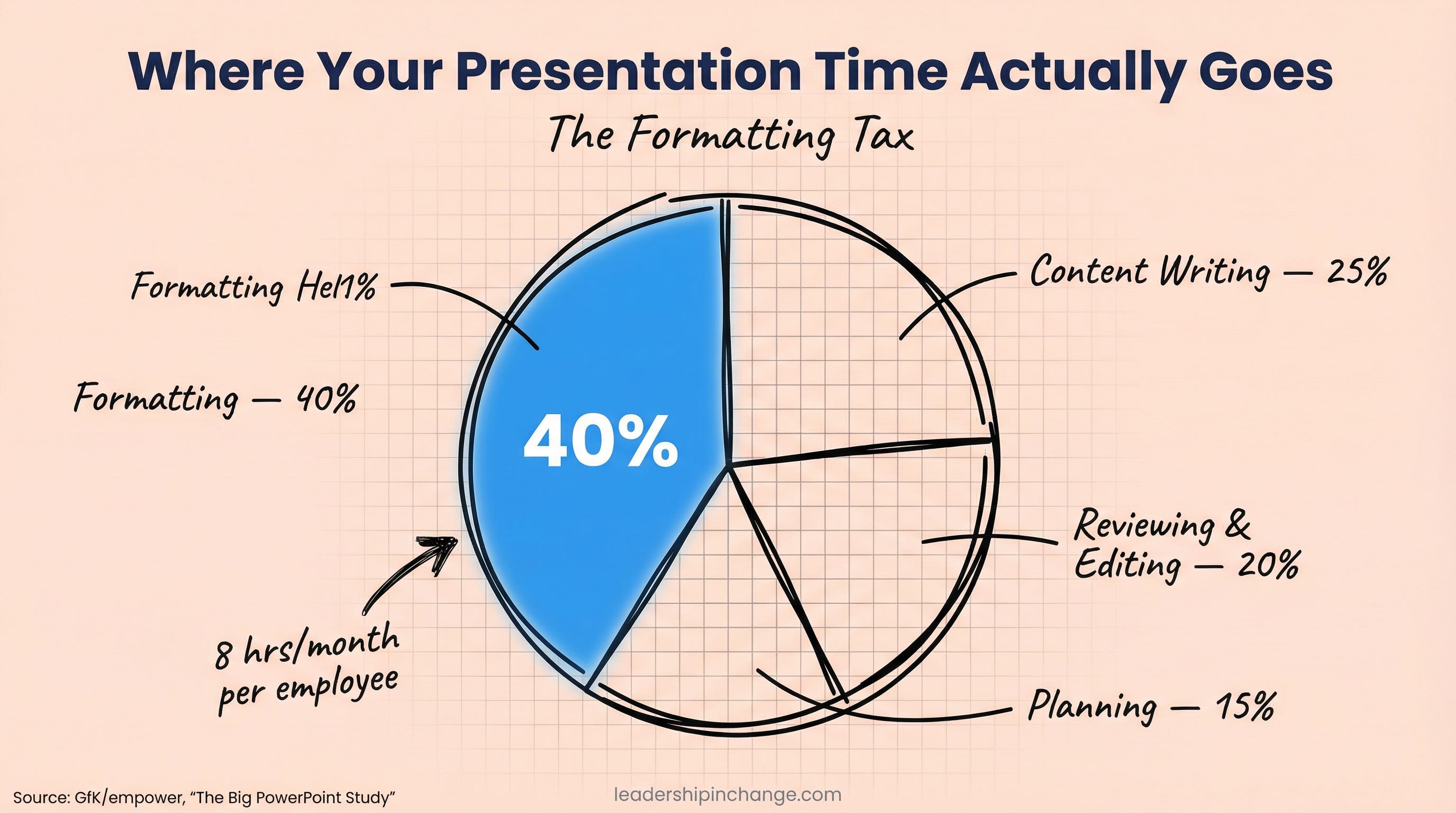
I was paying it across four brands, which meant four sets of colors, four sets of fonts, and four completely different visual languages. The tax was enormous.
Most people’s solution is Gamma, or Canva, or some other AI slide tool. Those work well enough until you realize you’re still fixing layouts, still adjusting brand colors, still clicking through a design UI that puts polish ahead of message. The tool changed, but the tax didn’t go away.
What actually eliminated the Formatting Tax for me was discovering that Claude generates complete, downloadable slide decks directly inside the chat. No external tools. No templates to maintain. No PowerPoint at all.
This article gives you the framework. If you’re looking at your own role and wondering how to set this up for your team, there are two ways I can help.
Which Sounds Like You?
“I need systems, not just ideas” -> Join Premium (Starting at $49/yr, $1,345+ value): Tested prompts, frameworks, direct coaching access. Start here
“I need this built for my context” -> AI coaching, custom workflow setup, strategy audits. Message me or book a free call
The Workflow: Content In, Slide Deck Out
My actual process has three steps, and none of them involve opening PowerPoint.
Step 1: Paste your content.
Whatever you’re presenting (an article, meeting notes, a project update, a strategy brief), paste it directly into Claude. The AI doesn’t need a polished template. It needs your thinking.
Step 2: Tell Claude exactly what you want.
This is where specificity matters. You need to tell it how many slides, how much text per slide, and what the presentation is for. I wrote about this principle in Get 90% Better AI Responses With One Afternoon Setup: the more context you give Claude up front, the less you fix afterward.
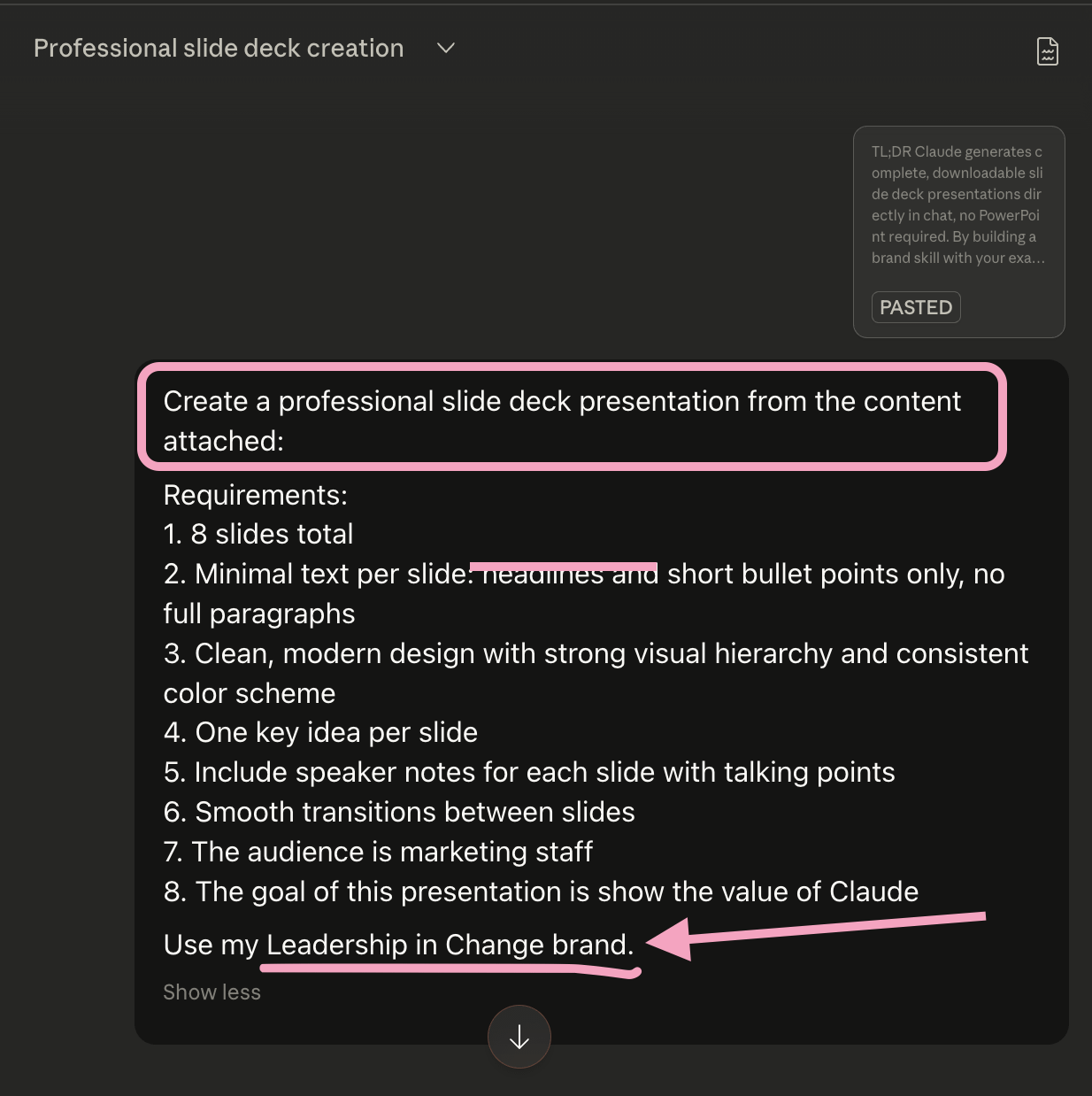
Here’s the exact prompt I use, feel free to steal it… I created a presentation for this post.
Copy-Paste Prompt:
Create a professional slide deck presentation from the following content:
[PASTE YOUR CONTENT HERE]
Requirements:
[NUMBER] slides total
Minimal text per slide: headlines and short bullet points only, no full paragraphs
Clean, modern design with strong visual hierarchy and consistent color scheme
One key idea per slide
Include speaker notes for each slide with talking points
Smooth transitions between slides
The audience is [DESCRIBE YOUR AUDIENCE]
The goal of this presentation is [YOUR GOAL]
Use my [NAME BRAND] brand
Note: 9 requires a Claude Skill having been created with the brand guide you wish to use, more on that below.
Stop reading for a second. Think about your next presentation. The one you’ve been putting off, or the one coming up next week. Paste your content into Claude with this prompt and see what comes back.
Step 3: Download and present.
Claude generates the entire deck as an artifact you can download with one click, open it in any browser, go full screen, and present. Done.
Check out what my example resulted in…
I can now focus on the people I’m presenting to, the message I’m presenting, NOT formatting.
The Brand Skill Multiplier
Here’s where it becomes genuinely powerful.
I built a Claude skill for each of my four business brands. A skill is a set of instructions that Claude follows every time you activate it. Each brand skill contains the exact hex colors, fonts, tone, logo placement, and design language for that specific business.
For the example above, the Leadership in Change Presentation I requested, here was Claude’s process. See how clearly and accurately it pulled my brand…
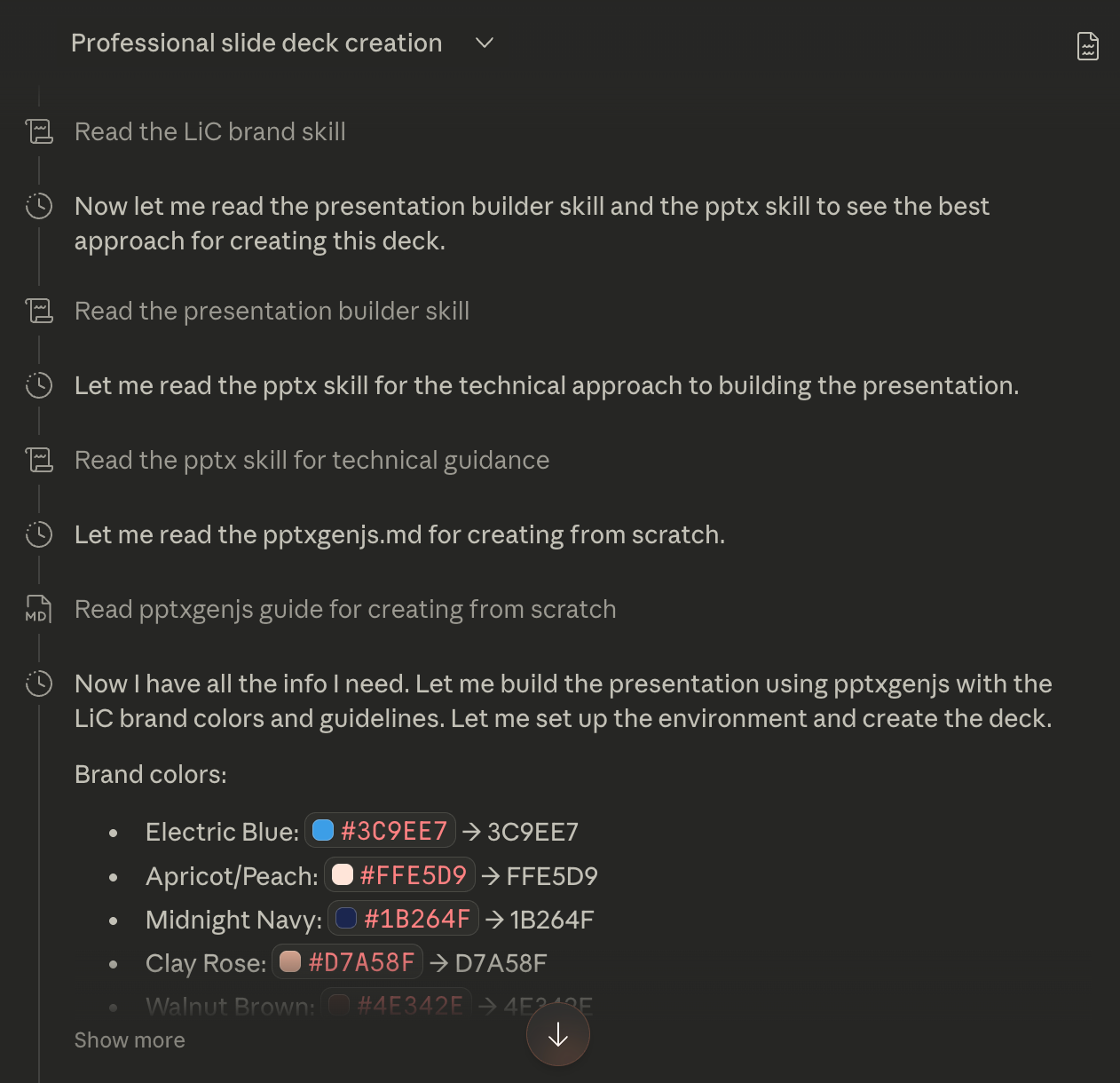
So when I need a Cozora presentation, I activate the Cozora brand skill and paste my content. A Leadership in Change deck? I switch to the LiC skill. A World Relief internal presentation? Same thing, different skill. Every output matches the correct brand without me touching a single color picker or font dropdown.
If you want to set up your own brand skill, I wrote a complete walkthrough in 5 Claude Skills That Save Me 40 Hours Monthly.
The short version: open Claude, go to your profile settings, create a new skill, and paste in your brand guidelines with hex codes for colors, font names, logo rules, and the overall tone of your visual identity. Once it’s saved, every slide deck you generate follows those rules automatically.
Here… take a peek behind the curtain at my Leadership in Change Brand Skill on Claude (spoiler, it is not 10 lines).
The beauty of this approach is that it scales with zero additional effort. Whether you’re running one brand or four, the brand skill handles the formatting work once so you never touch it again. If you want help building this into your leadership practice, book a free discovery call.
For the Newsletter Writers Reading This
The Formatting Tax doesn’t just live in PowerPoint. It lives in your Substack editor too: the blank screen, the headline you’ve rewritten six times, the Sunday-night stat hunt. That friction is exactly why Wyndo and I built Newsletter Compass, an AI toolkit that sets up once around your newsletter, your voice, and your audience so you can spend your time on the writing only you can do. Take a look (50% off for life with code WELCOME).
What This Approach Handles (and What It Doesn’t)
I want to be straight about the edges. These slide decks are clean and professional, but they won’t win a graphic design award. If you need pixel-perfect custom animations, embedded videos, or the kind of polish that a dedicated design team produces, you’ll still want that human touch for the final 20%.
But for the other 80%? The weekly team updates, the quarterly reviews, the training decks, the client presentations that need to be solid, on-brand, and done by tomorrow? This workflow handles all of it. And if you’re wondering how to share it with your team, I just download the file, drop it into Google Drive, and present from there. It works exactly like you’d expect.
Here’s what I keep coming back to. You’re doing AI well when it gives you time to do what only you can do.
In my case, that’s strategizing, planning my speaking approach, thinking about which personal story or metaphor will actually land with the people in the room. My time is not well spent designing PowerPoint slides, and it never was. This workflow gives that time back to the work that only I can do, and that’s the real win.
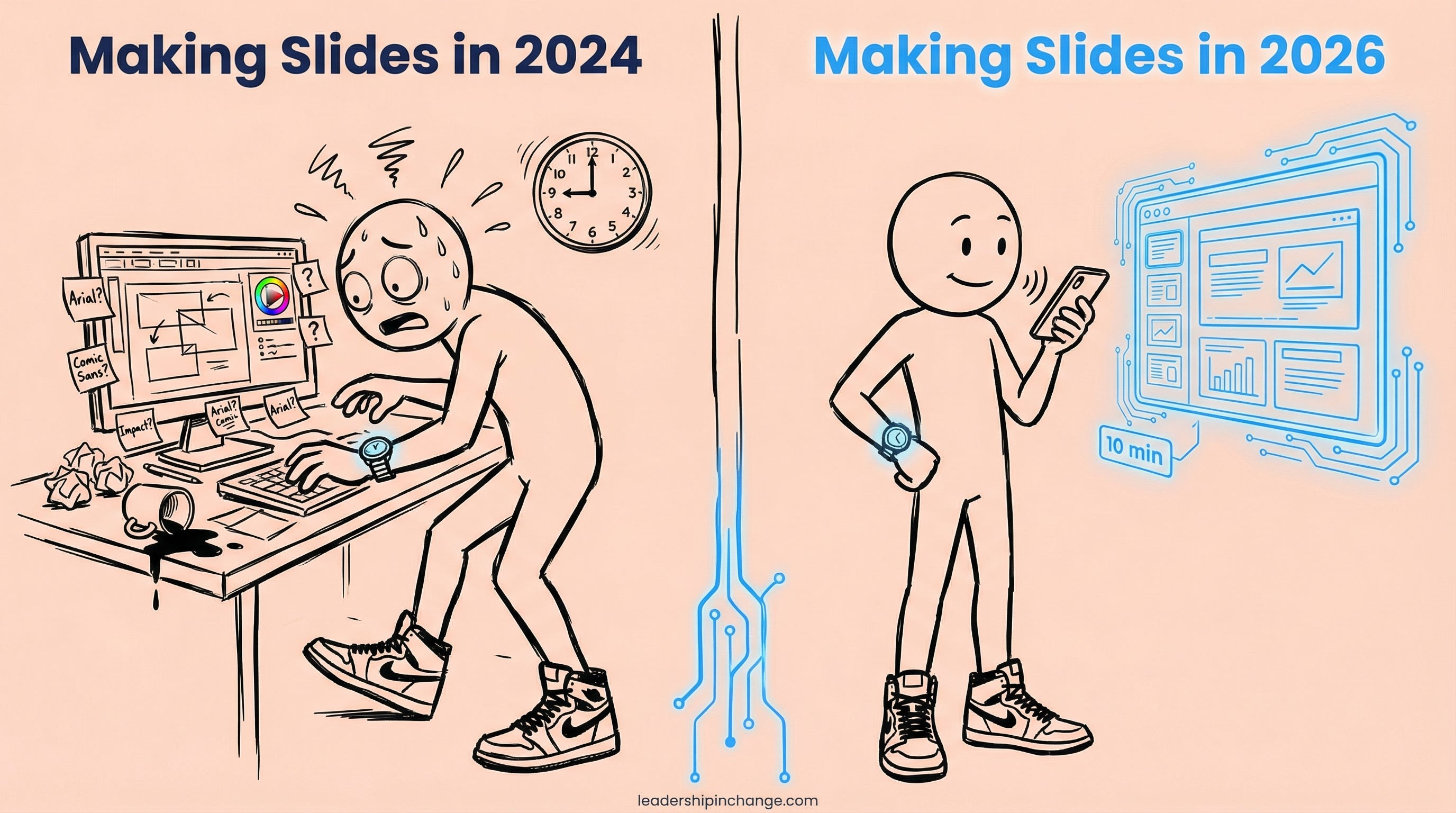
AI is allowing me to be my best self as a presenter, not because it makes my slides prettier, but because it gets the formatting out of the way so I can focus on what actually matters: the message and the people hearing it.
If You Only Remember This
The Formatting Tax is real: professionals spend 40% of their PowerPoint time on formatting instead of message quality, and Claude eliminates that entirely by generating complete, downloadable slide decks from your content.
A brand skill turns a one-time setup into permanent brand consistency across every future presentation, which means zero time spent on colors, fonts, or templates ever again.
You’re doing AI well when it gives you time to do what only you can do: strategize, plan your approach, choose the right story. That’s the real win, not prettier slides.
Try creating a presentation by Monday using this workflow. If any of it isn’t working, shoot me a direct message and I’ll be glad to help you personally.
Questions Leaders Are Asking
How do I create a slide deck using Claude AI? Paste your content directly into Claude and ask it to create a slide deck presentation as a downloadable HTML file. Specify the number of slides, text density (minimal bullet points work best), and your audience. Claude generates the complete deck as an artifact you can download and open in any browser, no PowerPoint or external tools needed.
Can Claude match my company’s brand guidelines in presentations? Yes, by setting up a brand skill in Claude with your exact hex colors, fonts, logo placement rules, and design tone. Once saved, the skill applies your brand automatically to every deck you generate. Joel Salinas uses separate brand skills for four different businesses, and each output matches the correct brand without any manual formatting.
Is an HTML slide deck as professional as a PowerPoint presentation? For most professional use cases, team updates, quarterly reviews, training decks, and client presentations, HTML slide decks from Claude are clean, well-structured, and fully presentable in any browser. They lack the advanced animations and highly customized layouts of dedicated design software, so keynote-level visual presentations may still benefit from a designer for the final polish.
How long does it take to create a branded presentation with Claude? Most decks take under 10 minutes from pasting content to downloading the finished presentation. Setting up a brand skill takes about 15 to 20 minutes the first time, but that investment pays off on every single deck you create afterward.
What makes this different from Gamma or other AI slide tools? Claude generates complete slide decks natively as downloadable files with no external tools, no templates to maintain, and no manual design adjustments. Tools like Gamma still require you to fix layouts, adjust brand elements, and work within their design UI. Claude with a brand skill eliminates the formatting layer entirely, so you spend your time on the message instead.
Sources Referenced
GfK/empower Suite, “The Big PowerPoint Study” (B2B study on PowerPoint productivity) — https://www.empowersuite.com/hubfs/Marketing/Downloads/The-Big-PowerPoint-Study.pdf
Decktopus, “Top Presentation Statistics for 2026: The State of Presentations” — https://www.decktopus.com/blog/top-presentation-statistics
The "Formatting Tax" is such a perfect way to put it. Most people think they are being productive when they are really just wrestling with text boxes and alignment grids.
Moving the focus from the design UI back to the actual narrative is where the real leverage is. If the story lands, nobody cares if the slide came from PowerPoint or a Claude artifact.
Cool :)