


TL;DR - Anthropic put Claude Cowork on web and mobile this week, so it keeps working after you close your laptop. It reads like a developer update, but Anthropic’s own numbers say more than 90% of Cowork use isn’t coding. For most leaders, this is the tool to watch, and the one real thing holding it back just went away.

Anthropic shipped something this week that looks small and isn’t. As of July 7, 2026, Claude Cowork (Anthropic’s AI agent that does real multi-step work for you, not just chat) runs on web and mobile, not only on your desktop. You can start a task at your desk, check on it from your phone, and pick up the finished work later, with your laptop closed the whole time.
Everyone Filed This Under the Wrong Headline
I know how that sounds. TechCrunch filed it under the coding agent wars, another agent update for the engineers. HOWEVER, here’s the piece that I want to focus on: Anthropic’s own numbers say more than 90% of Cowork usage wasn’t software development, and the biggest categories were business operations and content creation.
Read that again. The tool everyone files under “coding” is mostly being used for the exact work most of us actually do.
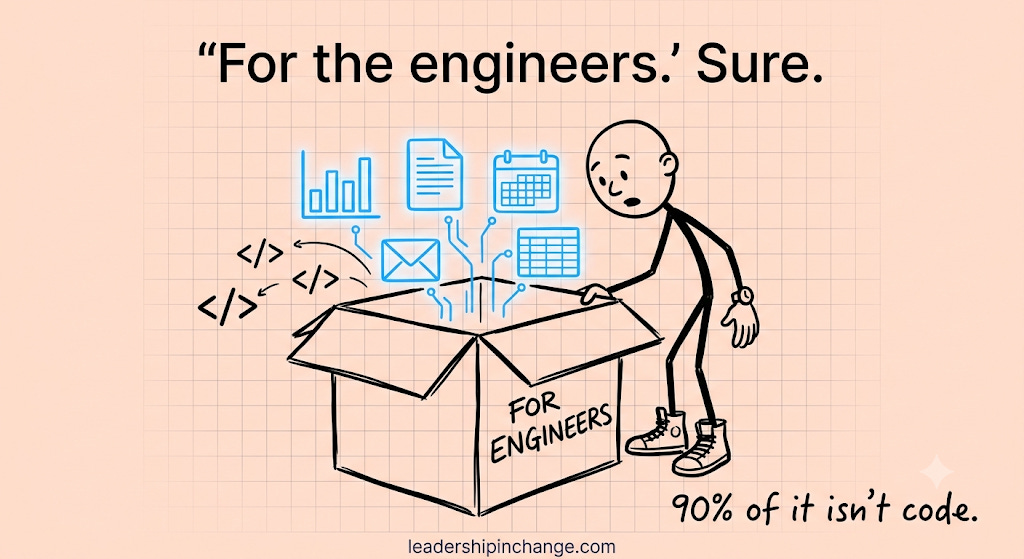
That gap between how a tool gets labeled and how it gets used is the whole story here.
Cowork Is the Level Most Leaders Should Be On
I’ll be honest about my own setup. I run about 95% of my work in Claude Code, the developer-flavored end of the tool. But that’s not where I point the leaders I coach. For almost all of them, the sweet spot is one level down: Claude Cowork. Connecting it to the tools they already use, building a skill or two, pointing it at a folder of research, letting it browse the web and come back with something useful. If you want the full map of how those levels stack, I laid it out in the four levels of Claude. Level 3, Cowork, is where most leaders get the most value for the least effort.
How to Use Claude: The 4 Levels Most Leaders Never Climb

TL;DR - Claude has four levels of use, not one: Basic chat, Projects, Skills, and Claude Code. Most leaders stop at Level 1 and use Claude like a chatbot, getting average answers back. This four-level climb takes non-technical leaders from their first prompt to building and running their own AI tools.
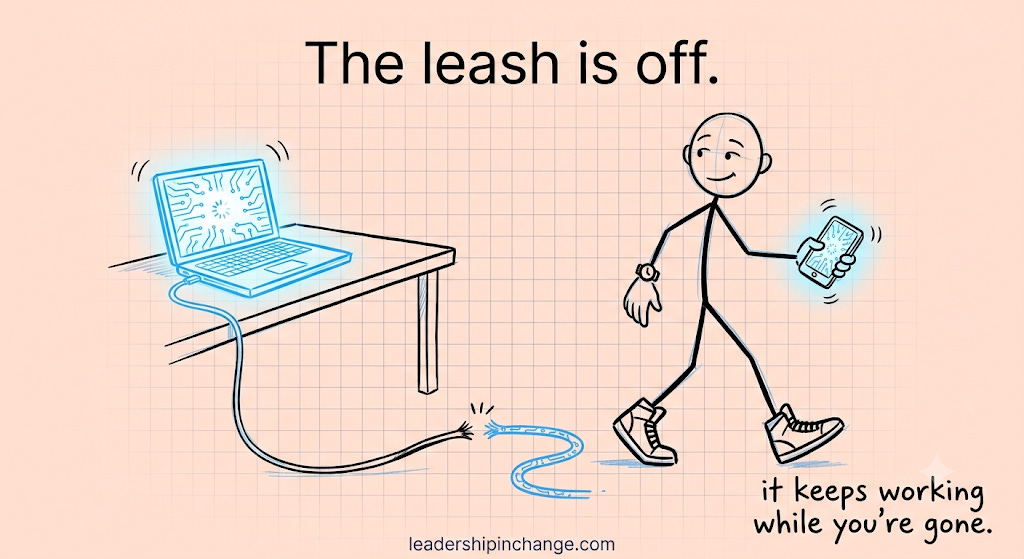
And until this week, Cowork had one real drawback that kept getting in the way: it was chained to the desktop. You could hand it a genuinely useful task, but only while you were sitting there with the app open. It was like having a sharp assistant who could only work while you stood over their shoulder. The second you stepped away, everything stopped.
The Leash is Off
That leash is off now. Close the laptop and head to your meeting, and Cowork keeps going. Scheduled tasks run with no device online at all. When it hits a real decision, it pauses and asks you for approval instead of guessing. So the thing you handed off at 9am can actually be moving while you’re in a room full of people at 10.
Here’s why that matters more than it looks. When a tool only works while you watch it, you use it like a tool, something you pick up, operate, and put down. When it keeps working after you walk away, you start using it like a person you delegated to. And delegation is a leadership skill, not a technical one. Most of us already know how to hand a task to someone, set the guardrails, and check in later. That instinct, the one you built managing people, is exactly the instinct this rewards.
What to Actually Hand It First
So here’s where it gets practical. If you’re going to test this, don’t start with the hardest thing you do. Start with the work that eats your week and doesn’t need your judgment on every single step. Anthropic’s own breakdown is the tell here, because the two biggest categories were business operations and content creation, and that’s most of a leader’s week right there. Pick something out of one of those buckets and hand it off before your next meeting. A few places I’d start:
The recurring report you dread — the weekly numbers pull, the status roll-up, the “where are we on this” summary. Point Cowork at the folder or the tools where that data lives, tell it the format you want, and let it draft while you’re in your 10am.
The research you keep meaning to do — the competitor you’ve been circling, the market you’re curious about, the vendor you’re vetting. Hand it the question, let it browse, and have it come back with something you can react to instead of a blank page.
The content you owe — the post, the team update, the first draft of the thing you keep pushing to next week. Give it your voice and your notes, and check the draft later.
The scheduled thing you always forget — set it to run on its own, no device open, and come back to it done.
Notice the pattern. Every one of these is something you’d already hand to a capable person if you had one sitting outside your office, and that’s the whole test. If you’d trust a sharp assistant with it, you can trust this with it, as long as you read the work before it goes anywhere that matters.
I don’t want to oversell the moment. This is a beta, it’s rolling out to Max subscribers first, and “the laptop can be closed” is a long way from “run your whole operation on autopilot.” You still have to know what’s worth handing off, and you still have to check the work. But the direction is clear, and the friction that kept Cowork stuck on one machine is the friction that just disappeared.
If you’ve been waiting for a reason to take Cowork seriously, this is it. The version most of your team should be using just stopped being something you have to babysit from your desk.
I’m putting together my top 15 ways to actually use Cowork for business, the specific plays I walk my coaching clients through, and it’s going out to subscribers soon. If that’s useful, make sure you’re on the list.
And if you’d rather not wait, getting Cowork working around how your team actually operates is the kind of thing I do one-on-one with leaders. A quick call is the fastest way to start.
The tool your team actually needs just lost its leash. The question now is what you’d hand it first.
What’s the one task you’d hand off today if you knew it would keep working after you closed your laptop? Tell me in the comments.
Joel Salinas is an AI Strategy Coach for leaders at small and mid-sized businesses and nonprofits. 1:1 coaching, team workshops, and AI strategy work built around amplifying what your team is already good at. Creator of the AI Leadership Triad. He writes Leadership in Change.
Written by a human, for humans.
Oh and the phone too now, yes … so powerful!
Yes I’ve done 98% of everything in cowork and I never understood why Cowork is under referenced in media for its power. It’s always Claude code, and it’s misleading. It’s not simple chat, is not the terminal, if you have a certain tier you also get design right in cowork too. The idea you need to use the terminal, the term ‘code’ … these turn people away. Thanks for highlighting this!