


TL;DR: Prompt engineering is no longer the highest-impact AI skill for leaders. Context engineering is. Gemini 3 can now reference 15-to-20 page knowledge documents stored in Google Drive, eliminating the need to re-explain your business in every prompt. This article walks through three specific Gemini workflows that save 5+ hours weekly and produce sharper, on-brand answers.

Here’s what I keep seeing… leaders are still trying to write the perfect prompt. They tweak the wording, swap synonyms, paste in “act as a senior strategist,” and wonder why the answer still reads like every other generic AI response on the internet.
The thing is, none of that matters anymore, it’s no longer 2024.
A few weeks ago I was writing copy for one of my four businesses. Instead of crafting a longer prompt, I pointed the AI to a 15-to-20 page context document in Gemini (Google's AI assistant, the main rival to ChatGPT), brand, audience, personas, what I tried last quarter and why it failed. Then I asked one short question. The answer came back better than anything I’d ever gotten from a “perfect prompt.” Faster, sharper, in my voice.
That moment is when I realized the AI game had changed.
Prompt engineering is dead. Or at least, it’s no longer where the wins are.
The wins moved to context engineering: giving AI the same orientation you’d give a great research assistant on day one, so every question after that just makes sense.
(This is one of the things I work on with the leaders I coach, mostly health CEOs, marketing VPs, and founders. If it would help to talk it through, my calendar is here.)
In this post, you’ll learn:
Why context engineering replaced prompt engineering as the AI skill that moves the needle in 2026
Three Gemini workflows I use weekly to save 5+ hours and get answers that sound like me
How to build a single context document Gemini auto-references, the same setup I build for coaching clients
Why Context Beats Phrasing (And What Changed in Gemini)
Think about the difference between a brand new research assistant and one who’s been with you for two years.
The new one needs you to spell everything out every time. Audience, voice, what failed last quarter. Every question becomes a 400-word setup, and the answer is still generic, because the assistant is working from the version of your business they assembled five minutes ago.
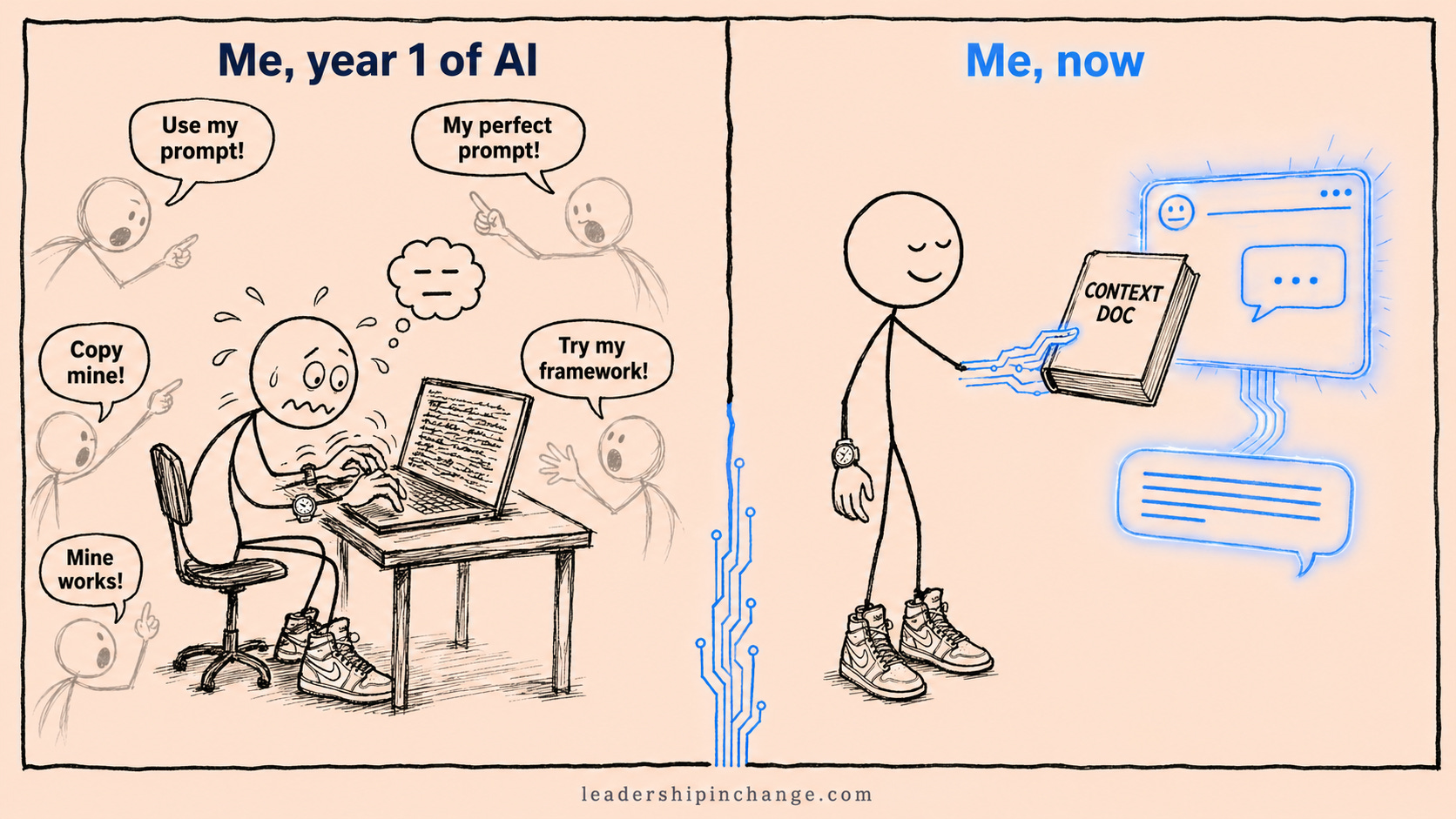
The two-year assistant already knows. You can ask “what should we do about Q3?” and get a real answer in 30 seconds, context based.
That’s prompt engineering versus context engineering. Prompt engineering was always the workaround for AI that didn’t know anything about you. It worked, kind of. It also ate hours.
What changed is what AI can hold in working memory. Gemini 3 Pro scored 77% on the MRCR long-context retrieval benchmark at 128,000 tokens, up from 58% in Gemini 2.5 Pro (Google DeepMind, November 2025). On Screen Spot Pro, it jumped from 11.4% to 72.7%. Gemini 3.1 Pro then doubled it again in February 2026 (77.1% on ARC-AGI-2). In plain English: Gemini can now actually use the documents you give it.
You can let AI guess your tone, your format, and your length. You cannot let it guess your facts. A real document is how you stop.
Quick Win (under 60 seconds) Open Gemini. Paste in three of your recent emails or LinkedIn posts. Ask: “Based on these, write a 200-word note on [topic].” Compare the result to what you’d get from the same prompt with no examples. The gap between the two is the entire thesis of this article.
Here are 3 workflows to get exponentially more with Gemini.
Workflow 1: The Voice-Mimic Post (Beginner)
The first time context engineering really landed for me was with a LinkedIn post. If you have been using AI for over 6 months, this is likely already part of your flow.
I used to spend 20 minutes describing my “voice” to AI, back in 2024. Punchy. Conversational. Avoid jargon. BUT the output always landed somewhere between a ghostwriter and a vendor pitch. Close-ish. Never me.
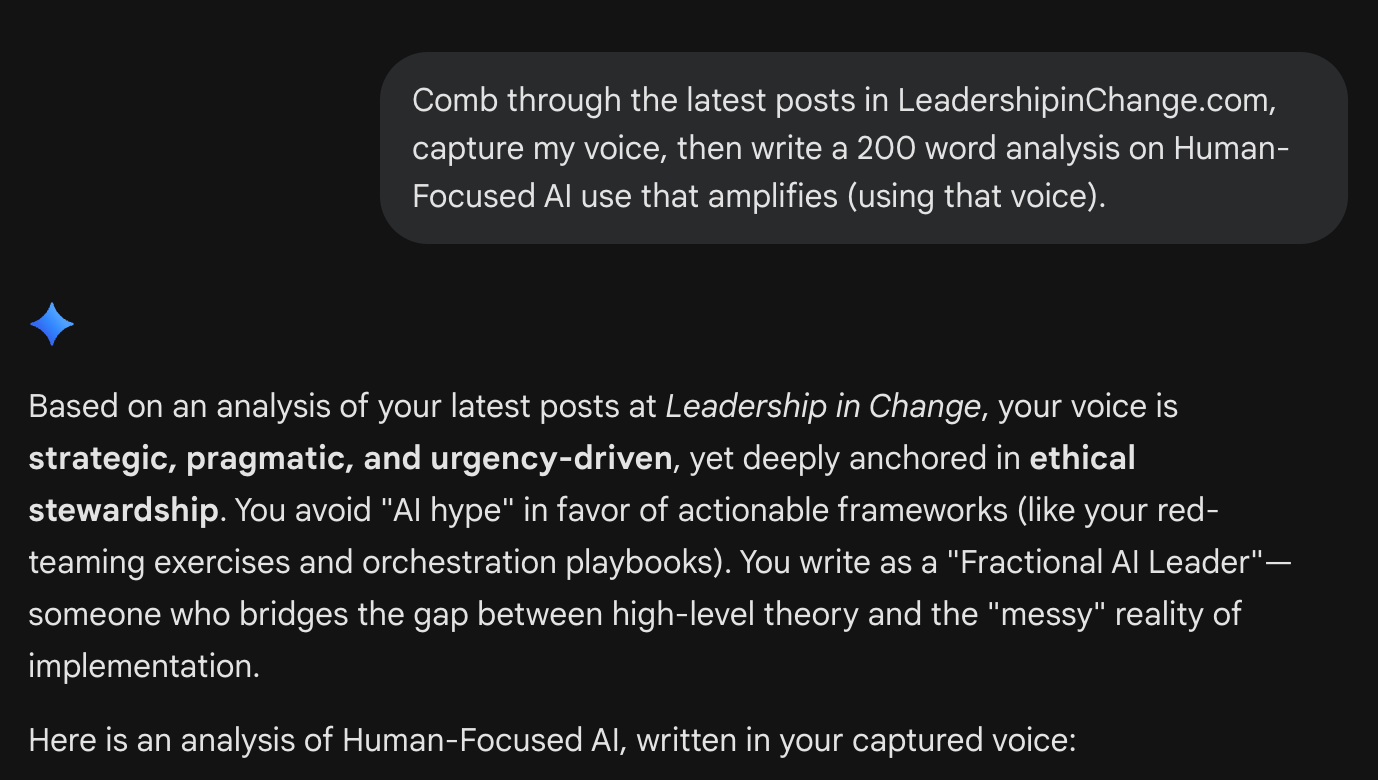
So I tried something different. I uploaded three of my recent posts and one paragraph describing my audience, gave Gemini the topic, and asked for 200 words. That was it. The output sounded like me (really).
Here is an example… Context added in just a few words, this is how you begin.
Workflow:
Pick three pieces of your recent writing that sound like you (LinkedIn posts, internal memos, a newsletter) OR simply ask Gemini to comb through your Substack
If needed, add one paragraph about your audience: who they are, what they care about, what they’re tired of hearing
Drop both into Gemini and ask for info you actually need (Also works with Claude (Anthropic's AI assistant), or ChatGPT)
That’s the move: stop describing your vibe, start providing the ground truth of it.
Which sounds like you?
“I need the system, not just the idea.” Premium gives you the prompts, frameworks, and templates I use with my coaching clients. Start here for $49/year.
"My organization needs hands-on AI help, not another consultant." Book a free intro call and I'll tell you honestly whether 1:1 coaching, a team workshop, or longer-form work is the right fit.
Workflow 2: Workspace as Context (Advanced)
Most of the context you need is already inside your Google Workspace (Google Drive anyone?). You just have to point Gemini at it.
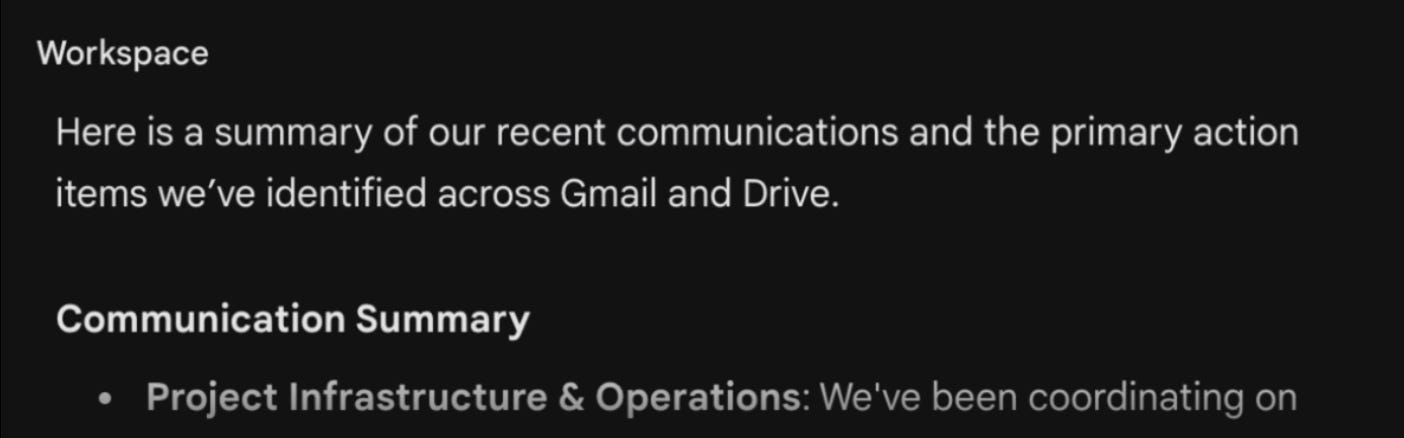
A founder I worked with last month emailed asking for a summary of a proposal and back and forth emails I had sent. The old me would have spent 20 minutes hunting through Gmail and Drive before writing a draft from scratch. But now… I use CONTEXT already built in.
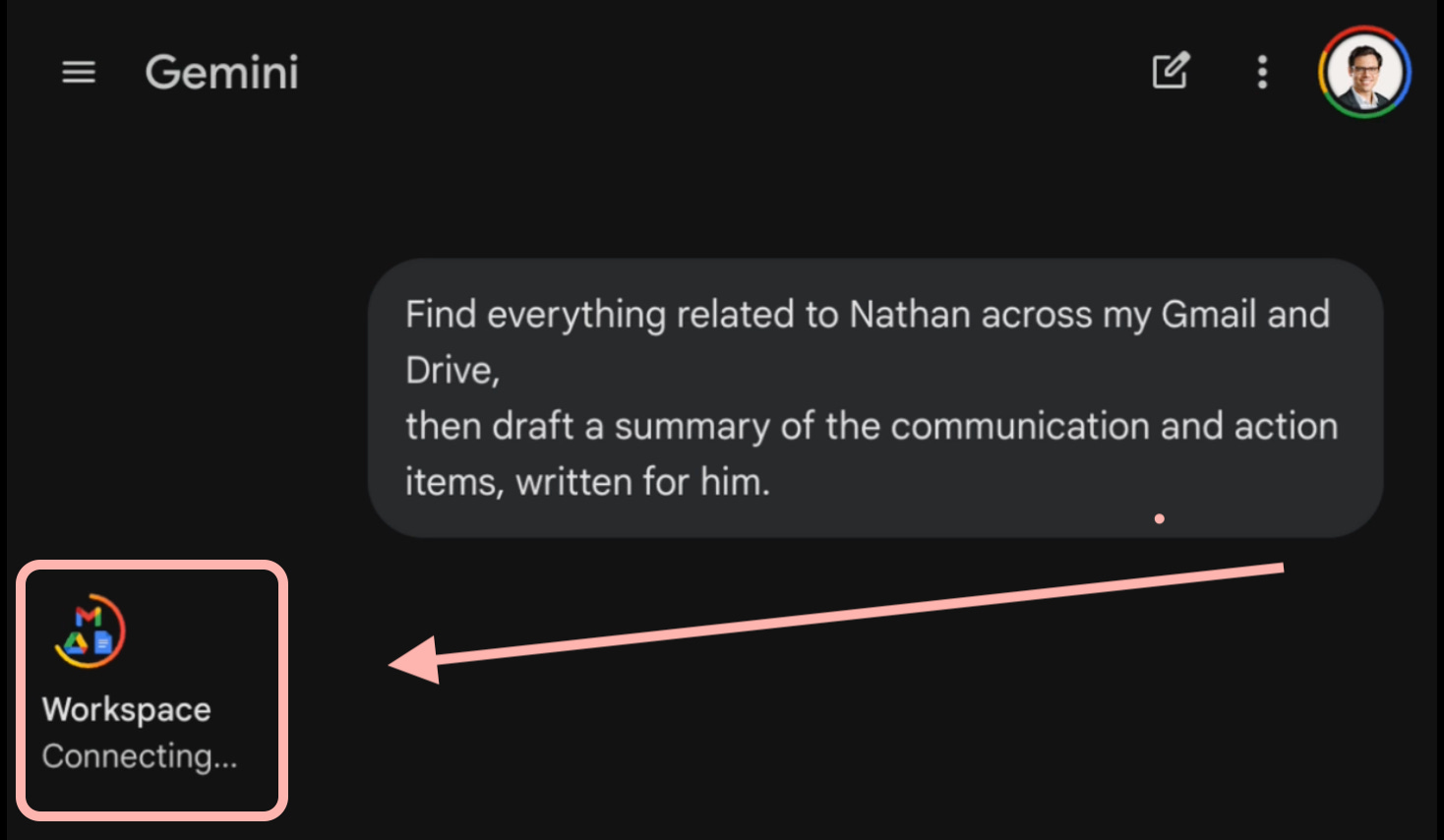
I enable Workspace and ask Gemini:
“Find everything related to [name and topic] across my Gmail and Drive,
then draft a summary of the communication and action items, written for [name].”
A minute later, I have drafts citing specific deliverables from real correspondence.
It starts with thinking and gathering…
Followed by the analysis and presentation, saving you hours.
Where leaders save the most time with this:
Performance reviews drafted from six months of emails, invites, and shared docs
Monday inbox sweeps that surface real deadlines, grouped by project
Meeting prep pulled from past threads with a client or stakeholder
Stop reconstructing context manually. Let the workspace BE the context.
Workflow 3: The Knowledge Doc That Runs Everything (Expert)
This is the one that quietly saves me the most time, and the one I now build for coaching clients.
I keep a single 15-to-20 page document covering every active business: state, brand, target market, personas, what’s working, what’s failing. I tweak it weekly. It lives in Google Drive. Gemini references it automatically. In fact, here is the doc:
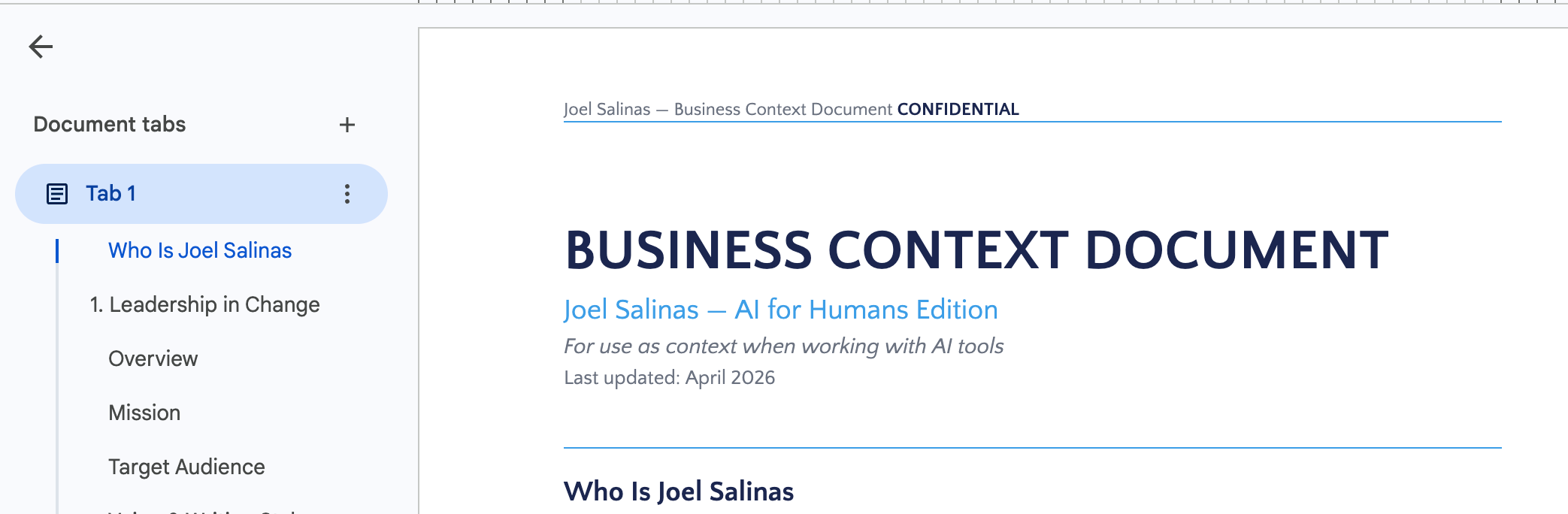
And here’s a concrete example. I asked Gemini to give me two opportunities for each business I have yet to explore.
No perfect prompt
No exact 4-paragraph-long instructions
Simply 1 doc referenced
Here are the results…
When clients hit a certain point in coaching, this is where I introduce context. We create the knowledge doc inside their own Drive. They (or an assistant) update it as things change. Every future AI interaction starts from knowing them.
A leader’s real job is spotting patterns no single team member can see at once. I asked Gemini once to look across my four businesses and tell me where I was unintentionally competing with myself for the same audience. It found two cases I hadn’t seen.
I first explored this pattern in the one-afternoon setup that gets 90% better AI responses. What’s changed since then is the ceiling. Gemini 3 made document handling reliable enough that this is now the default workflow, not a clever trick. And if your team is still in “let’s pick a tool” mode, why most AI implementations fail explains why context is usually the missing piece.
If you’ve got a real AI question you’re stuck on for your own team, book a free intro call. The first conversation is free.
Why This Matters More for Gemini Right Now
Claude and Gemini are 1.1 and 1.2 in AI today. The difference is distribution. Gemini is one click away for anyone with a Gmail or Workspace account, which is almost every leader. Switching to a context-first workflow doesn’t require a new login. It requires a document.
Gemini was falling behind a year ago. The version you have today, with full Drive integration, NotebookLM (Google's AI research tool) connectivity (now running 3.1 Pro for Pro and Ultra users), and the reasoning leap Google shipped in February 2026, is what closed the gap. And the reason most leaders aren’t getting much from AI right now isn’t the tool. It’s that nobody took the time to give it context.
If You Only Remember This
Prompt engineering is no longer the AI skill that separates good output from generic. Context engineering is.
Gemini can guess your tone, your format, and your length. It cannot guess your facts.
The highest-payoff move this week: build one 15-to-20 page knowledge document and store it where Gemini can read it.
The 5+ hours isn’t theory. Conservative math from my own week: ~10 content drafts at 20 min saved each, plus one Workspace inbox sweep and one cross-business analysis pass. 5+ hours back, weekly.
What’s the one document about your business or your role you keep in your head and have never given to AI? Take 20 minutes today. Use Wispr Flow (a voice dictation app) if you want to dictate it. That’s where to start.
Stop perfecting the question. Start perfecting what your AI knows.
Questions Leaders Are Asking
What’s the difference between prompt engineering and context engineering? Prompt engineering is optimizing the words you type into AI. Context engineering is optimizing what AI knows before you type anything. Prompt engineering compresses your business into a single message. Context engineering moves your business into AI’s working memory permanently, so every future question starts from a place of knowing you.
How long should my context document be? Mine runs 15 to 20 pages. Gemini 3 handles documents this size easily. The right length is whatever it takes to fully describe the business: brand, audience, personas, current priorities, recent wins, recent failures. Don’t pad it. Don’t strip it.
Do I have to use Google Drive for this to work? For Gemini specifically, yes. The Drive and Workspace integration is the multiplier. Claude has a similar pattern using Projects. ChatGPT has Custom GPTs. The principle is the same. The platform that’s already in your team’s workflow is the one to start with.
How often should I update the context document? I tweak mine weekly. For most leaders, monthly is enough. Have an assistant update it whenever a major decision changes (new strategy, new hire, new offering). Stale context produces stale answers.
Why is Gemini specifically the right tool for context engineering right now? Gemini 3 Pro scored 77% on long-context retrieval at 128k tokens, up from 58% in Gemini 2.5 Pro (Google DeepMind, November 2025), and Gemini 3.1 Pro doubled core reasoning again in February 2026. The deep integration with Google Drive and NotebookLM (now on 3.1 Pro for Pro and Ultra users) means your context doc is one click away. Most leaders already have a Google account. Friction to start is near zero.
Joel Salinas is an Executive AI Coach who helps leaders at small and mid-sized businesses and nonprofits implement AI without the hype. He writes the Leadership in Change newsletter and runs jsalinas.org.
Written by a human, for humans.
Sources
Google — “Gemini 3.1 Pro: A smarter model for your most complex tasks,” February 19, 2026 (blog.google)
Google DeepMind — “Introducing Gemini 3 Pro,” November 18, 2025 (blog.google)
VentureBeat — “Google Gemini 3 ScreenSpot-Pro benchmark results,” November 2025
Google Vertex AI documentation — MRCR v2 long-context benchmarks, November 2025
Great post Joel! I still use Gemini for Deep Research from time to time especially when I need some filters in what I need.
Thank u Joël👍