TL;DR: Claude Cowork is Anthropic’s AI assistant that runs on your computer (and as of July 2026, on web and mobile too) opens your real files, and finishes whole tasks instead of just answering questions. Leaders use it across finance, operations, content, HR, and research to turn hours of manual work into a single assignment. Below are the top use cases, with copy-paste prompts.
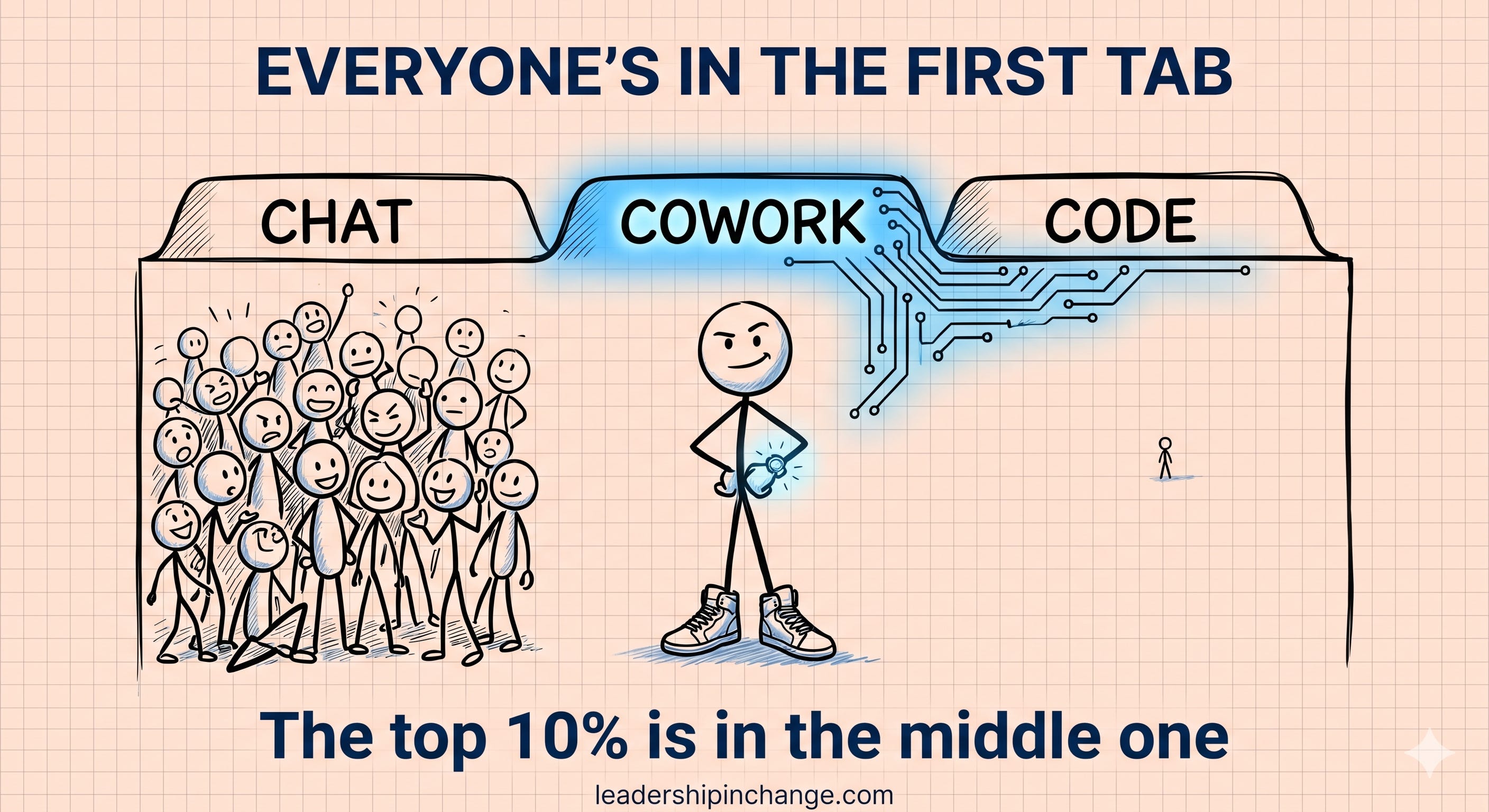
You open the Claude desktop app, and as of July 2026, there are two tabs across the top: Home and Code.
Chat and Cowork share Home, with a small selector in the message box to switch between them, and almost everyone lives in chat. You type a question, Claude gives you a smart answer, you copy it out and go do the actual work yourself
Here’s the honest part, and it’s the reason you can trust the 15 use cases below. My own daily driver when not on Claude Code is Cowork, not chat. That’s where most of my heavy lifting happens.
I built and ran every one of these examples on my own files in Cowork before I wrote a word about them. Claude Cowork is one step below Claude Code, it needs no code, and it gets you about 80% of what’s possible.
Learn this one mode well and you’re in the top 10% of people actually using AI, the ones who stopped asking it questions and started assigning it work.
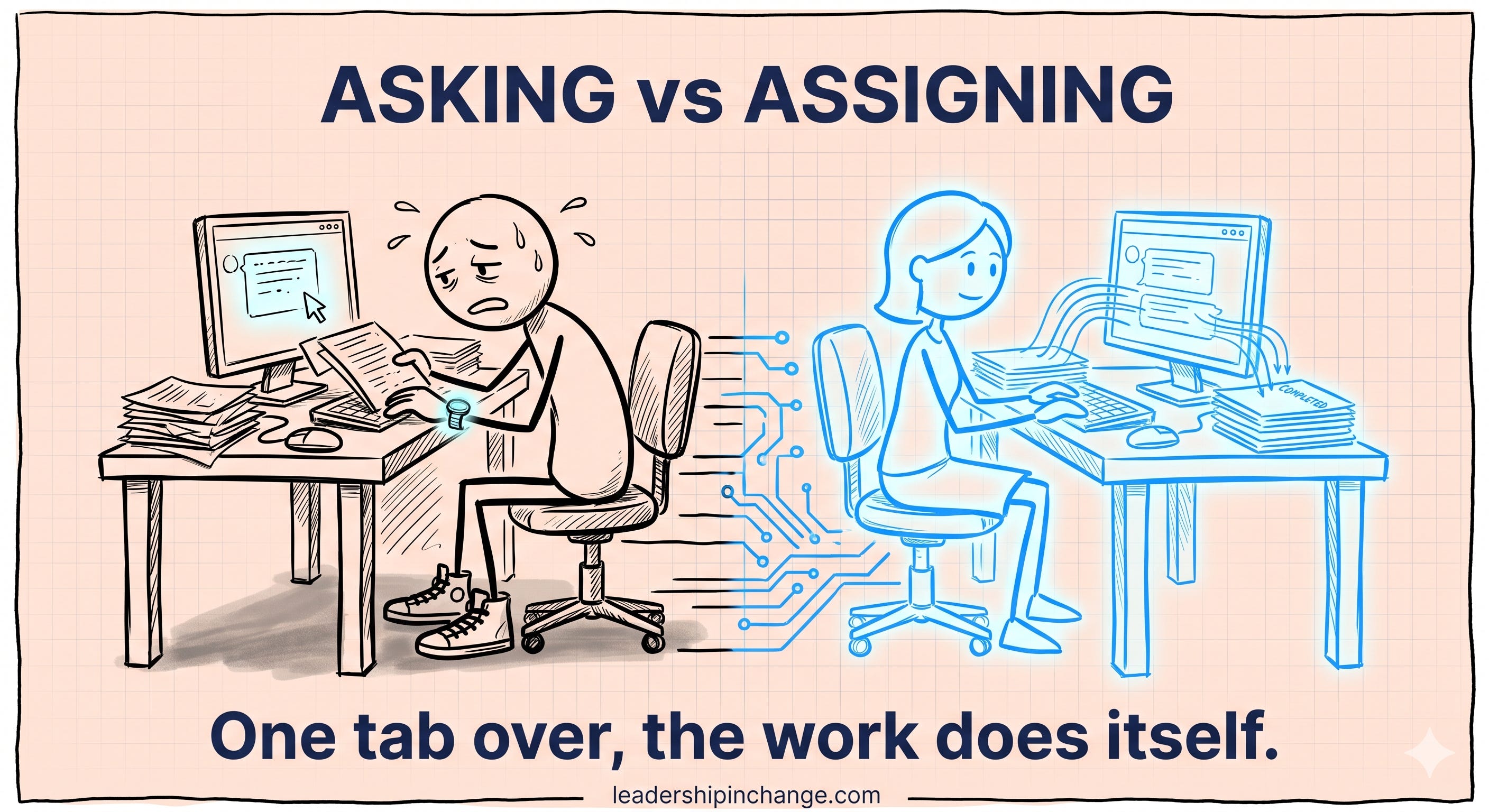
The difference is simple. In chat, you ask, and then you go do the thing. In Cowork, you hand over the files and the assignment, and you walk away while it gets done. It’s the difference between calling a brilliant consultant on the phone and hiring an employee who sits at your computer with everything open in front of them.
In this post, you’ll learn:
What Claude Cowork actually is, and the 5-minute setup that decides whether it works
The top use cases across finance, operations, content, HR, and research
A copy-paste prompt for each one, so you can run it today
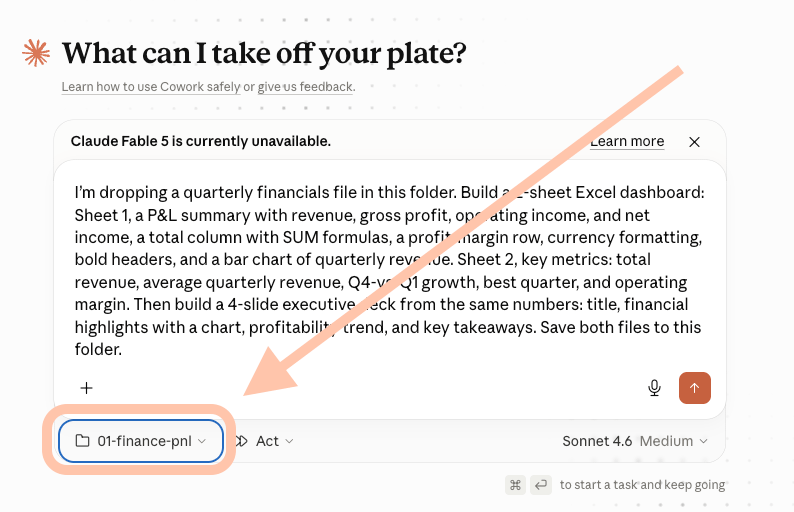
Quick Win (< 60 seconds) Open the Claude desktop app, go to Home with Cowork selected in the message box (it's the default), and point it at ONE folder, not your whole Documents drive. Make a single folder, drop in the files for one task, and work from there. That one move is the entire difference between a trained employee and a mess.
Setting this up for your own role is most of what I do with the leaders I work with. If you'd rather not piece it together solo, that's exactly what we map in my 90-Day Judgment Engagement, and the first thing we find is usually the one workflow worth handing off first.
What makes Cowork different from chat
Regular chat is reactive. You ask, it answers, the work is still yours. Cowork is autonomous. You define the outcome and it works through the steps, reading and writing real files, until there’s a finished deliverable sitting in your folder… A real Excel spreadsheet with working formulas. A Word document ready to send. A PowerPoint deck that’s actually formatted.
Not text you paste somewhere, but the finished file.
That shift, from asking to assigning, is
the whole thing. And it’s why the setup matters more than any clever prompt. Cowork reads short context files you write once (who you are, how you write, how you like things done), and from then on it stops being a stranger and starts behaving like someone you onboarded. I wrote a whole piece on why one afternoon of context setup gets you dramatically better AI responses, and it applies here twice over. And as of July 2026, Cowork is no longer desktop-only: it's rolling out on web and mobile (starting with the Max plan), with sessions that run remotely in beta, save to your Claude account, and keep working after you close your laptop.
Your 15 Cowork Use Cases
📊 Finance: from data to deliverable in one session
This is where Cowork earns its keep fastest. As of March 11, 2026, Anthropic added the ability for Claude to work across Excel and PowerPoint in one continuous task, carrying context from app to app. An analyst can ask it to read earnings, update a financial model, and build the summary slide without switching tools, and when an input changes, it updates the rest of the workflow. Finance teams use it for the painful, repeatable execution: intercompany reconciliations, journal entry prep, variance commentary, and model audits.
📊 1. A P&L dashboard and the deck from one dataset
The problem: Building the numbers in Excel and then rebuilding them again as slides is two jobs that eat an afternoon, and the two have to match.
What's needed: a folder with your quarterly financials (an Excel or CSV file).
In this example, you’ll see both the dataset Excel as well as the presentation created.
Copy-paste prompt:
I’m dropping a quarterly financials file in this folder. Build a 2-sheet Excel dashboard: Sheet 1, a P&L summary with revenue, gross profit, operating income, and net income, a total column with SUM formulas, a profit-margin row, currency formatting, bold headers, and a bar chart of quarterly revenue. Sheet 2, key metrics: total revenue, average quarterly revenue, Q4-vs-Q1 growth, best quarter, and operating margin. Then build a 4-slide executive deck from the same numbers: title, financial highlights with a chart, profitability trend, and key takeaways. Save both files to this folder.
Remember to connect the right folders in all of these.
📊 2. An audit of a model that won’t tie out
The problem: One broken formula can throw off an entire model, and finding it by hand is slow and easy to miss when you’re tired.
What's needed: a folder with the Excel model you want checked.
Here’s a sample of an actual doc with comments (both report and comments 100% generated by Cowork).
Copy-paste prompt:
Review this Excel model. Find all formula errors and inconsistencies, highlight each one in yellow, and add a comment explaining the issue. Do not change any values. List anything you can flag but can’t confirm under a separate “Needs human review” heading.
📊 3. A reconciliation that checks itself
The problem: Reconciling across entities and currencies takes days, carries version-control risk, and the checking is the part everyone dreads most.
What's needed: a folder with your invoice data (or upload the data directly)
This demo includes a full reconciliation of a set of journal entries csv…
Copy-paste prompt:
Using the invoice data in this folder, build a journal-entry upload sheet with these columns: entities, GL accounts, debits and credits, source references, and allocation notes. Include a reconciliation tab with checking functions, a row confirming debits equal credits, and exception flags for any line where the source can’t be traced. Cite the data source for each output row.
That last instruction, build the checking into the file, is the one finance pros stress most. If you’re having to do all the checks yourself afterward, you’ve lost the point.
📋 Project and operations: the report writes itself
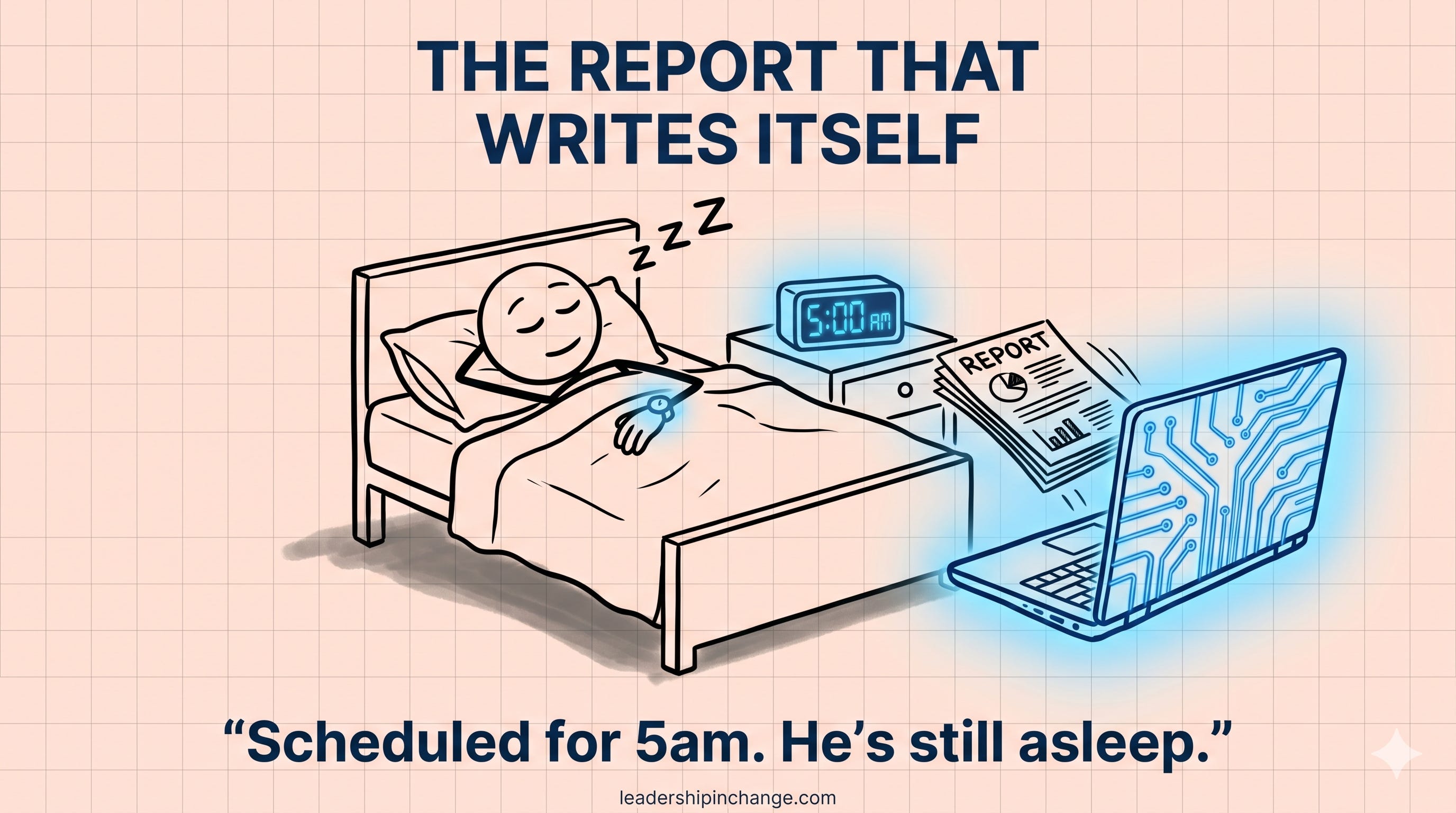
Most operational work isn’t hard, it’s just repetitive and it eats your week. Cowork is built for exactly that, especially once you put it on a schedule (a scheduled task is a prompt you save with a time, so it runs on its own — and as of July 2026, it runs remotely, even with your computer off).
📋 4. A morning brief, every day at 5am
The problem: You start every day rebuilding your own priorities from a full inbox and a packed calendar before you’ve done any real work.
What's needed: Gmail and Calendar connected. No files.
Copy-paste prompt:
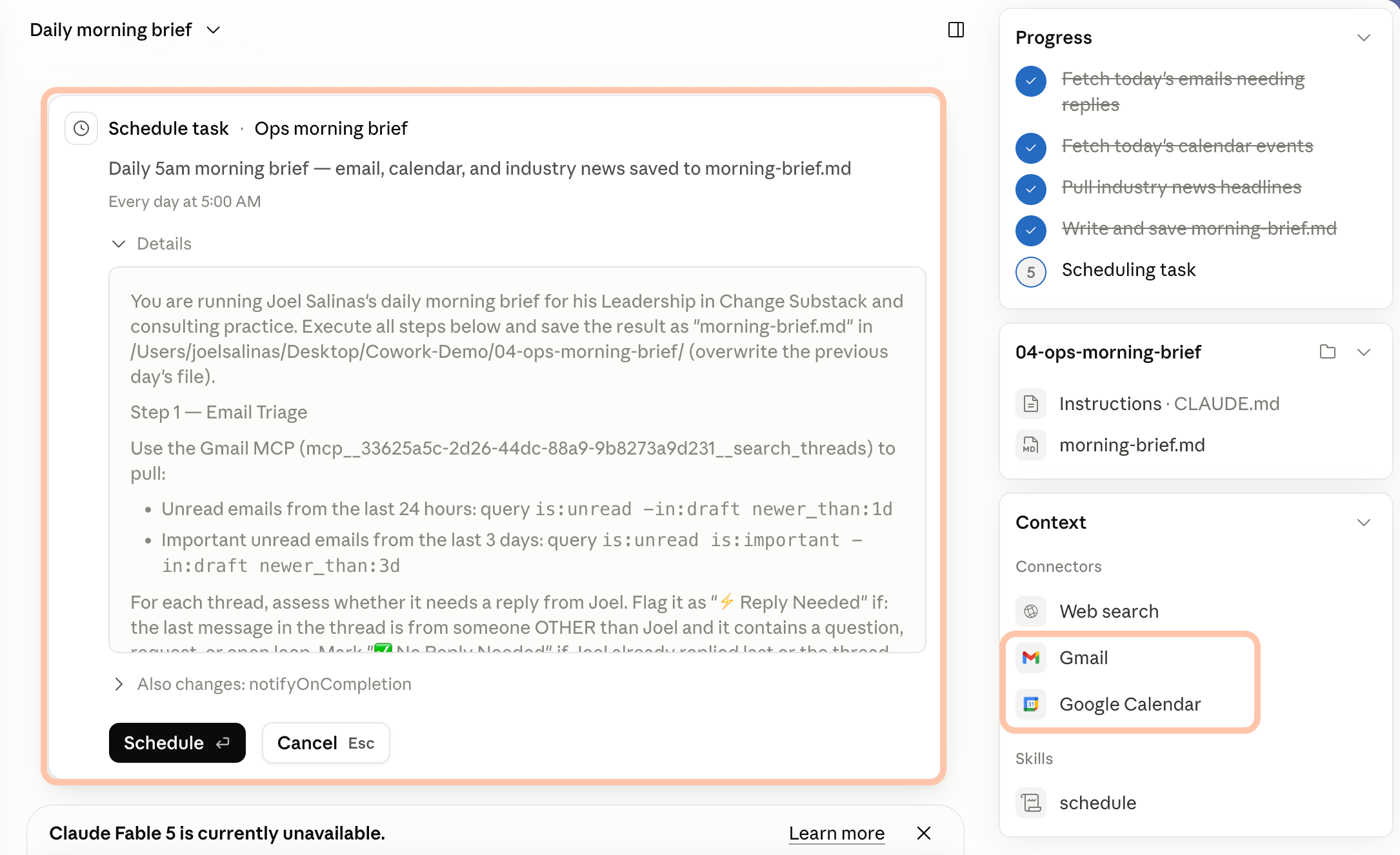
Every morning, check my email and calendar for the day. Flag the messages that actually need a reply, list my meetings with the prep each one needs, pull the two or three biggest stories in [your industry], and save it all as “morning-brief.md” in this folder. Set this to run daily at 5am.
Here is a sample that ran through my gmail and calendar and generated a sample. You will need to SCHEDULE and have connected Gmail and Google Calendar for this to work.
📋 5. Messy meeting notes into trackers and follow-ups
The problem: Turning messy call notes into a tracker and a follow-up for every client is two to three hours of busywork you keep pushing to later.
What's needed: a folder with your meeting transcripts (text files).
The example below included the submission of 3 transcripts, and the resulting project trackers and post-meeting emails…
Copy-paste prompt:
Process these client meeting transcripts. For each client, create one Excel project tracker with tasks, owners, deadlines, and priority levels, and one follow-up email under 150 words confirming next steps in a professional but warm tone. Where someone said “end of next week,” calculate the actual calendar date. Save everything to this folder.
📋 6. The end-of-week report for your boss
The problem: The Friday report is work you’ve already done, written up again from scratch when you’d rather be done for the week.
What's needed: your calendar and inbox connected, plus your daily notes saved in the folder.
Here is a snapshot from my email and content.
Copy-paste prompt:
Using the daily updates I’ve saved in this folder this week, plus my calendar and inbox, draft my weekly report: what moved forward, what’s blocked, and what needs attention next week. Then draft the email to my manager for me to review before it sends.
I do a version of this with scheduled tasks myself, and it’s the one Cowork habit I’d never give up. You wake up to the work already done.
✍️ Content and marketing: repurpose, don’t recreate
If you create anything regularly, Cowork removes the part you hate: the reformatting, the resizing, the moving of work between tools. Give it your raw material and your brand rules once, and it produces finished, on-brand assets on repeat.
✍️ 7. One transcript into a week of LinkedIn posts
The problem: You already said something worth sharing on a call or a video, but turning it into a week of posts is the step that never happens.
What's needed: a folder with the transcript, plus a few lines on your writing voice (or your brand file).
Here is a demo using my transcripts…
Copy-paste prompt:
Read the video transcript in this folder. First, research how the top creators structure high-performing LinkedIn posts. Then write seven posts that position me as a leader on this topic, each saved as its own document in this folder. Match my writing voice [paste a few lines on your tone, or point Claude to your brand file], and don’t write anything generic.
✍️ 8. Social clips cut from a long recording
The problem: The best moments are buried in an hour-long recording, and cutting them by hand is time you don’t have every week.
What's needed: a folder with the recording and its transcript.
For the sample below, I added a video and transcript from my most recent podcast. Below is a clip it generated from the 30 minute recording, and branded the last frame.
Copy-paste prompt:
In this folder is a webinar recording and its transcript. Find the five strongest moments, cut a short clip for each, add my branded outro, and save them as ready-to-post files with a one-line summary of each.
✍️ 9. A competitor’s whole ad strategy, analyzed
The problem: Mapping a competitor’s full funnel means clicking through every ad and landing page, a full day you’d normally pay a specialist for.
What's needed: Claude for Chrome connected, plus the advertiser's Meta Ad Library link.
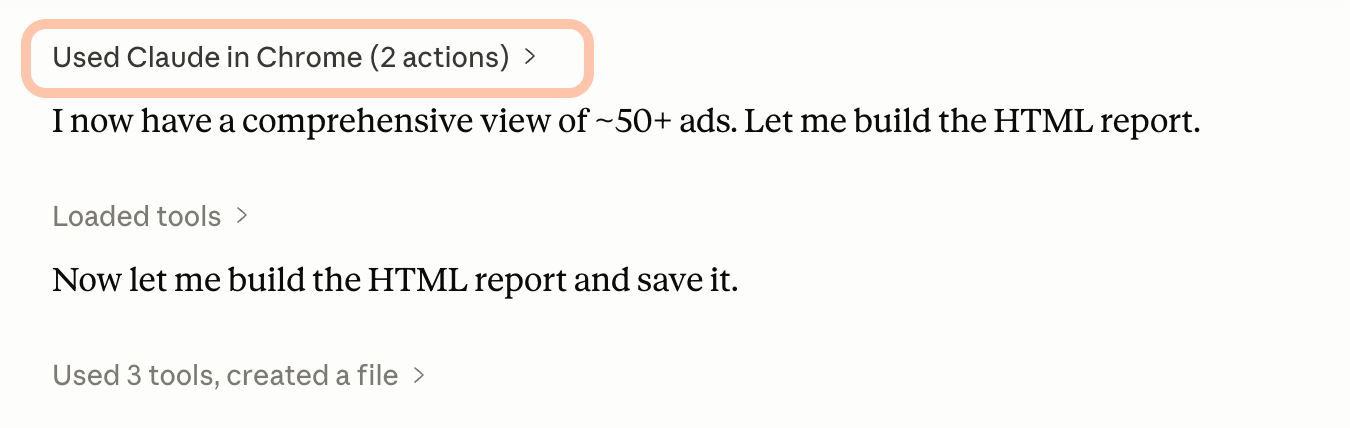
For this example, I found Target’s page in Meta’s Public Ad Library. First, Cowork opened my browser, and after I allowed permissions for the page, it browsed.
Then, it took the content gathered…
And compiled the report.
Copy-paste prompt:
Open the browser, go to this advertiser’s page in the Meta Ad Library [paste the link], and review every active ad. Tell me their core strategy in one sentence, the landing pages they drive to, and the messaging angles they repeat. Save it as an HTML report I can open.
The repurposing one is closest to my world. I’ve written before about the three-AI system I use to write this newsletter, and Cowork is the piece that handles the heavy moving of content so the thinking stays human.
👥 HR and people: the deliverables nobody has time for
HR runs on documents that take an hour each and never feel finished. Cowork produces them as structured, ready-to-edit files, which is exactly the kind of work that benefits from giving Claude a clear role and a required format.
👥 10. A 30-60-90 onboarding plan
The problem: Every new hire needs a real onboarding plan, and starting from a blank page each time is exactly why it often doesn’t get done.
What's needed: nothing but the prompt.
Here’s a demo with some made up data…
Copy-paste prompt:
Build a 30-60-90 day onboarding plan for a new [role] in [department] reporting to [manager]. Cover goals, learning priorities, key meetings with their purpose, early deliverables, and a manager check-in cadence for each phase. Format it as a single table at an 8th-grade reading level. Center it on role clarity and real progress, not busywork.
👥 11. Exit interviews synthesized, without the names
The problem: The patterns in your exit interviews are some of the most useful data HR has, and they sit unread because summarizing them by hand takes too long.
What's needed: a folder with your anonymized exit-interview notes.
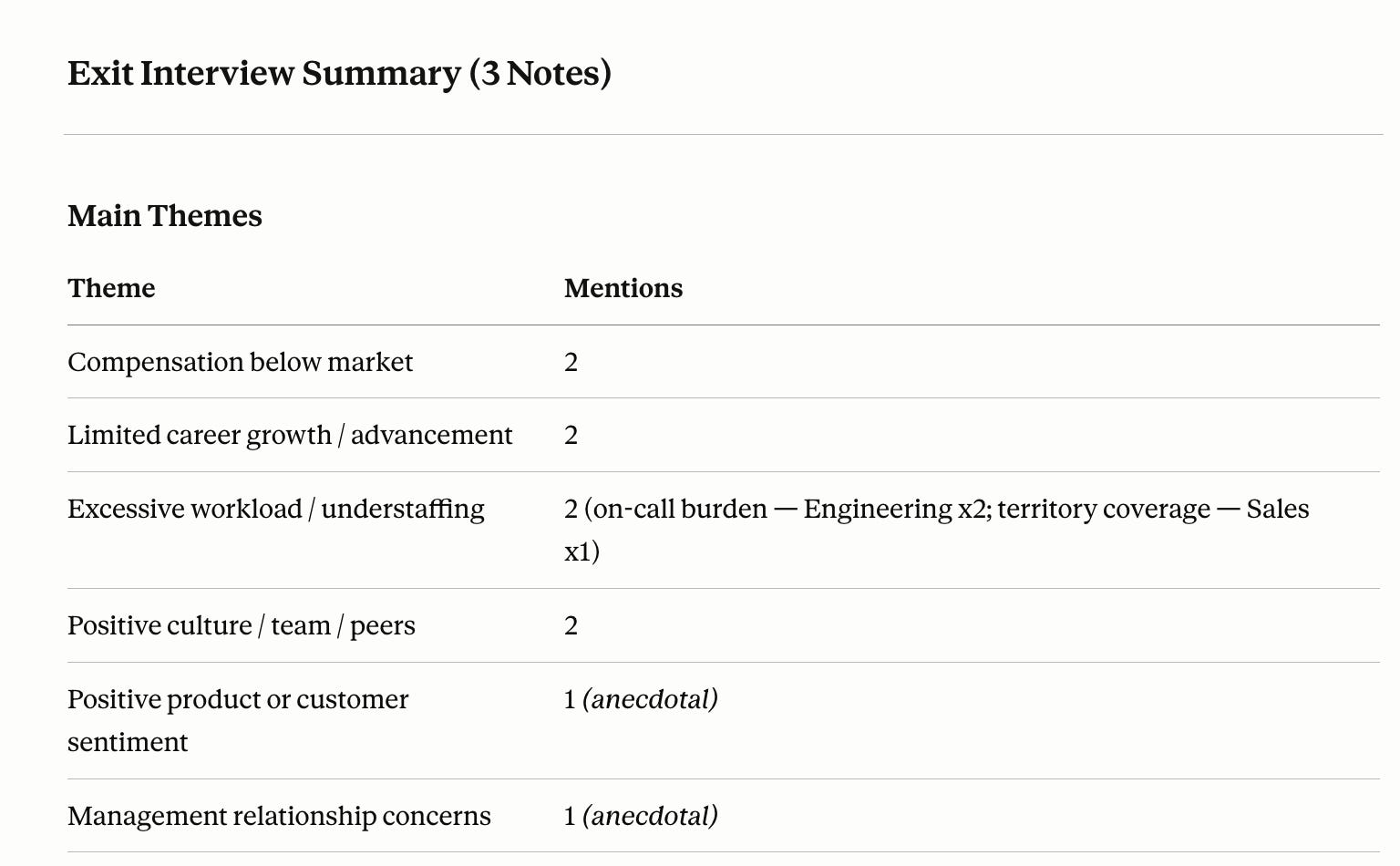
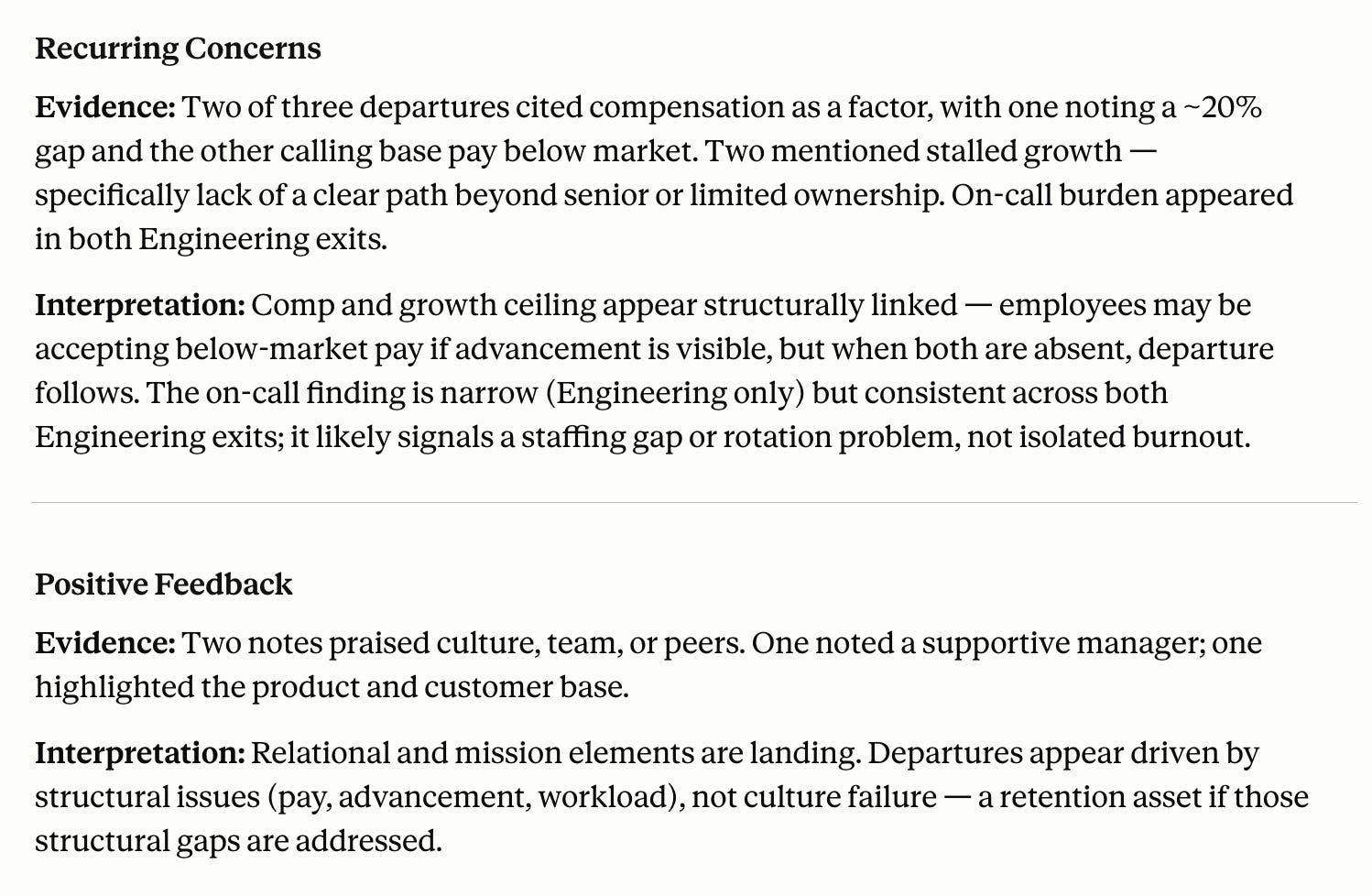
Here are my results from a few anonymized interviews:
Copy-paste prompt:
Read these anonymized exit-interview notes. Summarize the main themes with a count of mentions per theme, recurring concerns, positive feedback, and retention risks. Separate “Evidence” (from the notes) from “Interpretation” (your read of the pattern). Keep it under 500 words, no names, and flag any theme that appears only once as anecdotal.
👥 12. A fully-loaded headcount cost model
The problem: Leaders keep asking what a role really costs, and the honest answer lives in a fully-loaded model nobody has time to build.
What's needed: nothing but the prompt and your comp assumptions.
I just ran this some basic instructions, ready and usable for my context.
Copy-paste prompt:
Build a column that calculates the fully-loaded cost per role: base salary, benefits, payroll tax, bonus, equipment, recruiting, and location factors, with logic that pro-rates partial-year hires. Give me the formulas ready to paste into Excel, a plain-language explanation of each component, and a list of assumptions Finance needs to approve.
🧠 Research and knowledge work: build a second brain that improves itself
This is the category leaders sleep on. Cowork can take a pile of unstructured material and turn it into something you actually use, then keep it current on a schedule.
Since these are the most valuable of the 15, these are reserved for Premium Members only.
To access these and much more, sign up for Premium for less than $4/mo, and Reload this page.
If You Only Remember This
The jump comes down to a different verb. Chat is for asking. Cowork is for assigning the whole task and walking away while it gets done.
The 5-minute setup beats the clever prompt every time. One clean folder and a short context file is what turns Cowork from a chatbot with file access into something that works like a trained employee.
Cowork is the on-ramp to power-user territory without code. It gets you 80% of what’s possible and into the top 10% of people actually using AI.
What’s the first task you’d hand off if you never had to do it yourself again? Tell me in the comments, I read every one.
Subscribe for more!
Questions Leaders Are Asking
What is Claude Cowork? Claude Cowork is Anthropic’s AI assistant that runs on desktop — and as of July 2026, on web and mobile — opens the real files on your computer, and completes multi-step tasks from start to finish. Instead of answering a question in a chat window, it produces finished Excel, Word, and PowerPoint files in your folders.
How is Cowork different from Claude Code? Claude Code is the coding-focused version, built for people comfortable building software. Cowork is one step below it and needs no code. For most leaders, Cowork covers about 80% of what they’d want AI to do, which makes it the right starting point before Claude Code.
Do I need to know how to code to use Claude Cowork? No. Cowork is designed for non-technical professionals. You write plain-language instructions, the same way you’d brief a new employee, and point it at a folder of files. The only setup is creating a working folder and a short context file describing how you want things done.
Is Claude Cowork safe to use with sensitive company data? Use a business or enterprise plan, which commits to not training on your data, and involve your legal team before sharing confidential files. Test with anonymized data first, and decide in advance which data categories are approved for use. Treat a generic prompt and a live financial file as very different risk levels.
What can Claude Cowork do that regular Claude chat can’t? Cowork reads and writes the actual files on your computer, works across apps like Excel and PowerPoint in one task, runs on a schedule, and can control your browser to do research. Chat only returns text. Cowork returns finished deliverables you can send.
Joel Salinas is an AI Strategy Coach for leaders at small and mid-sized businesses and nonprofits. AI is everywhere; judgment is scarce. Joel helps leaders adopt AI without outsourcing their judgment to it, through live workshops and 90-day engagements. Creator of the AI Leadership Triad. He writes Leadership in Change.
Claude Cowork offers a remarkable shift in productivity by automating multi-step tasks, allowing professionals to focus on strategic decision-making rather than mundane execution. Have you explored how AI can streamline your workflows in your organisation?









Claude Cowork offers a remarkable shift in productivity by automating multi-step tasks, allowing professionals to focus on strategic decision-making rather than mundane execution. Have you explored how AI can streamline your workflows in your organisation?
Building the checking into the file instead of doing it yourself afterward is such a smart instinct.