



TL;DR: You can build a consistent visual brand in 60 minutes. Image generation isn’t a vending machine, unless you treat it like one. It’s a design tool like pencil, paint and Photoshop. Only now the surface is probabilistic. Which means your visuals feel chaotic because the model isn’t being briefed well.
In three structured steps - define your non-negotiables, create a base visual library, and design a mutation workflow - you can fix that in under an hour. Your images will never feel random again.
So here’s something I’ve been watching closely for a while, and it’s one of the reasons I asked Pinkie ( AI Meets Girlboss ) to write this post for us.
One of the hardest questions every leader, founder, and creator is asking right now is this: how do I make my AI-generated content actually look like me, and not like everybody else using the same tools?
It’s a fair question. Everybody has access to the same models. Everybody is typing similar prompts. Everybody is pulling from the same training data. So when you open up ChatGPT or Nano Banana or any other tool and just generate whatever the prompt gives you, you get what everybody else gets. That’s not a branding strategy. That’s camouflage.
I’ll admit it. My own feed looked like that a year ago. Every cover image was a new experiment. They were fine individually, but together they looked like five different brands sharing a logo. I was using the tools, but I hadn’t made a single decision about identity. The drift was all mine. What caught my attention about AI Meets Girlboss is that she generates consistent images. Her feed looks like a brand. The character, the palette, the linework, all of it holds together across hundreds of posts. That’s a different skill. It’s the one most people skip.
So I asked her to come write this for us, because if you’re trying to build something that looks like you and not like the rest of the internet, this is the missing piece. Spend 60 minutes on the framework she lays out below. It’ll save you the next 60 hours of regenerating images that still don’t look like your brand.
If this is the area you’re trying to get better at, go subscribe to her at AI Meets Girlboss. She goes deep on this every week.
Take it away, Pinkie.
Build a Repeatable Visual System in 1 Hour With AI
Stop generating images. Start building a system.
Imagine you walk into a casino.
Red carpet. Velvet ropes. No clocks. No windows. Bright lights. The metallic hum of slot machines. Coins raining. Confetti bursts. “WINNER.”
Now imagine someone standing there, pulling the lever over and over, hoping the next spin solves everything.
That’s how most people use AI image generation.
Prompt. Spin.
Regenerate. Spin again.
Near miss? Try one more time.
And when they don’t like the output?
“It’s random.”
“You never know what you’ll get.”
“It’s fun, but unreliable.”
But here’s the truth: the randomness isn’t coming from the model. It’s coming from the way you’re playing the game.
If you approach AI image generation like a slot machine, it will behave like one.
The good news? AI image generation is less like gambling and more like infrastructure. And unlike roulette, you actually get to set the rules. This is how you turn AI image generation into a controlled, repeatable visual system in under an hour.
If your team spends time or money on stock images, basic blog visuals, or recurring design briefs, this framework replaces that friction.
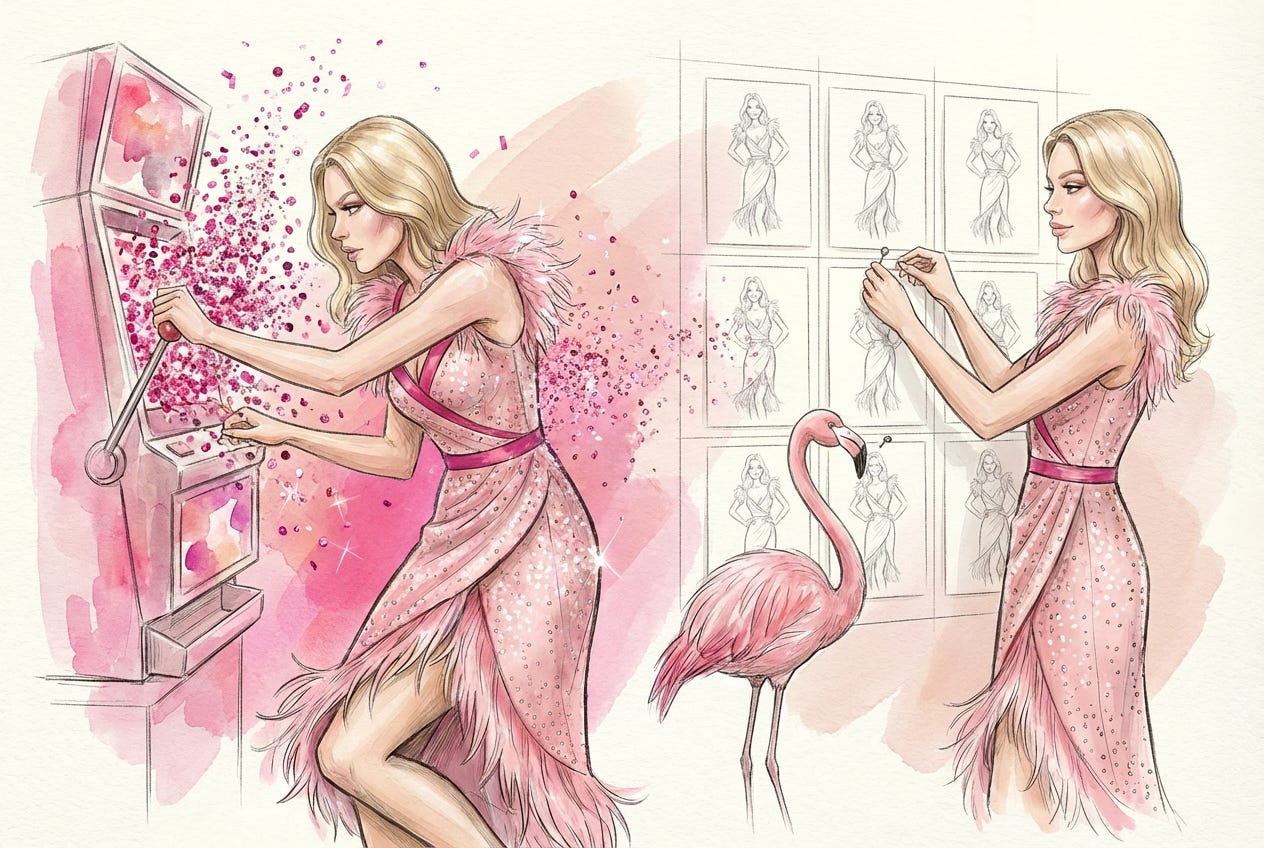

Hey! I’m Pinkie, I run AI Meets Girlboss, and I work with solopreneurs who act as their own brand, design, and marketing team. When they come to me, their visuals usually look polished individually, but disconnected collectively. This framework is how we fix that without adding more tools, budget, or complexity.
What You’ll Learn
Building a repeatable visual brand with AI only takes three moves:
Define your non-negotiables
Lock the elements that must never drift: your character, color palette, proportions, silhouette, and lighting logic.Create a base visual library
Build an anchor image that becomes your brand’s gravitational center, the reference every future visual aligns to.Design a mutation workflow
Generate endless variations without losing identity.
By the end of this post, you won’t be “trying your luck” with AI images. You’ll be running visual governance.
Let’s get into it.

Why AI Images Feel Random, And Why That’s Not a Bug
Randomness is built into AI systems. It’s not an accident or a flaw. It’s designed to be random as a feature.
Image models are probabilistic by design. They don’t retrieve one fixed answer. They generate from a distribution of possible outputs. That variability is what allows them to be creative instead of mechanical.
Without randomness, you’d just get repetition.
Human creativity works similarly. Original ideas rarely come from nowhere. They emerge from recombining existing concepts in new ways.
AI does the same thing and is extremely strong at:
Pattern recognition
Style reproduction
Rapid iteration
Generating long lists of possible directions
It can produce 50 visual interpretations in seconds. Most will be average. Some will be promising. A few might be excellent.
The problem is when randomness operates without boundaries. If nothing is defined as fixed, every generation becomes a new identity experiment.
That’s not creativity. That’s drift.
The Shift: From Drift to Identity
I run AI Meets Girlboss, where I help solopreneurs build structured, strategic brands with AI.
Most of the people I work with are one-person enterprises. They’re the founder, designer, brand manager, and content team at the same time.
When they come to me, their visuals usually look like this: Every product image is a new experiment, every post has a different aesthetic, and every launch looks slightly unrelated to the last one.
Individually, nothing is “bad”, but collectively, there’s no identity.
That’s drift.
My own brand looked similar at the beginning. I generated cover images topic by topic. Each one worked on its own but together, they had no recognizable system.
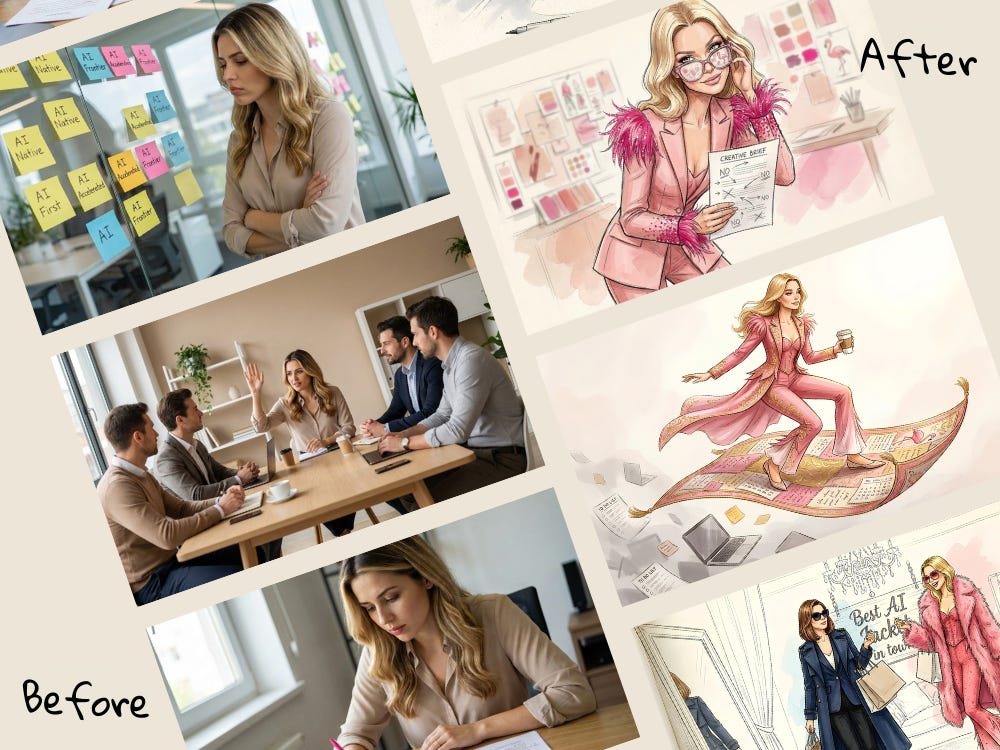
The turning point was introducing a fixed character into the visual world.
She has:
A locked pink-forward palette
Stable proportions and silhouette
Consistent fashion-illustration linework
A flamingo as a brand easter egg
Now the topic changes, the metaphor changes, the environment changes. But the identity doesn’t. It’s the same character, whether she’s explaining AI governance or playing roulette in a casino to make a point about randomness.
After enforcing that system, readers started recognizing my posts before reading the headline. Open rates increased by 10–13%.
The AI didn’t become less random. The way I structured my brief became more defined.
In this game, AI handles variation. You handle identity. That’s when image generation stops being a gamble and becomes a strategy.

The 1-Hour Visual Brand Build
The below three steps create a system where AI can generate freely, without your brand drifting.
A Quick Word on Tools
You don’t need a complex stack. For most founders, this is enough:
ChatGPT (DALL·E): solid starting point for image generation and structured prompting in one place.
Gemini / Nano Banana: strong for character consistency and visual continuity across variations.
Both allow you to iterate quickly and reference previous images, which is essential for building a repeatable system.
One note: Claude is not strong for image generation. It’s excellent for writing and reasoning, but not the right tool for this workflow.
Tool choice matters less than structure.
Step 1: Define Your Fixed and Fluid Elements (15 Minutes)
Before you generate anything, define what must never change. Most people skip this and jump straight to scenes. That’s why everything drifts.
A repeatable visual system has two categories:
Fixed elements: the anchors
Fluid elements: the variables
Your fixed elements might include:
Character or logo
Color palette
Silhouette logic
Proportions
Line style
Lighting rules
Texture
Your fluid elements are usually:
Environment
Context
Metaphor
Story moment
Prompts are one-time instructions, but systems are infrastructure. Start by clarifying the system.
Use this:
I need help developing a visual world and character system for my brand.

Ask me questions one by one until you are at least 95% confident you understand:

– What must always stay consistent (fixed elements - eg: Character or logo, Color palette, Silhouette logic,
Proportions, Line style, Lighting rules)
– What can change from image to image (fluid elements)- eg: Environment, Context, Metaphor, Story moment)
– What this visual world must communicate
– What would feel wrong even if it looks good
– What references I like and dislike

Do not generate images yet.

Once confident, summarize my needs into:

1) Fixed visual rules
2) Flexible elements
3) Clear constraints

Then propose one cohesive visual direction.
I go into even more detail about defining fixed and fluid elements in my post about designing my base character here.
Step 2: Create a Base Visual Library (20 Minutes)
Now you build your anchor image.
This is the step most people skip, and it’s the most important. You are creating the base image that every future visual will reference. This anchor will allow you to generate variations without drifting in style.
At this stage, you are not creating content yet. Yes, you are generating an image. But its purpose is alignment. This is your visual gravity.
Using the fixed rules you defined in Step 1, create one base character or core visual asset that will become the reference point for all future scenes.
You are a senior visual designer.

Create a single, clear brand character based on these constraints:

[Insert your fixed rules]

The character/image must communicate:
[2–3 traits]

Avoid at all costs:
[Deal-breakers]

Maintain:
– Proportions
– Silhouette clarity
– Palette discipline
– Line style consistency

Generate 5 base variations of the same character.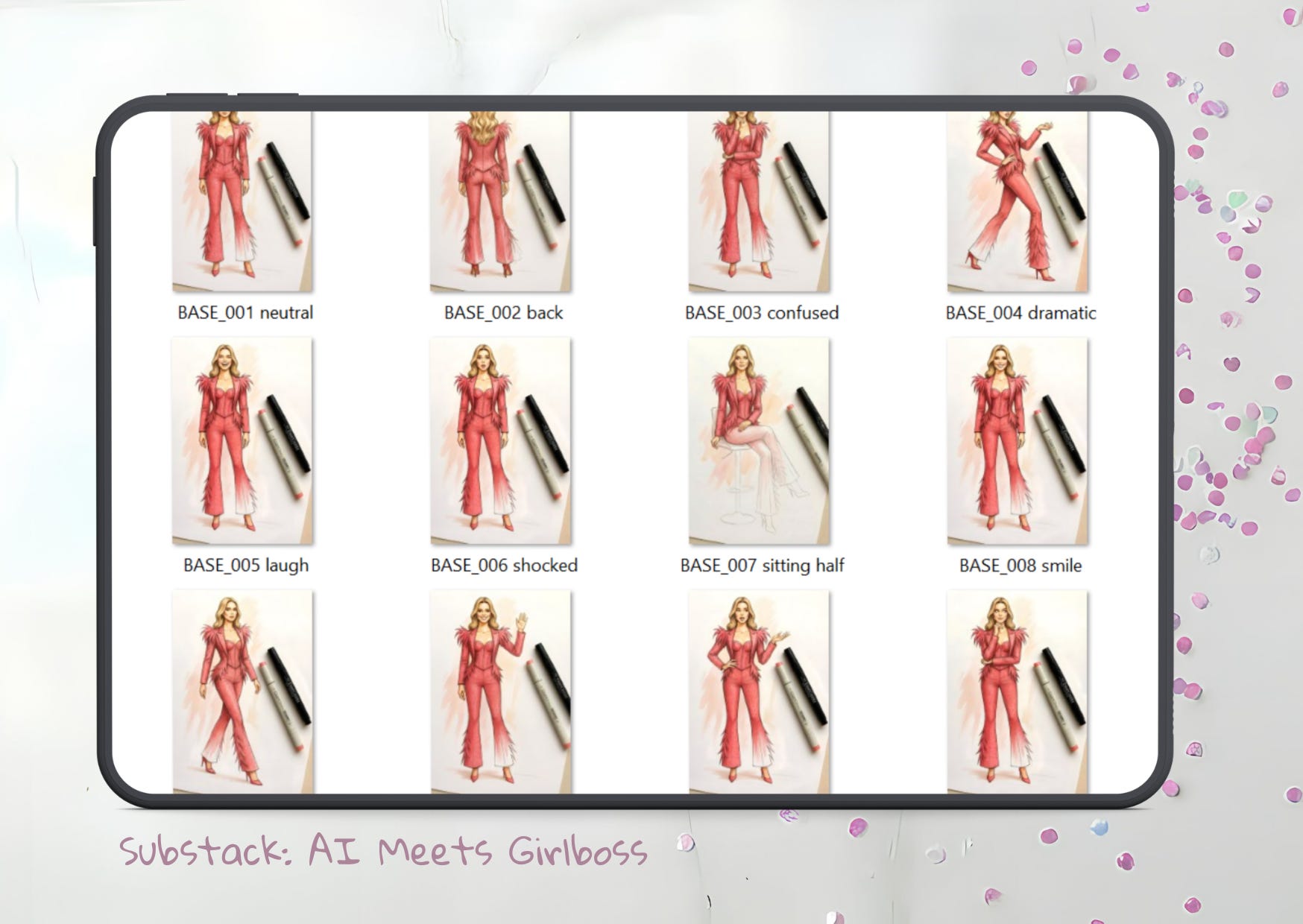
You won’t get it right on the first attempt. You will need refine. And that’s completely normal and part of the process. Refinement requires taste and judgment. Using your first draft anchor image, apply this prompt structure:
Generate the exact same illustration.
Only adjust: [specific change].
Do not change anything else.
Run 4–5 controlled variations and evaluate strategically:
Which version feels most stable?
Which one is recognizable at thumbnail size?
Which one could anchor 20 future visuals?
Choose one and save it in a folder titled: /Brand Core / Approved Anchor
This becomes your reference image for everything. From this point forward, your prompts will focus less on style and more on content, because style is already locked.
That’s the shift.
Without an anchor, every image is a new identity experiment. With an anchor, you’re running a system and will actually get better image outputs from AI.
More on how to decide what fits and what doesnt’t and how to tidy up your thoughts before generating images HERE.
Step 3: Design a Mutation Workflow (25 Minutes)
Now you introduce controlled variation.
Upload your anchor image as a reference.
Most tools allow style or character referencing, which is why I suggest using ChatGPT and Gemini for starters. This is where AI stops feeling random.
Use this structure:
Using the attached base image as reference,

Maintain:
– Color palette
– Proportions
– Silhouette
– Line style
– Lighting logic

Change only:
[This is where you describe the fluid elements: Scene / environment / context]

Do not introduce new stylistic directions.
Output ratio: 3:2 horizontal.
As an experiment, generate 10 variations. Review them together. If 8 out of 10 feel like the same brand, your constraints are strong. If they drift, your fixed rules are too loose.
Tighten.
Run again.
This is infrastructure building.
If you’d like to learn more about how to build mutations from a base library, I break it down in even more detail here.
The result?
By the end of these three steps you now have:
A defined visual identity
A reusable anchor
A scalable mutation system
AI handles variation and you control identity. That’s how you move from experimentation to repeatability.
Where This Fits Inside Your Business
Look at how your team currently handles visuals.
Do you:
Buy stock images for blog posts?
Spend hours searching for “good enough” social graphics?
Create mock-ups manually?
Brief designers for simple recurring assets?
These are operational tasks and production rather than strategic design work. This is where a defined AI visual system fits.
Not to replace your brand designer.
Not to redesign your identity.
But to eliminate repetitive image friction.
Will AI deliver 100% brand precision? No, but it doesn’t need to.
It can replace:
Stock image subscriptions
Low-impact design briefs
Manual mock-ups
Inconsistent social visuals
Product photoshoots (like the example below)
Once your anchor exists and your mutation workflow is defined, these assets stop being individual projects.
They become controlled variations inside a system.
In the comments, tell me:
Where is your team currently wasting the most time on visuals: stock images, mock-ups, blog covers, social posts or somewhere else?
Whatever it is, that’s the first place this system should replace. Introduce this workflow to your team as an operational upgrade and remove the visual bottlenecks.
Talk later,
Pinkie
Okay, here’s the line from Pinkie’s piece I want you to sit with: AI handles variation. You handle identity.
That’s the whole thing. And it’s not only about images. It’s the rule for AI-generated copy, AI-generated reports, AI-generated anything. The model gives you variation for free. Identity is still your job, and identity is what separates you from every other person using the same tool.
Here’s the line to walk away with: the model is free. The identity is the asset.
And when you’re ready, go subscribe to AI Meets Girlboss. She’s doing real work in this space, and you’ll learn something every week.
This is content made by a human, for humans who are trying to build something that actually looks like them. See you next week.
Frequently Asked Questions
Do I need to pay for a premium AI image tool to make this work?
No. Pinkie’s framework is tool-agnostic. ChatGPT (DALL·E) and Gemini / Nano Banana both support character referencing, which is all you need. The system is about decisions, not software.
How long does it realistically take to build a repeatable visual brand with AI?
Around 60 minutes if you already know your brand direction. Pinkie breaks it into three phases: 15 minutes defining fixed versus fluid elements, 20 minutes building your anchor image, 25 minutes designing your mutation workflow.
Can this replace a professional brand designer?
Not for your foundational identity. Use a human designer to define your visual world, then use this framework to scale production without losing consistency. It replaces stock photography, recurring design briefs, and mock-ups, not strategic brand work.
What’s the single most common reason AI images feel inconsistent?
No anchor image. Most people prompt from scratch every time. Without a reference point for the model to align to, every generation is a new identity experiment. Build the anchor once and every future image has gravity.
How does this apply to AI-generated copy, not just images?
Same principle. AI handles variation, you handle identity. In writing, your fixed elements are voice, vocabulary, sentence rhythm, and point of view. Your fluid elements are topic, format, and framing. Lock the first set and the second set flexes without drift.
Which AI image tool does Pinkie recommend?
ChatGPT (DALL·E) for prompt-in-one-place workflows, Gemini / Nano Banana for stronger character consistency across variations. Claude is not strong for image generation. It’s excellent for writing and reasoning, not this workflow.
About Me
Joel Salinas is a Fractional Chief AI Officer for small and mid-sized businesses and nonprofits, providing strategy, hands-on builds, and change management. He writes Leadership in Change and also offers 1:1 coaching for individual leaders.
OMG I so need this, I’m saving it - great article!
Thanks Joel and Pinkie, this was timely.