



TL;DR - Most of what makes an AI product useful or unsafe gets decided before anyone opens a design tool. Product strategist Ileana Marcut lays out 8 areas to get right, from choosing whether it should be AI at all, to boundaries, data, verification, human control, and compliance. Work them before you build, not after.
So here’s the pressure a lot of us are feeling right now: put AI into everything, and do it fast. Nobody wants to be the team that fell behind, so we bolt an AI feature onto the product and figure we’ll make it safe and useful later.
Here’s the thing though. Most of what decides whether an AI product actually works, and whether it’s safe to put in front of people, gets settled before anyone opens the design tool. That’s the part we skip. It’s also a big reason so many AI implementations fail.
This week I’m handing the newsletter to someone who works right in that gap. Ileana is a product strategist and UX and AI designer (UX means user experience, how a product actually feels to use), and the founder of Creative Glue Lab, where she helps teams design and build AI products. I liked how she frames this... not as a compliance headache to clear at the end, but as a set of questions you ask up front, before the decisions harden into code.
What she’s put together is a practical checklist: 8 areas that decide whether an AI product turns out useful, safe, and compliant. If you build products, commission them, or just have to approve them, this is the pre-flight list worth keeping.

If her thinking resonates, subscribe to her Substack after you read. I’ll meet you at the bottom with the one area I’d start with.
Over to Ileana.
New Material, New Responsibility
We’re building with a new material.
AI went from a tech demo to the thing we shape into everyday products: chatbots, AI agents, autonomous workflows, and intelligent systems.
It’s new for everyone. And the mood feels the same in most rooms: excitement + speed.
No one wants to be the team that fell behind, so the pressure is to move fast and add AI into everything. We’re being asked to build more, faster, while working with higher complexity and higher risk.
AI products remember, decide, and act on someone’s behalf. They shape what people trust, choose, think, and the calls a business makes. That capability comes with a new level of responsibility for the teams designing and building it.
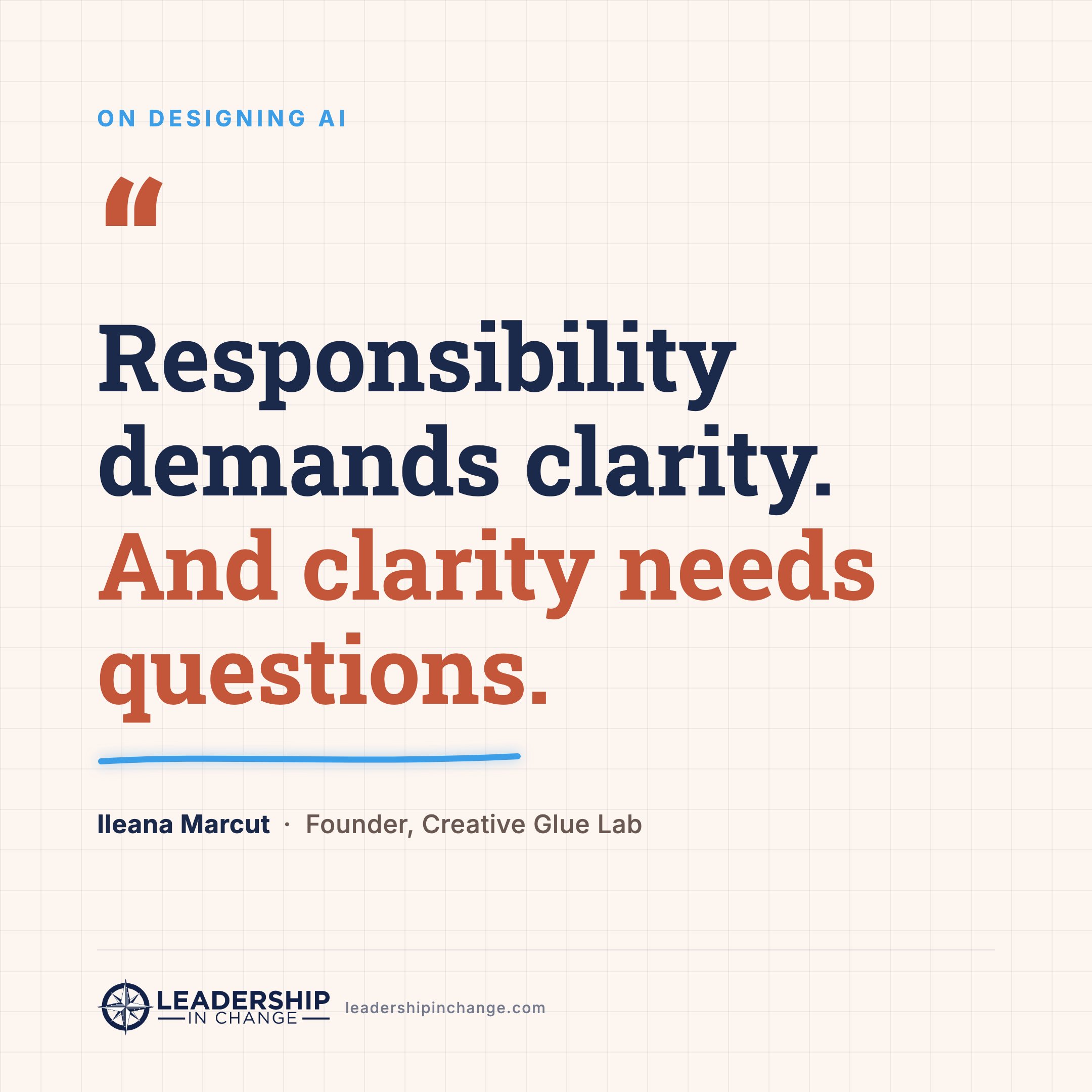
Responsibility demands clarity.
And clarity needs questions.
That’s a new level of responsibility, and most of it gets decided before anyone touches the interface. With AI, UX reaches well beyond how a product looks, into data, safety, and compliance.
Use this guideline to cover what you need to build useful, safe, and compliant AI products.
Don’t forget to save this one for later! 💾
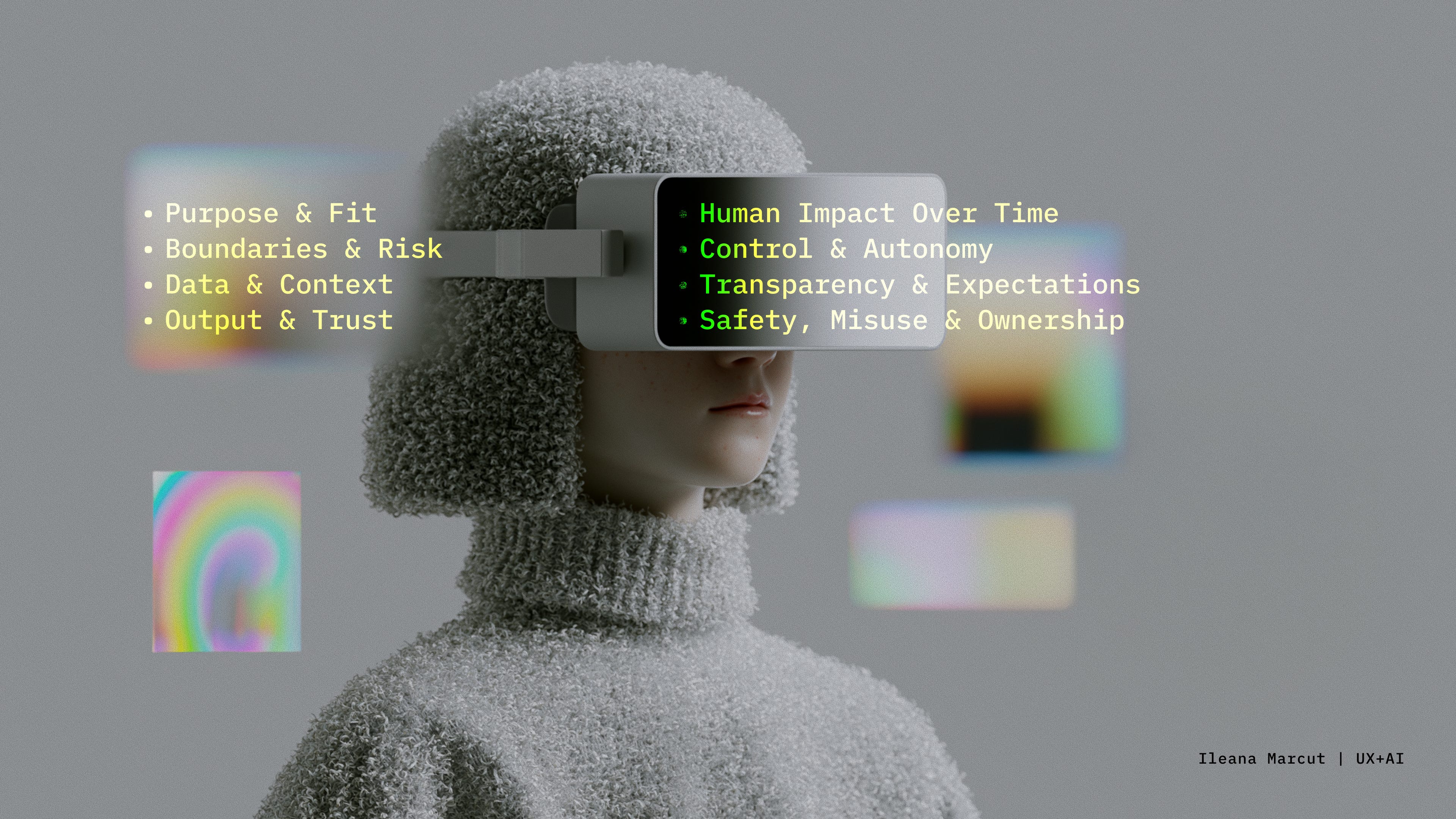
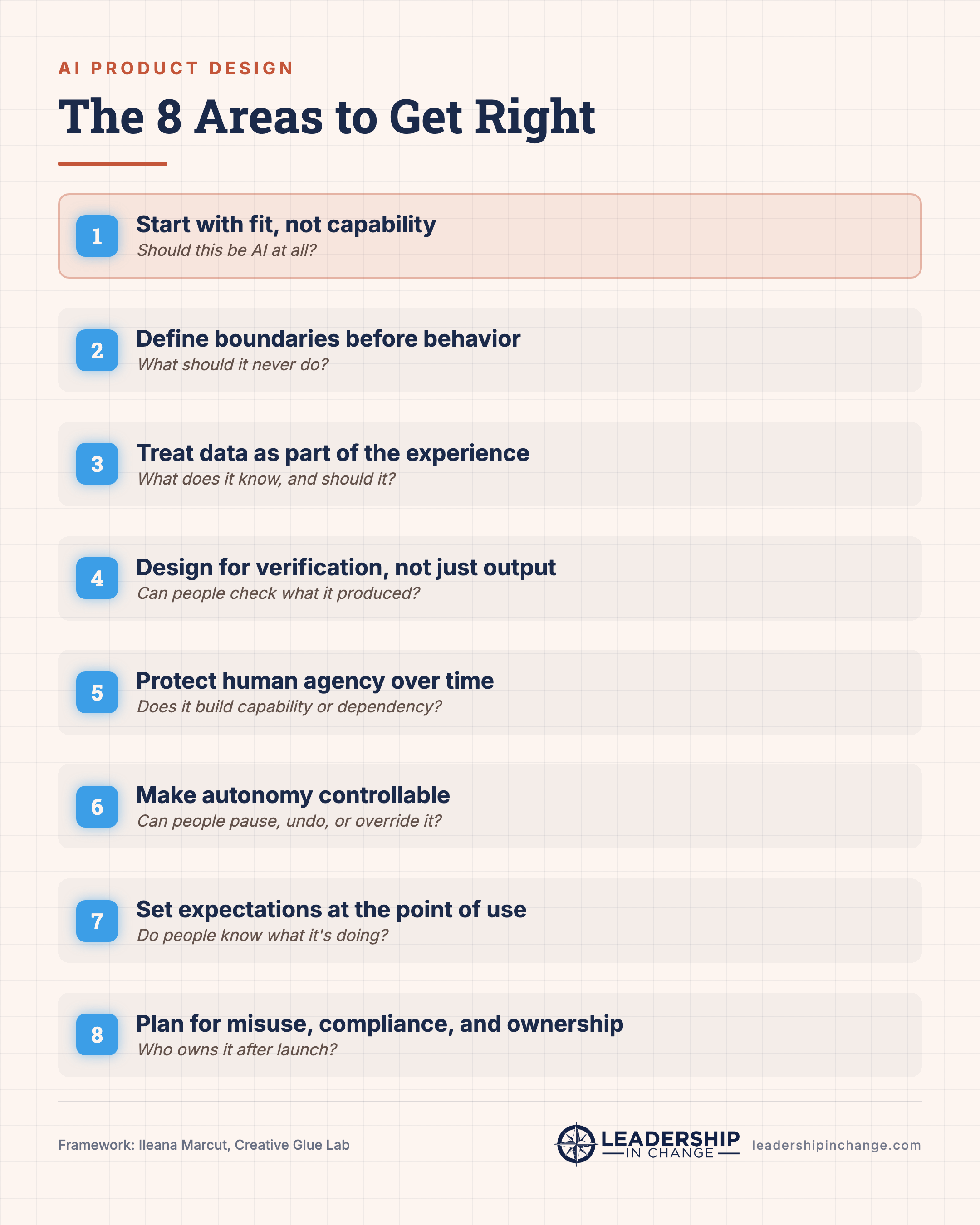
Designing AI Products: 8 Areas to Get Right
This guideline walks you through 8 areas that make or break the experience, the ones AI adds on top of UX fundamentals like accessibility. Some will matter more than others depending on what you’re building. Cover the ones that do, and always bring the right expertise into the room.
1. Start with fit, not capability
Should this be AI at all?
AI earns its place when it improves the experience in a way a simpler pattern can’t. Fit also means the kind of AI and the relationship it creates with humans.
What to cover:
What problem are we solving, and what does AI make better: speed, quality, access?
Would a simpler rule, workflow, or automation solve this better?
What kind of experience is this: does the AI assist, act on someone’s behalf, or work in the background?
Which model or approach fits, and what does it cost in accuracy, latency, and risk?
What relationship are we building between humans and AI?
Look for a real reason to use AI: it should solve the problem better than the simpler option.
2. Define boundaries before behavior
What could go wrong, what should the AI never do, and who does it affect?
AI changes the shape of product risk: part of the behavior is generated in the moment, so the system can respond in ways no one fully scripted.
What to cover:
What should this AI never do, and where could it overstep its role?
Who uses the AI, and who is affected by its output or action?
What happens if it’s wrong, biased, or overconfident, and people trust it anyway?
Can people tell why it did something, check it, or undo it?
Could one failure trigger another?
Look for clear boundaries: the team should know what the AI is allowed to do, what it should avoid, and where the stakes change because of the context.
3. Treat data as part of the experience
What does the AI know, and should it?
AI experiences run on data, and that data shapes what the AI can produce, reveal, or get wrong.
What to cover:
What data is the AI using, and where does it come from?
Is it personal, sensitive, biased, or outdated?
Can people see, correct, or delete the context it’s using?
Is the data safe to send to this model or vendor, and what should never be context?
Look for a clear data boundary: people shouldn’t be surprised by what the AI knows, remembers, assumes, or exposes.
4. Design for verification, not just output
Can people understand and verify what the AI produced?
AI output can sound confident while being wrong, so the experience has to help people judge how much to rely on it.
What to cover:
Is the output a draft, a suggestion, a recommendation, or a decision?
Can people verify it, see sources, or compare options?
Does the system show uncertainty, or refuse when it shouldn’t answer?
Look for calibrated trust: the product shouldn’t make AI output feel more certain, final, or authoritative than it deserves.
5. Protect human agency over time
What does this do to people over time?
AI products affect more than task completion. They shape confidence, judgment, dependency, and behavior over time.
What to cover:
Does this make people more capable, or more dependent?
Does it support their judgment, or replace it?
What does it do after weeks or months of use?
What are the hard moments: confusion, rejection, failure, or no fix available?
Look for a healthier relationship over time: people keep their own judgment and skill, rather than handing them to the AI.
6. Make autonomy controllable
Can people steer, pause, approve, undo, or override it?
Control matters more as AI becomes more autonomous. Suggesting is one thing; acting on someone’s behalf is another. The aim isn’t to approve every step, that defeats delegation.
What to cover:
What can the AI do alone, and what needs approval?
What can be previewed, edited, or undone?
Can people pause, stop, override, or redirect it mid-task?
Is review calibrated to risk, or does it create approval fatigue?
Look for meaningful control: people can see what the AI is doing, step in before it’s hard to undo, and recover after, without signing off on every move.
7. Set expectations at the point of use
Can people tell what it’s doing, and what shouldn’t they assume?
Transparency is about showing the right information at the right moment.
What to cover:
Do people know when AI is involved, and what’s AI-generated?
Do they know what data or context was used, and what changed?
Do they understand whether the AI is suggesting, deciding, or acting?
What might people wrongly assume, and what limits need to be visible?
Look for clear expectations: people know what the AI is doing, what it isn’t, and where their own judgment still matters.
8. Plan for misuse, compliance, and ownership
What needs to be protected, monitored, recovered from, and owned after use?
AI connects language, data, tools, and permissions, which opens new safety, misuse, and compliance questions that should show up early.
What to cover:
Could the system be manipulated through prompts, files, or connected tools?
Could sensitive data leak, or are permissions too broad?
Could people misuse it for fraud, manipulation, or harmful content?
Where does a human step in, and what happens when it causes harm or confusion?
Who monitors, supports, and owns the system after launch?
Compliance isn’t a checkpoint at the end, or a “please double-check” disclaimer. It needs to be designed for from the start. In the EU, the AI Act is phasing in, with transparency rules for AI-generated content from 2 August 2026 and stricter rules for high-risk systems.
Look for readiness: the product should be safe enough to use, clear enough to explain, compliant enough for its context, and supported enough to improve when real-world failures appear.
Thank you, Ileana!
So which area do you start with? If you made me pick one, it’s the first: fit before capability. Almost every AI product mess I’ve watched traces back to a team that reached for AI because it was available, not because it was the right tool for the job. Get that one honest and the other seven get easier.
If this was useful, subscribe to Ileana’s Substack. She goes deep on designing with and for AI every week.
And if you're weighing an AI build and want a second set of eyes before you commit, that's the kind of judgment call I work through with leaders in my 90-Day Judgment Engagement.
One question to sit with: where in your product is AI solving a problem a simpler rule could solve better?
FAQ
What tools do I need to design a safe AI product? Fewer than you’d think. This checklist is tool-agnostic. You need a way to write down decisions (a shared doc works), the people who understand your data and legal exposure, and whatever design and prototyping tools you already use. The 8 areas are about the questions you ask, not the software you buy.
How long does it take to work through these 8 areas? A first pass on a single feature can take an afternoon with the right people in the room. It’s front-loaded work: a few hours of hard questions before you build saves weeks of rework, incident response, and trust repair after launch. Not every area applies equally, so cover the ones that matter for what you’re shipping.
Do I need to be a designer to use this checklist? No. Ileana wrote it for teams, not just designers. Product leads, engineers, founders, and the executives approving an AI feature all have a stake in these questions. If anything, the areas most people skip (boundaries, data, compliance) sit outside traditional design work entirely.
What’s the most common mistake teams make when adding AI? Starting with capability instead of fit, reaching for AI because it’s available rather than because it solves the problem better than a simpler rule. The second most common: treating compliance and verification as things to bolt on at the end, when the article’s whole point is that they have to be designed in from the start.
How do these 8 areas apply to a small team or a non-product company? They scale down cleanly. If you’re a nonprofit adding an AI chatbot or a small business automating a workflow, you still decide fit, boundaries, data handling, and who’s accountable when it’s wrong. The stakes are the same even when the team is one person. Skip the areas that don’t apply and cover the ones that do.
Which of the 8 areas should I start with? Start with fit (area 1). If AI isn’t the right tool for the problem, the other seven areas won’t save the product. Once fit is honest, move to boundaries and data, since those shape everything downstream. Compliance and ownership are last to finish but should be considered from the first conversation.
Written by a human, for humans.
About Ileana Marcut Ileana Marcut is a product strategist, UX and AI designer, and founder of Creative Glue Lab, where she helps teams design and build digital products and AI solutions. She writes about designing with and for AI at her Substack.
Joel Salinas is an AI Strategy Coach for leaders at small and mid-sized businesses and nonprofits. AI is everywhere; judgment is scarce. Joel helps leaders adopt AI without outsourcing their judgment to it, through live workshops and 90-day engagements. Creator of the AI Leadership Triad. He writes Leadership in Change.
So what do you think of Substack's new AI writing detector? I tried it with this writing, and it gave a 100% written by AI analysis.
I really appreciate this and was thinking these eight points could be applied to various areas of implementing AI as well. Thank you for putting this together, Ileana and Joel.